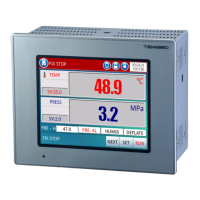
TEMI 880
Catalog
1. Notice for Use
.......................................................................................................................................
5
1.1. Limited Warranty
.......................................................................................................................
5
1.2. Warranty Policy
.........................................................................................................................
5
1.3. Install Location Require
...........................................................................................................
5
1.4. Install Notice
..............................................................................................................................
6
2. Appearance Dimension
.......................................................................................................................
7
3. Installation
..............................................................................................................................................
8
3.1. Body Terminal
...........................................................................................................................
8
3.2. Applicable Tightening terminal
...............................................................................................
8
3.3. I/O Relay Board
.........................................................................................................................
9
4. Input Keyboard
...................................................................................................................................
10
4.1. Digital keyboard
......................................................................................................................
10
4.2. Alphabet keyboard
..................................................................................................................
11
5. Block Diagram of the Basic Processing
.........................................................................................
12
6. Main Screen
........................................................................................................................................
13
7. Operation Screen
...............................................................................................................................
14
7.1. Stop Screen
.............................................................................................................................
14
7.2. Confirmation Window
.............................................................................................................
16
7.3. Run Screen
..............................................................................................................................
17
7.4. Test Status
................................................................................................................................
18
8. Function Set Screen
..........................................................................................................................
19
8.1. Mode Set
..................................................................................................................................
20
8.2. Fix Set
.......................................................................................................................................
21
8.2.1. Slope Operation
...........................................................................................................
22
8.3. Waiting Set
...............................................................................................................................
23
8.3.1. Wait Function Operation
............................................................................................
24
8.4. Time & Reserve
......................................................................................................................
25
8.4.1. Reserve Method
..........................................................................................................
26
8.5. Normal Set
...............................................................................................................................
27
9. Graph Screen
......................................................................................................................................
28
9.1. Highest and Lowest Display Point
.......................................................................................
29
9.2. Curve Select
............................................................................................................................
29
9.3. Time Scale Zooming
..............................................................................................................
30


 To Next Page