TEMI 880
9.4.2. Table Show
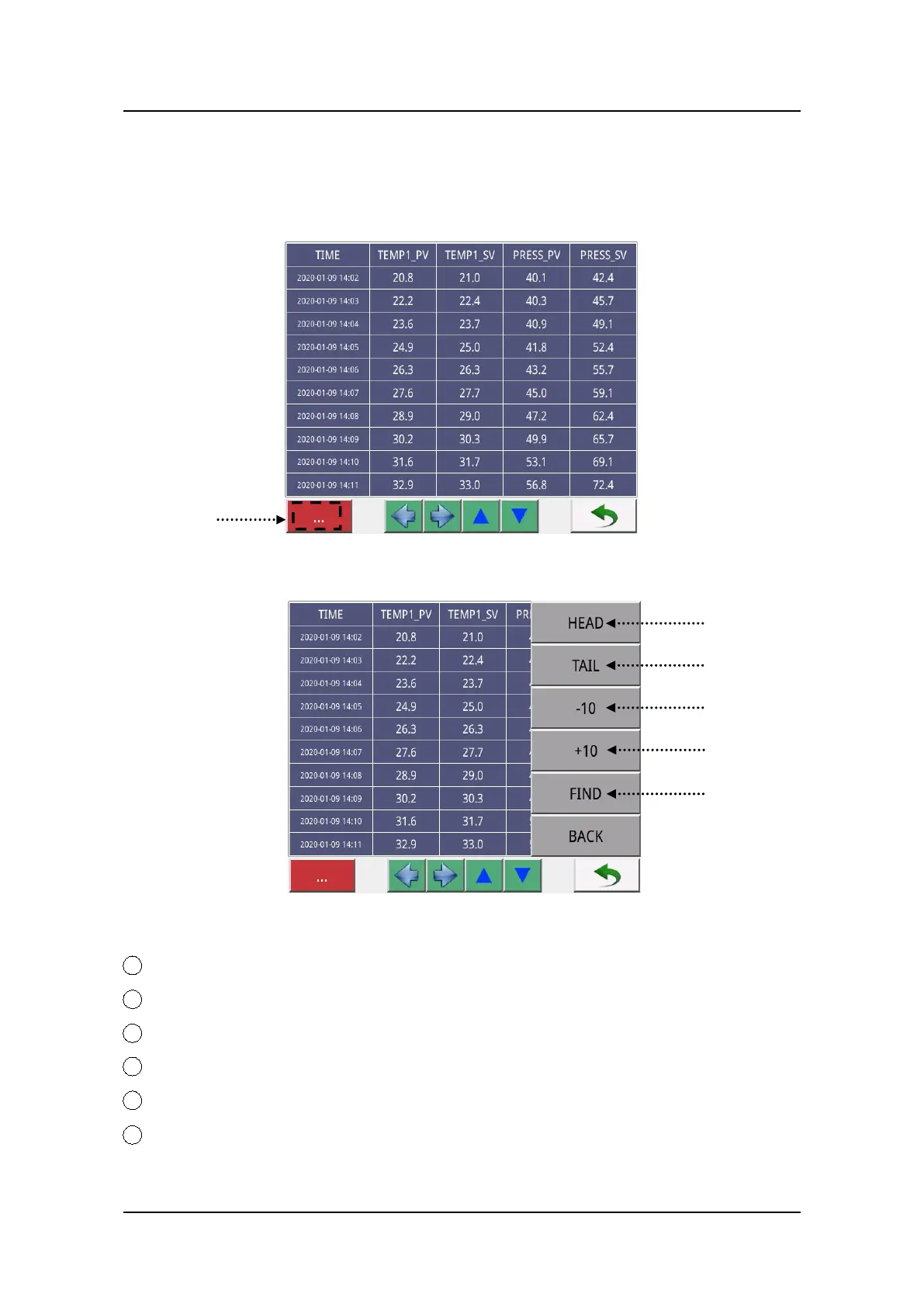
Click on the “TABLE” button in Figure 40 to enter Table Show screen as Figure 41.
Table Show Screen
Figure 41
Figure 42
1 Click on the “Ellipsis” pattern in Figure 41 will display as Figure 42.
2 Head: click on this button jump to the first page of table.
3 Tail: click on this button jump to the last page of table.
4 -10: click on this button jump backwards based on the 10 pages unit.
5 +10: click on this button jump forward based on the 10 pages unit.
6 Find: click on this button will pop up a time selecting keyboard, input the date
and click on “OK” to confirm. Then jump to this time point in this curve table.


 To Next Page