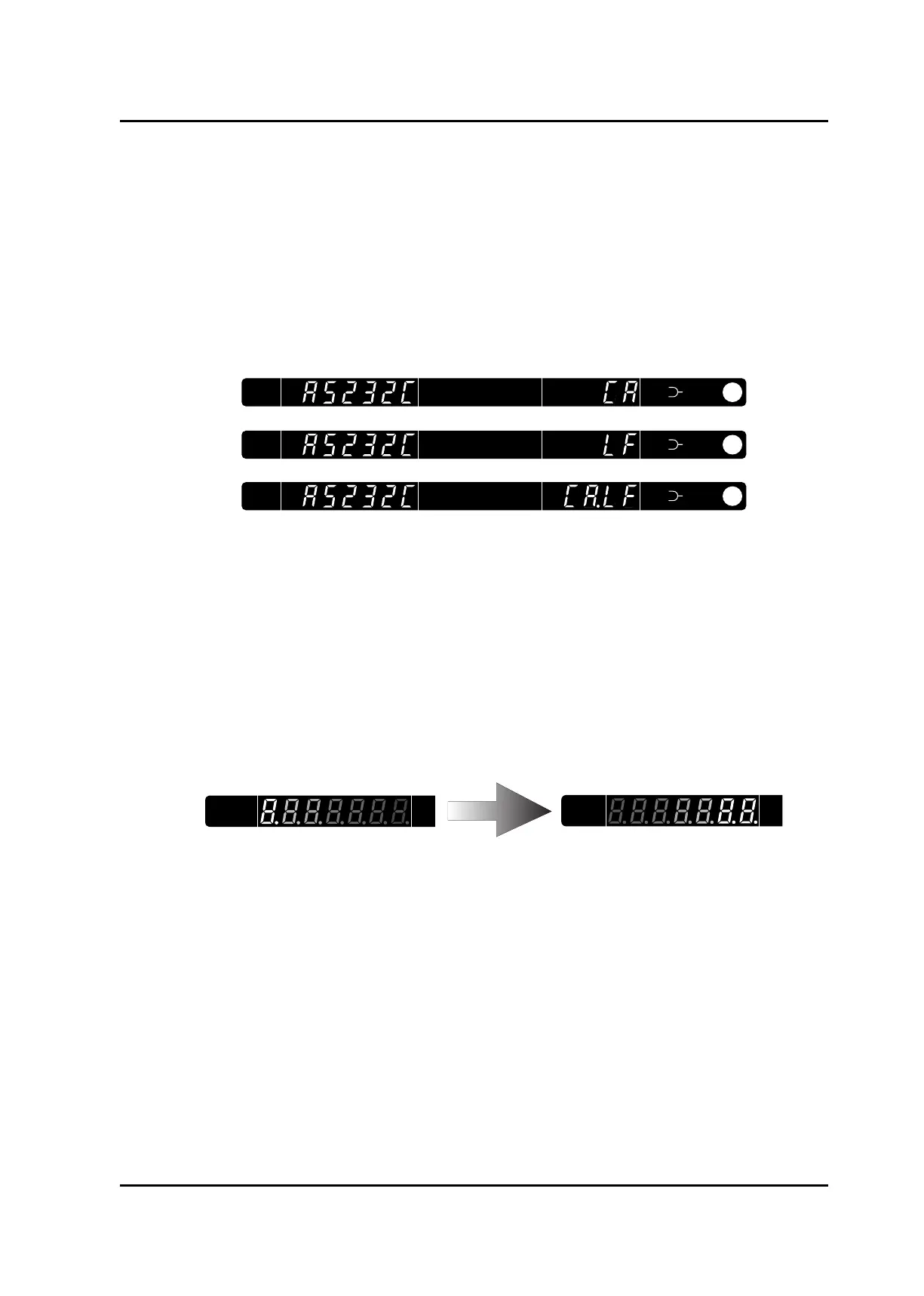
3) RS-232C delimiter is displayed.
RS-232C delimiter can be changed by turning on power while holding OPTION or APC key.
The delimiter setting is kept effective even though unit is OFF.
• OPTION key : CR
• APC key : LF
• OPTION + APC key : CR/LF (Press and hold both keys.)
4) All the indications and LEDs are lit.
5) LEDs go out, and only wavelength plate is lit.
6) Optical system is initialized. During the period, it moves so that “0” runs on the wave-
length display plate.
Optical output power, -40.00dB/0.00 mW is displayed. This is the minimum optical output
power and means that no current is injected into the LD.
When the chamber temperature falls within +/- 0.1 C of the set temperature and becomes
stable, the TEMP.ERROR display indicator on the front panel goes out, and the status value
changes. For several minutes after turning the power on, the TEMP.ERRORR display is lit.
About 10 minutes afterward, the TEMP.ERROR display goes out. This time interval also
occurs when the target temperature is changed by command.
Artisan Technology Group - Quality Instrumentation ... Guaranteed | (888) 88-SOURCE | www.artisantg.com



 To Next Page