9-9 Setting GP-IB Address and Delimiter
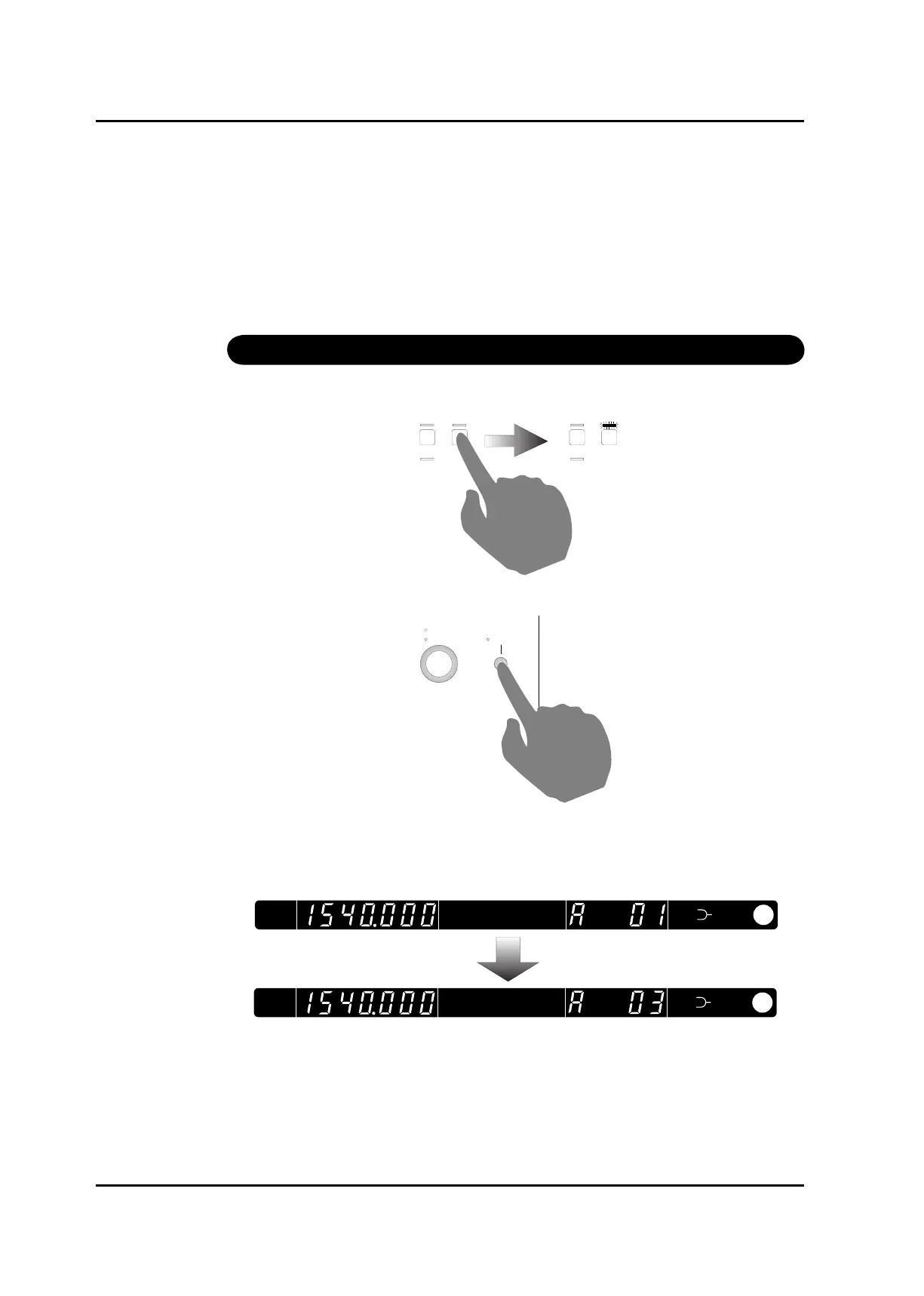
After setting, press GP-IB address delimiter key again.
Move to delimiter setting
Change delimiter
Move in to delimiter setting mode after address setting.
Delimiter has CR, LF, CR+LF and EOI which doesn’t have any character.
Change the delimiter using rotary encoder and press GP-IB address and delimiter key to select
the delimiter.
GP-IB address and delimiter is saved to memory after setting. SHIT LED goes off and display
shows output power.
*At this moment, GP-IB address and delimiter is only saved to memory. It will be effected
after resetting TSL-210.
Artisan Technology Group - Quality Instrumentation ... Guaranteed | (888) 88-SOURCE | www.artisantg.com



 To Next Page