TUNABLE LD LIGHT SOURCE TSL-210
11-1
11-1. Daily Maintenance
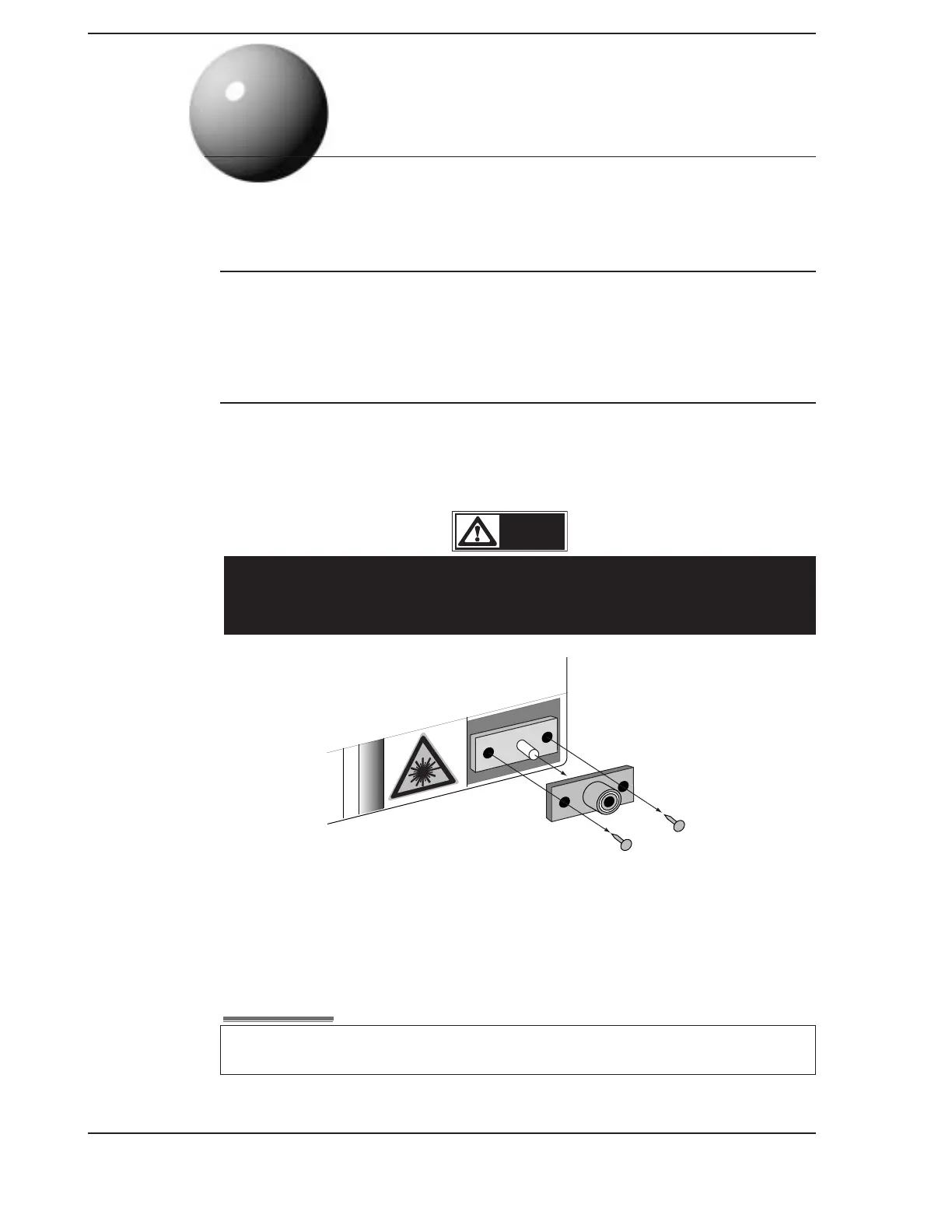
Connection of an optical fiber with dust and dirt on the end of the optical connector of the TSL-
210 will cause loss of optical input, therefore, clean the connector periodically. The optical
adapter may be removed by removing the screws as shown in the figure below.
11-2. Cleaning the Optical Connector
Connection of the optical fiber with dust and dirt on the end of the optical connector of TSL-210
cause loss of optical output, therefore, clean the connector periodically. The optical adapter
arranged at the optical connector may be pulled out by removing fixation screws, therefore,
remove it and clean the end of the optical connector.
This product uses a semiconductor laser. Laser beam may cause visual injury if it
gets in eye. Before cleaning of the optical connector, be sure to turn the power off
(Refer to 9-11.), and make sure there is no optical output power.
DANGER!!
After cleaning, insert the optical adapter into the optical connector and fix it securely with 2 screws.
If the optical adapter is not attached correctly, optical output power loss will result.
11
Maintenance
Procedures
1) Remove the 2 screws that fix the optical adapter with a phillips screw driver.
2) Pull out the optical adapter. To facilitare removal, attach a connector cap to the optical
adapter, and
pinch and pull out the connector cap.
3) Clean the end of the optical connector with alcohol.
4) After cleaning, insert the optical adapter into the optical connector and fix it with
2 screws.
NOTE
Artisan Technology Group - Quality Instrumentation ... Guaranteed | (888) 88-SOURCE | www.artisantg.com



 To Next Page