EasyManua.ls Logo

Sanyo VPC-MZ2EX - User Manual

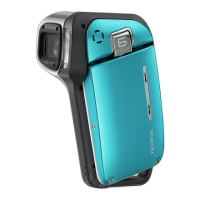
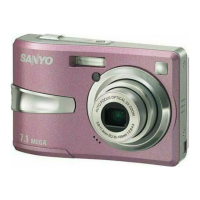
Sanyo VPC-MZ2EX
208 pages
Print Icon
To Next Page IconTo Next Page
Loading...
INSTRUCTION MANUAL
VPC-MZ2EX
VPC-MZ2
Digital Camera
Important note
This manual explains how to safely operate the VPC-MZ2EX and VPC-MZ2.
Please read these instructions carefully before using the digital camera. Make sure
to read and understand the section “USING YOUR DIGITAL CAMERA SAFELY
AND CORRECTLY” on pages 7 to 22. Keep this manual in a safe place for later
reference.
SX215/EX, U (VPC-MZ2 GB) Mon. March 25/2002

Table of Contents

Other manuals for Sanyo VPC-MZ2EX

Questions and Answers

  • E
    Elizabeth MarshallAug 25, 2025
    Why is my Sanyo VPC-MZ2EX not taking pictures when I press the shutter button?
    • M
      Michael BrooksAug 25, 2025
      If your Sanyo Digital Camera is not capturing images when you press the shutter release button, ensure that the power is on. If the power save function has turned the camera off, press the MODE button, power button, or press the shutter release button once to turn it back on.
  • C
    Christina MeyersAug 23, 2025
    What to do if the “MEMORY FULL” message appears on my Sanyo VPC-MZ2EX Digital Camera?
    • P
      Paul IrwinAug 23, 2025
      If your Sanyo Digital Camera displays a “MEMORY FULL” message, it indicates that there is no more available memory on the card. Erase unnecessary data or use a card with more memory available.

Sanyo VPC-MZ2EX Specifications

General IconGeneral
TypeCompact digital camera
Optical Zoom3x
Sensor TypeCCD
Storage MediaSD Card
Battery TypeAA Batteries (2)

Related product manuals