12 CSP-204 ● CSP-208 ● CSP-104 ● CSP-108 SATEL
control panel needs. This circuit should meet the existing standard requirements for low-
voltage electrical installations.
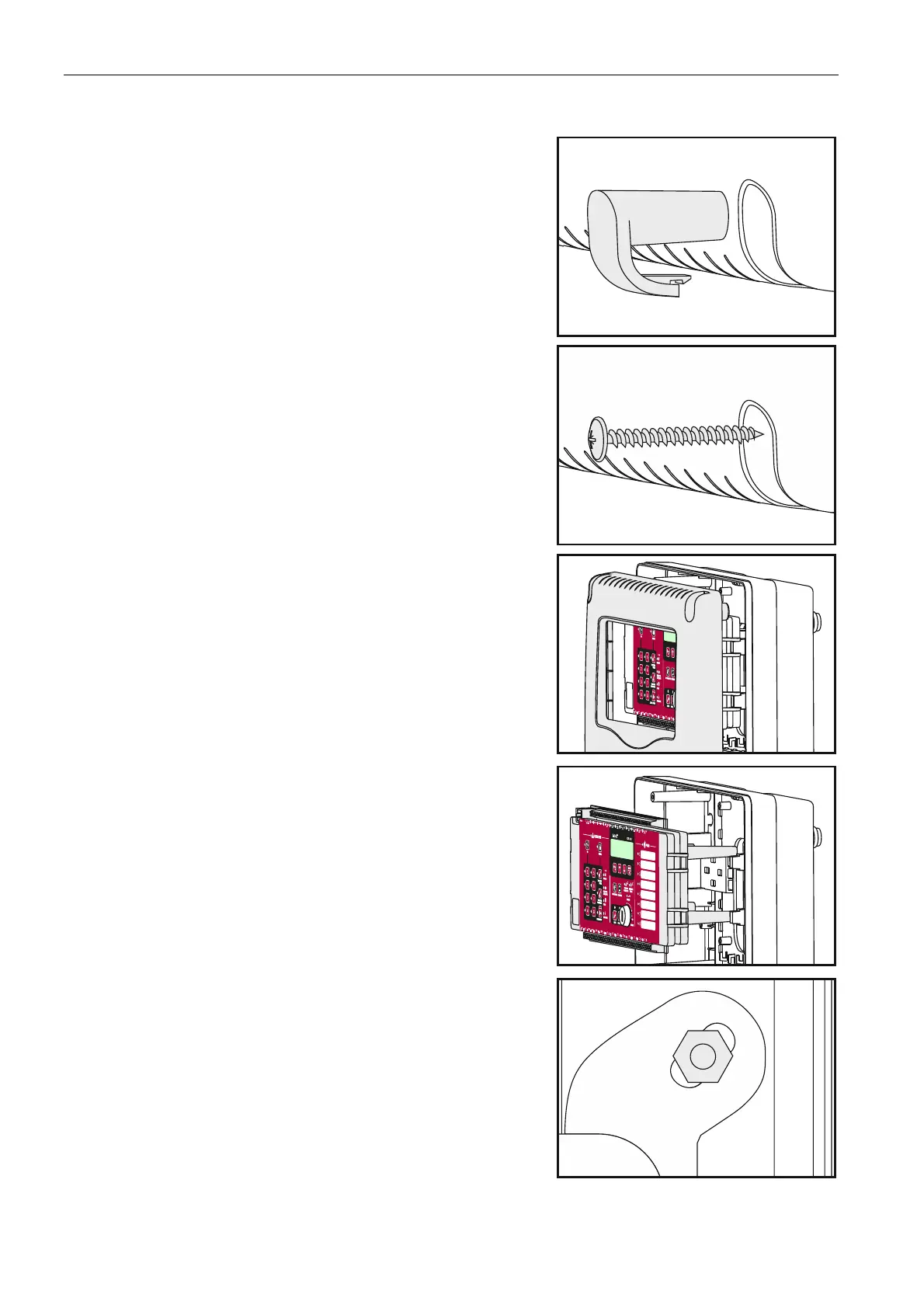
1. Remove 4 screw caps from the cover.
2. Remove 4 screws fixing the cover.
3. Remove the cover.
4. Remove the control panel mainboard module from
its mountings.
5. Remove 2 bolts locking for transport the insert for
battery.
6. Put the enclosure base against the wall at the place where the control panel is to be
installed, and mark the location of 4 enclosure mounting holes.



 To Next Page