28 CSP-204 ● CSP-208 ● CSP-104 ● CSP-108 SATEL
7.3.3 Programming the CSP-104 and CSP-108 control panels
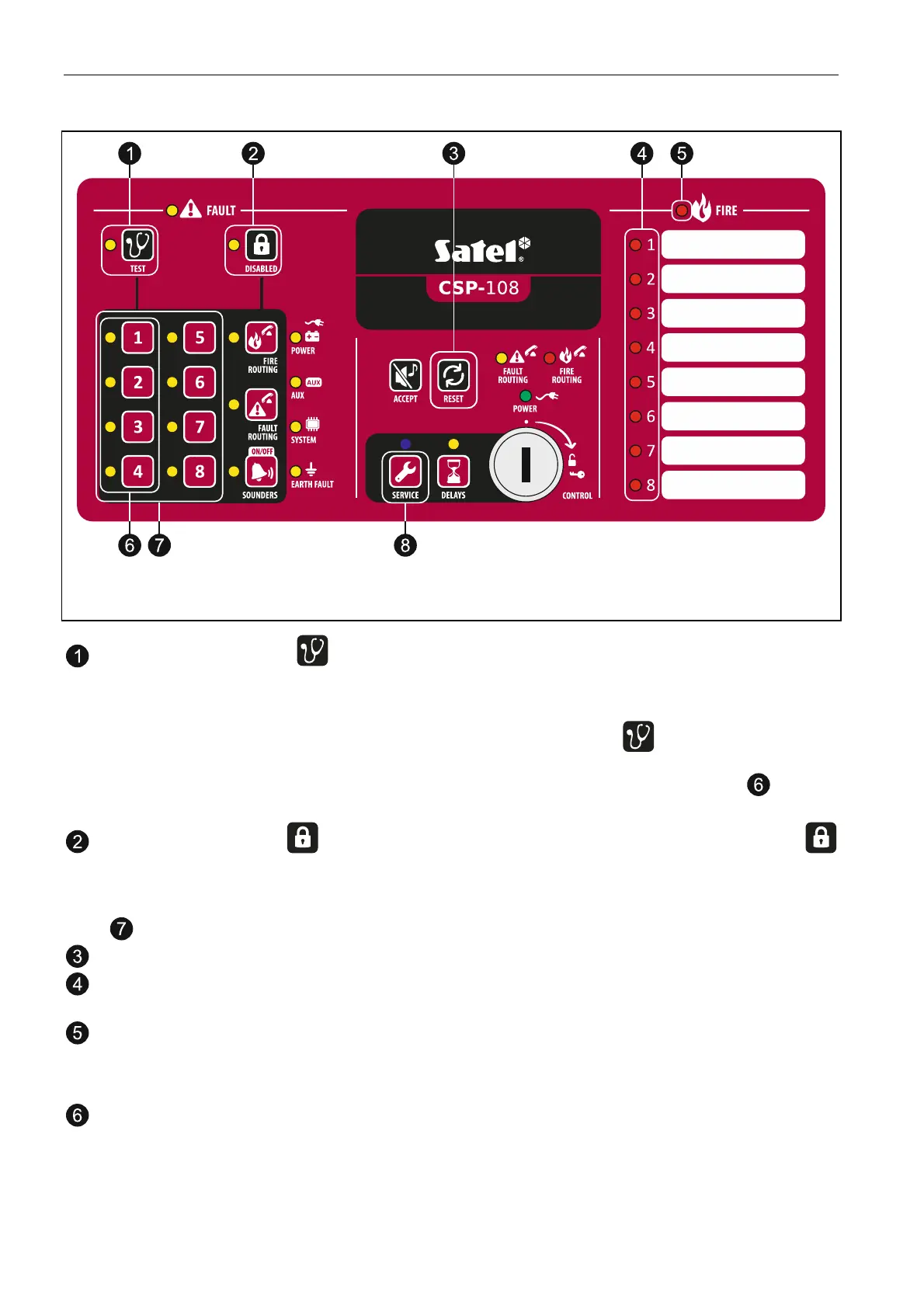
Fig. 15. Controls on the CSP-108 front panel, which are used for programming (the similar
controls are also used in the case of CSP-104 control panel).
the LED next to the button indicates that the control panel programming is in
progress:
blinking – waiting to start the programming function;
ON – one of the programming functions is running. The button allows you to
check which function is running (when the button pressed, the function number is
presented in binary format on the LEDs located next to the buttons – see:
Table 1, p. 29).
the LED next to the button is blinking when it is possible to enter data. The
button allows you to check which data have been programmed in the control panel,
irrespective of making any modifications (when the button is pressed, the data
programmed in the control panel are presented on the LEDs located next to the buttons
).
the button allows to exit the function (canceling any changes).
the LEDs present information on the currently selected zone, input, output, etc. (LED
with a corresponding number is blinking or ON).
the LED informs you that one of the programming functions is running:
blinking – waiting for selection of zone, input, output, etc.;
ON – you can enter data.
the buttons allow you to select the programming function. Pressing the button makes
the LED turn on / off. The function number is presented in binary format on the LEDs
located next to the buttons (see: Table 1).



 To Next Page