SATEL Installation and Programming Manual 25
Buttons:
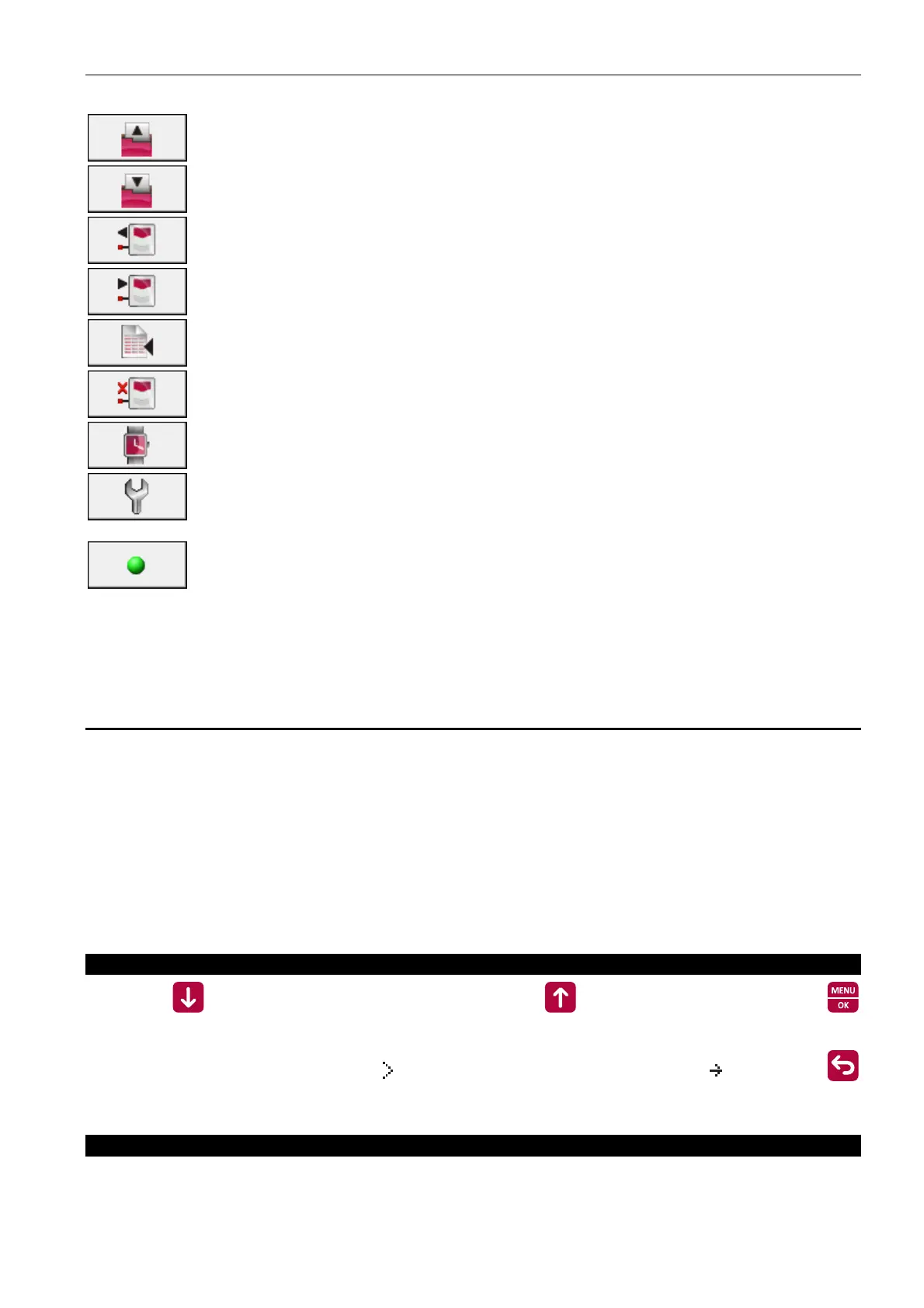
Reading from a file – the button reads in the data from file.
Saving to a file – the button writes the data to file.
Read – the button reads the configuration data from control panel.
Write – the button writes the configuration data to control panel.
Read alarms and events – the button reads the alarm log and event log from
control panel.
Cancel – the button stops reading data.
Set RTC clock – the button allows you to write the computer time to control
panel.
Serial port selection – the button opens a window where you can select the
computer COM port through which communication with the control panel is
to take place.
Serial port on/off – the button enables/disables the COM port selected for
communication with the control panel. The color of graphic element on the
button indicates the current port status:
green – COM port enabled;
gray – COM port disabled.
7.3 Programming with buttons
7.3.1 Beeps during programming
1 short beep – pressing button.
2 short beeps – confirmation of starting function, confirmation of making selection or
acceptance of data entry.
2 long beeps – button not available or refusal to execute the command.
7.3.2 Programming the CSP-204 and CSP-208 control panels
After getting access at level 3, the programming menu will open on the display.
Navigating through the menu
Press the button to scroll down the menu, and the button – to scroll up. Use the
button to enter a submenu or start a function indicated by cursor. The cursor indicating
submenu has the following form: , and the cursor indicating function: . Press the
button to return to the previous menu level.
Menu structure
Note: The menu is a dynamic one, i.e. some functions are only displayed when it appears
from how the specific parameters of the control panel are programmed that they will be
useful.



 To Next Page