SATEL Installation and Programming Manual 17
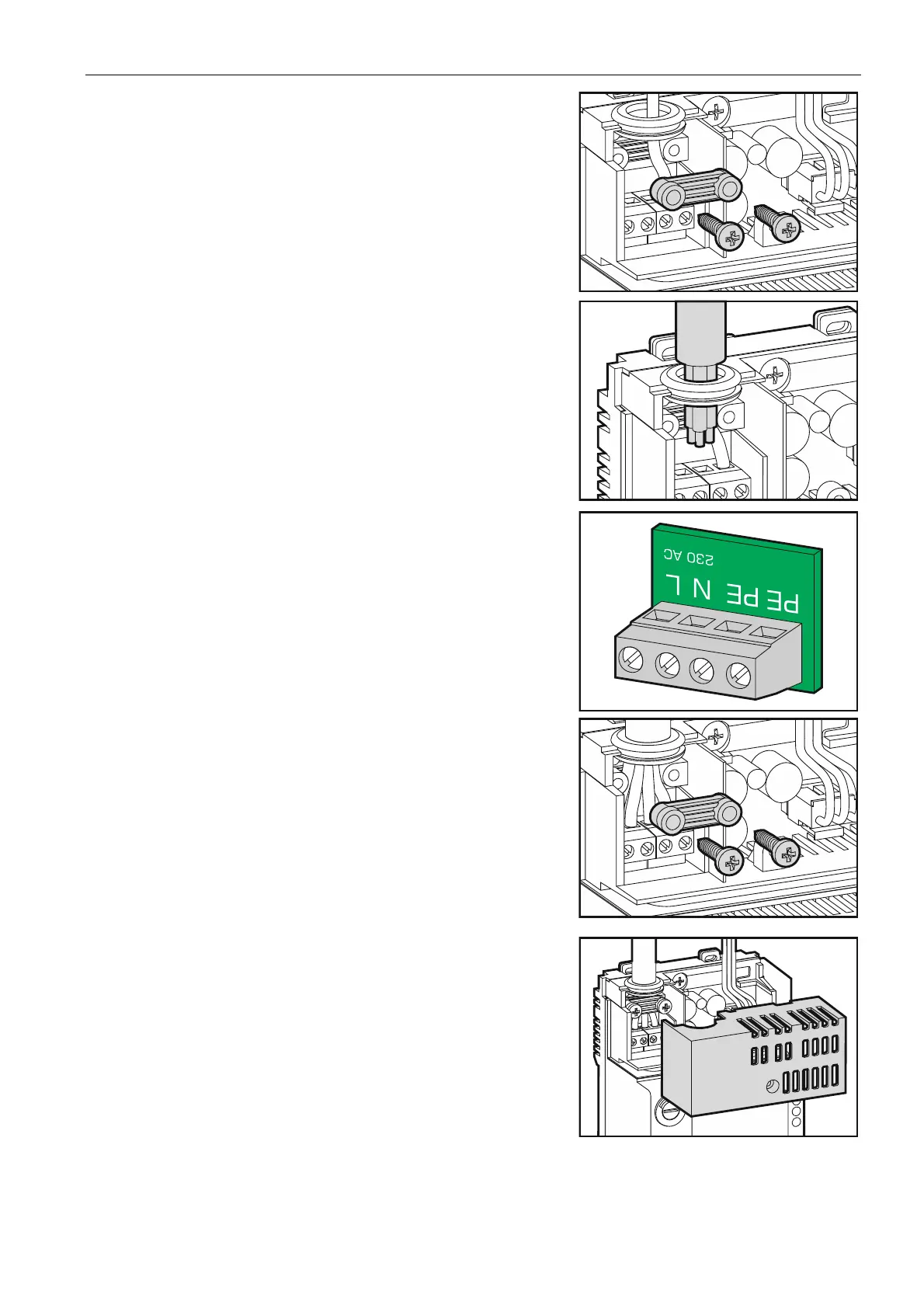
3. Remove the screws and take out the wire fastening
element.
4. Run the cable through the cable entry.
5. Screw the 230 V AC power leads to the
corresponding terminals (phase conductor to L
terminal, neutral conductor to N terminal, and
protective conductor to PE terminal).
6. Screw the wire fastening element.
7. Replace the cover of power supply terminals.



 To Next Page