Date Code 20010518 “Job Done” Examples - (Example 3) 4-27
SEL-2020 Instruction Manual
Time
Processor
SEL
OGIC
Control
Equation
Processor
ISSUE2 =
P00:00:01
Setting
DWG: 2020_24.vsd
Present
Time
SEL-2020
Functional
Block Diagram
Set A 1 - 7
Settings
MESG2 =
20METER
Setting
Message
Generator
Input
Handler
Parsed
Meter Data
Database
Trigger
Meter Response
Meter Command
SEL-IED
(Ports 1 - 7)
1
2
3
4
5
Q
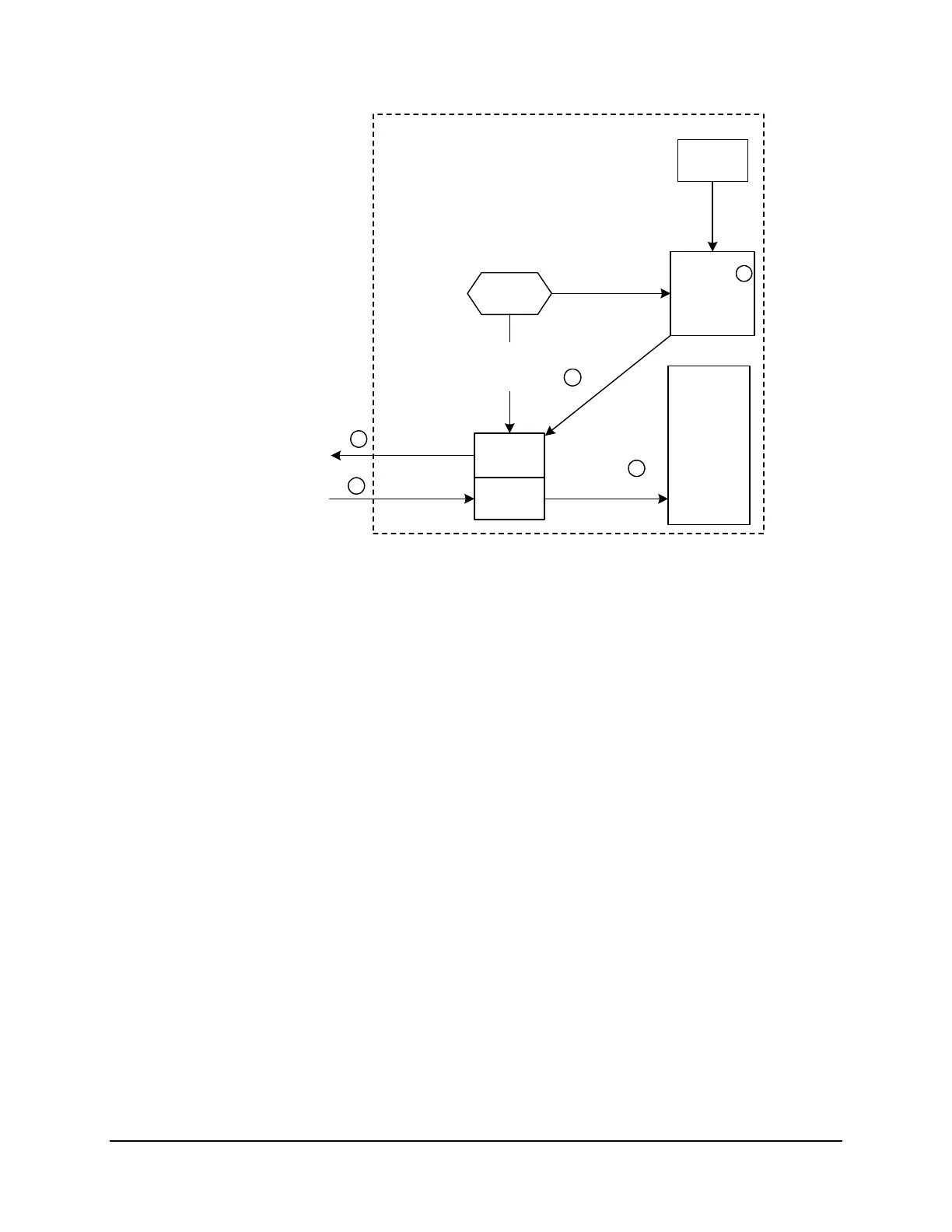
The SELOGIC Control Equation Processor compares the Time Processor input to the timed issue
condition set for Ports 1 through 7. You previously set the timed issue condition to ISSUE2 =
P00:00:01 using the SET A command.
R
When the SELOGIC Control Equation Processor detects a match between the time and the issue
condition (once each second in the example) it sets the D2 trigger bit.
S
The Message Generator detects the D2 bit set and issues MESG2. You previously set MESG2 =
20METER using the SET A command. The SEL-2020 is programmed to send the METER command
appropriate for the connected SEL relay.
T
The relay sends meter data to the SEL-2020.
U
Because you auto-configured this port (in a previous example), the SEL-2020 is programmed to
parse the response. The SEL-2020 parses the response and stores it in the port database.
Figure 4.4: Trigger P00:00:01 and 20METER Setting in SET A
3. Use the COPY 1 ALL command to copy settings from Port 1 to Ports 2 through 6. You
cannot copy the settings to Port 7, because Port 7 has the additional date and time message.
Repeat Step 2 on Port 7 to define the trigger and message on that port.



 To Next Page