Date Code 20010518 Commands 5-17
SEL-2020 Instruction Manual
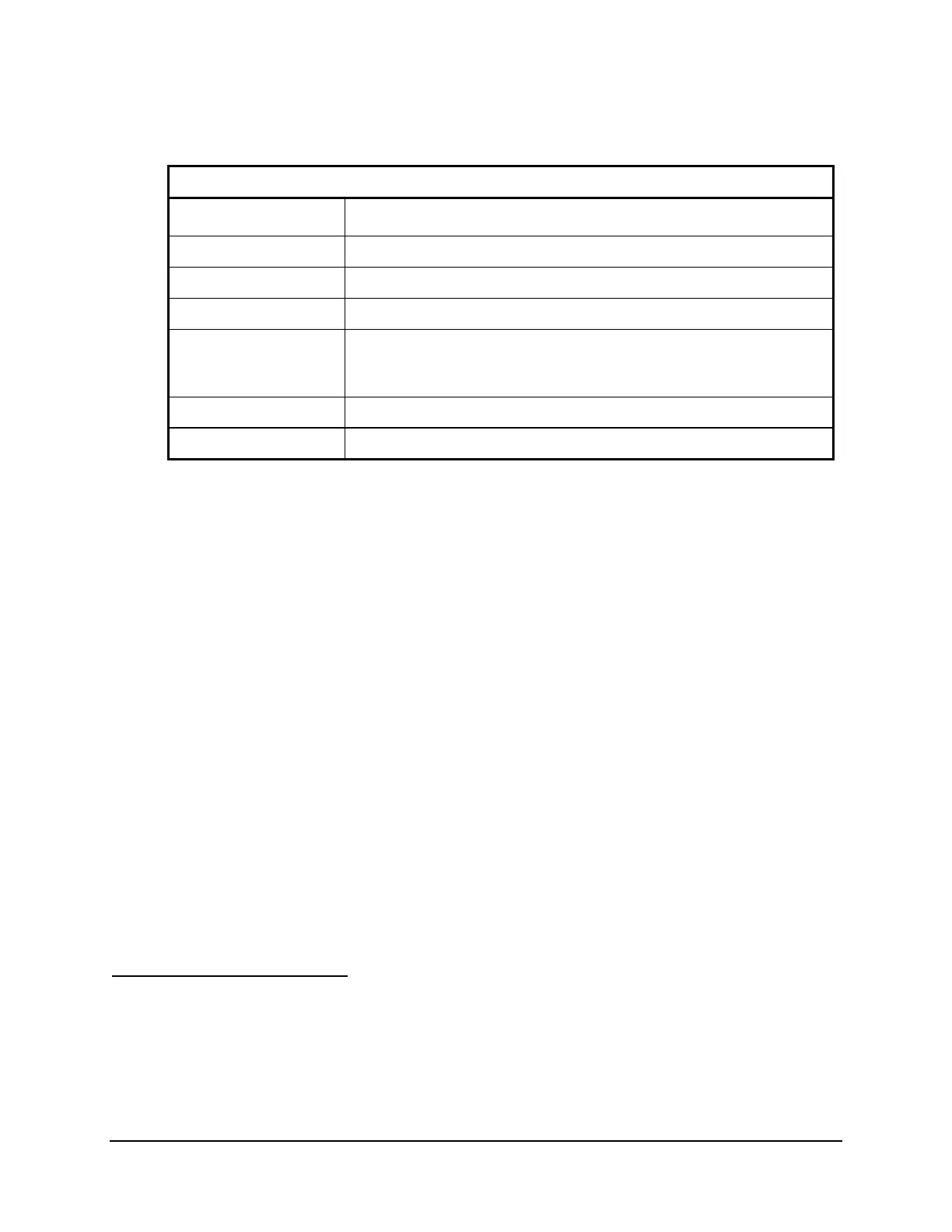
Table 5.3: Editing Keys for SET Commands
Press Key(s) Results
∧
∧∧
∧ <ENTER>
Moves to the previous entry prompt.
<
<<
< <ENTER>
Moves to the first entry prompt in the previous settings category.
>
>>
> <ENTER>
Moves to the first entry prompt in the next settings category.
<ENTER>
Accepts setting, then moves to next entry prompt.
END<ENTER>
Exits editing session and displays all settings. Prompts: “Accept settings
(Y/N)?”. Type Y<ENTER> to save changes and exit, N<ENTER> to exit
without saving.
<CTRL-X>
Aborts editing session without saving changes.
OFF<ENTER>
Flags a setting as not applicable.
Section 6: Settings explains all of the settings, including their applicability to various connected
device types. Refer to that section for complete reference information.
The SEL-2020 checks each entry to ensure that it is a valid choice. If it is not, the SEL-2020
generates an “Out of Range” message, and prompts for the setting.
When you finish a setting, it is not necessary to scroll through the remaining settings. Type
END<ENTER> after your last change to display the new settings and acceptance prompt.
After you enter all data, the SEL-2020 displays the new settings and asks to enable them. Type
Y<ENTER> to approve the new settings or N<ENTER> to abort setting changes. If you type
Y<ENTER> and have a setting violation, an error message is displayed, and the settings prompt
moves to the first setting that affects the failure. If settings are acceptable, the SEL-2020 saves
them. While the active settings are updated, the SEL-2020 port being modified is disabled and
the SALARM bit asserts for one second. If there is no I/O board in the SEL-2020, the alarm
contact will close for one second.
When the settings change on a port, that port is reset. If you change the settings on the current
port, the settings become effective after being accepted. If you change the baud rate, you also
must change the baud rate on your terminal to match in order to resume communicating with the
SEL-2020. You may not change the settings on a port that is currently communicating transpar-
ently with another port.
Use the COPY or SWAP commands to move settings between ports.
SHOWSET t (Access Level 1)
You use the SHOWSET command to display settings. SHOWSET works with all settings
classes: P, A, M, U, L, G, and C. The P, A, U, M, and L classes require a port number
parameter (1 through 16 or F). For example, enter the command SHOWSET P F to examine the
front-panel port settings, and enter the command SHOWSET G to examine the global settings.
You can display P, A, M, U, and L settings for a port by giving the port number as the only


 To Next Page