Date Code 20010518 SELOGIC Control Equations 7-3
SEL-2020 Instruction Manual
Note: Because the SEL-2020 can only sample relay elements, you should only use elements
you are confident will be asserted when a sample occurs. Elements that are only asserted
momentarily will probably not be seen by the SEL-2020 in their asserted state.
Status Information
Along with their meter information, some SEL relays provide status information, which includes
bits for self-test failures and new events. These bits are stored in the SEL-2020 as part of the
relay element data. Use the TARGET command once a Port is configured to see what SEL relay
special elements are available. These items are selected the same way as SEL relay elements.
Database Bits as Elements
Arbitrary database bit references allow any bit of any register within any database region to be
referenced as a SEL
OGIC Control Equation term. To specify an element of this type, you must
select the Port number, register number, and bit number. For example, to access bit 11 of register
800Fh on Port 12, use the element label: 12:800Fh:Bh. If the register does not exist when you
select it, you will be warned, but the term will be accepted. If it does not exist when SEL
OGIC
Control Equations run, it will be treated as false (logic 0).
Timed Conditions
For controlling operations that must occur at specified times or periodically, you may use time-
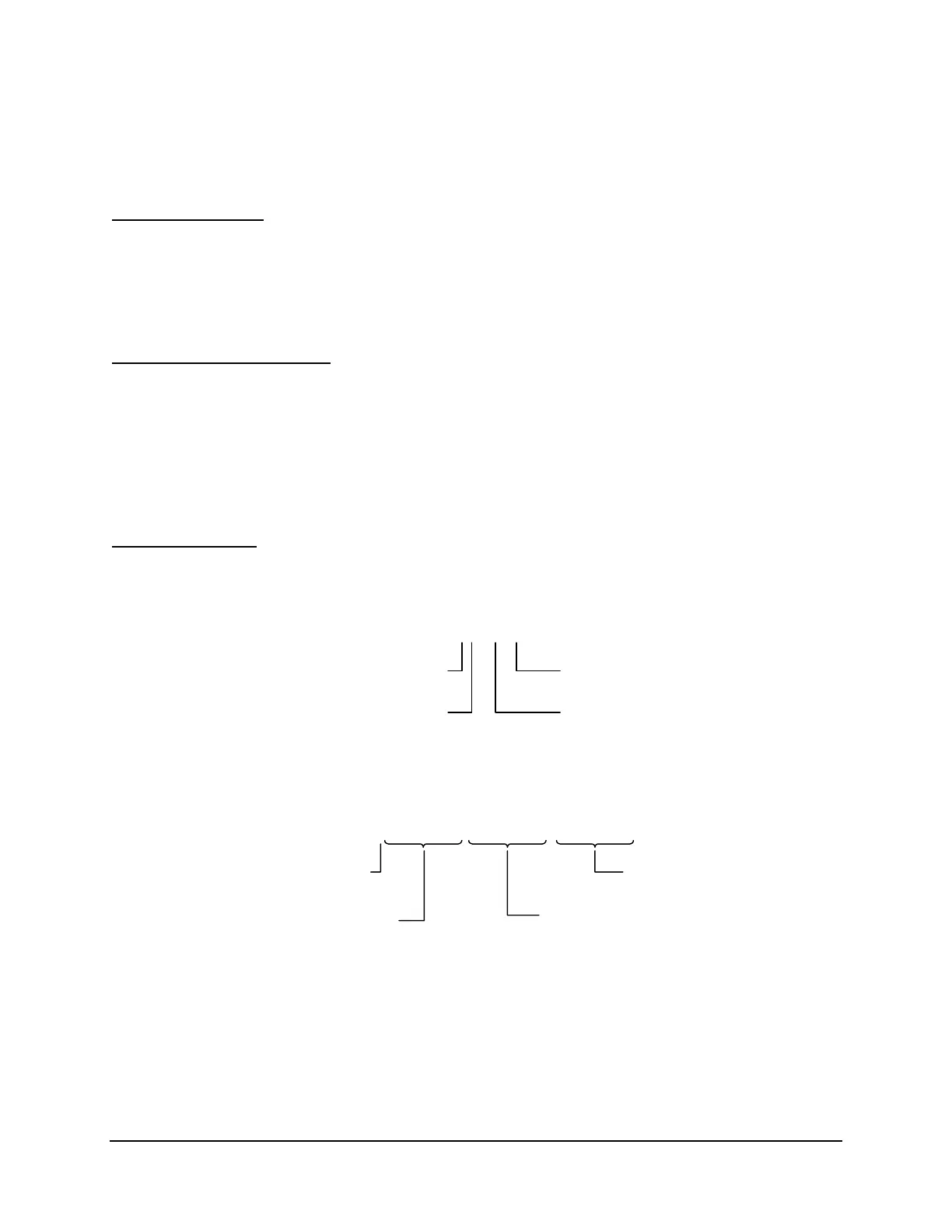
of-day or periodic items. Time-of-day equation entries have the following syntax:
Thh[:mm[:ss[.x]]]
Time Seconds
Hours Minutes
This portion of an equation is true when the specified time-of-day occurs. The minutes, seconds,
and tenths-of-seconds fields are optional, as indicated by the square brackets. To make
something occur periodically, use a periodic item:
Phh[:mm[:ss[.x]]]
[
;hh[:mm[:ss[.x]]]
[
;hh[:mm[:ss[.x]]]
]]
Periodic Stop Time
Time Interval
Start Time
This item specifies the interval, optional start time, and optional stop time. The minutes,
seconds, and tenths-of-seconds fields for all three time fields are optional, as indicated by the
square brackets. For all three time fields The interval specifies how often to perform an
operation. The start time specifies the time-of-day to start the interval. If the start time is not
included, it will default to 00:00:00.0. The stop time specifies the time-of-day to stop the
periodic samples. It defaults to 24:00:00.0. Both of these timed conditions will be true for
approximately 100 milliseconds. If a start time is specified with a smaller time increment than



 To Next Page