Date Code 20010518 “Job Done” Examples - (Example 1) 4-3
SEL-2020 Instruction Manual
EXAMPLE 1: USING THE SEL-2020 AS A PORT SWITCH
I
NTRODUCTION
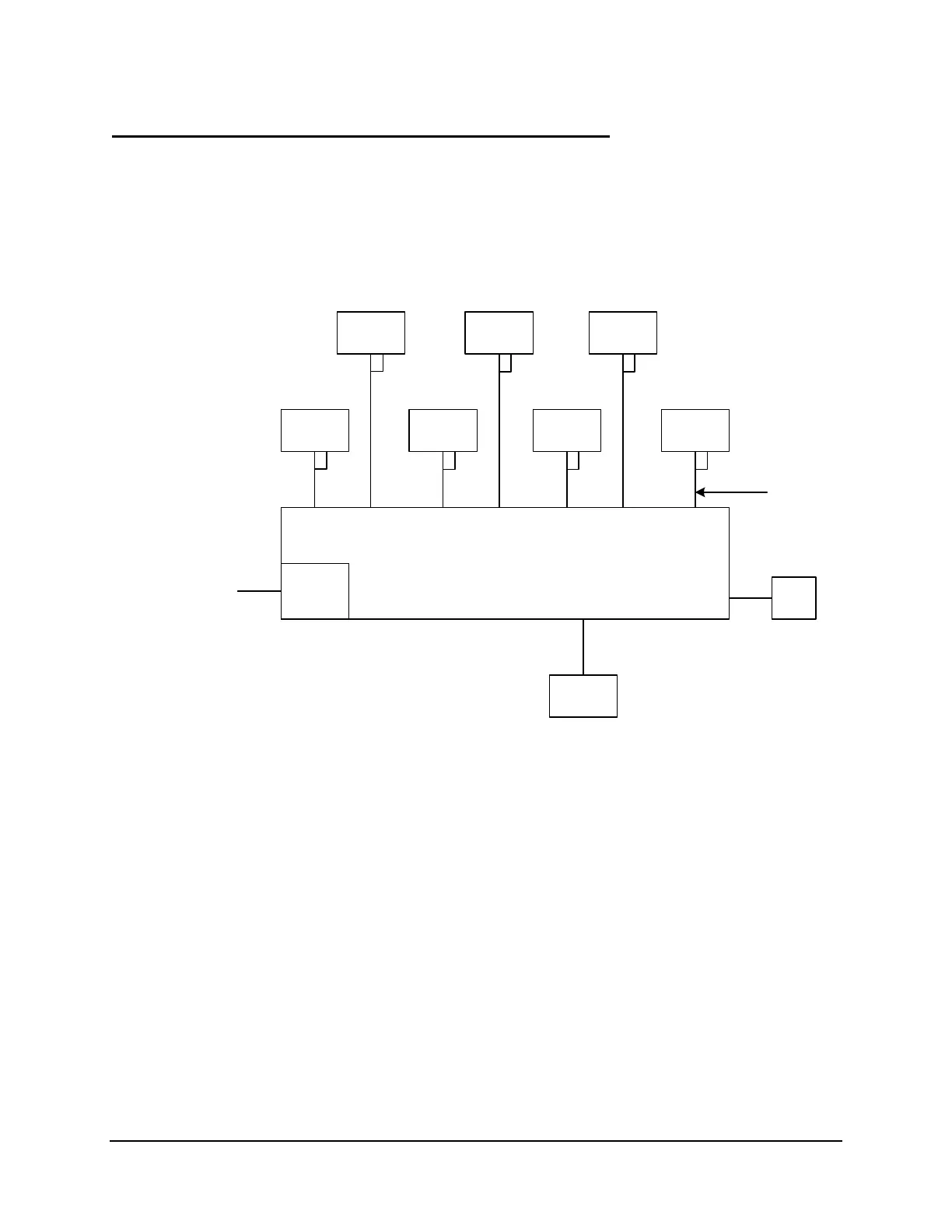
This example assumes your substation has an SEL-2020, seven SEL-251 Relays, an IRIG-B
source, and a telephone line. Also, you have SEL-C239 cables of the appropriate length to
connect the SEL-2020 to each relay. You have a PC or terminal and an SEL-234A cable to
communicate with the SEL-2020. You will connect all of these as shown in Figure 4.1, below.
SEL-251
Relay
Time
Clock
SEL-251
Relay
SEL-251
Relay
SEL-251
Relay
SEL-251
Relay
SEL-251
Relay
SEL-251
Relay
Local
Terminal
Optional
Modem
Port 8
IRIG-B
Input
Port 7Port 6Port 5Port 4Port 3Port 2Port 1
SEL-2020
Port F
Aux.
Input
Aux.
Input
Aux.
Input
Aux.
Input
Aux.
Input
Aux.
Input
Aux.
Input
Port 2R
Telephone
Line
Cable
C234A
DWG: 2020_10.vsd
Port 2R Port 2R
Port 2R Port 2R Port 2R Port 2R
All relay
cables
C239
Figure 4.1: SEL-2020 Configured with Seven SEL-251 Relays, Optional Modem, and
IRIG-B Source
IDENTIFYING THE PROBLEM
Your objective in Example 1 is to accomplish the following tasks:
• You want the SEL-2020 to time synchronize all IEDs with the IRIG-B source.
• You want to send date messages to the relays even though they receive IRIG-B time
code, so if power is cycled on a relay, the appropriate date (including year) is available
as a reference.
• You want to access information in all the IEDs through the telephone port.



 To Next Page