4-38 “Job Done” Examples - (Example 4) Date Code 20010518
SEL-2020 Instruction Manual
SEL
OGIC
Control
Equation
Processor
Sets 1:CMD1 Bit
in Database
DWG: 2020_13.vsd
Sets 1:A3
Bit Trigger
SEL-2020
Set U
Settings
Message
Generator
Parsed
Response
Summary
Event Report
Relay
Event
Report
Archive
Region
1:A3
Input
Handler
Set A
Settings
Input
Handler
1:MESG3A = 20 EVENT
6
1
2
3
4
5
EVENT
Command
Q
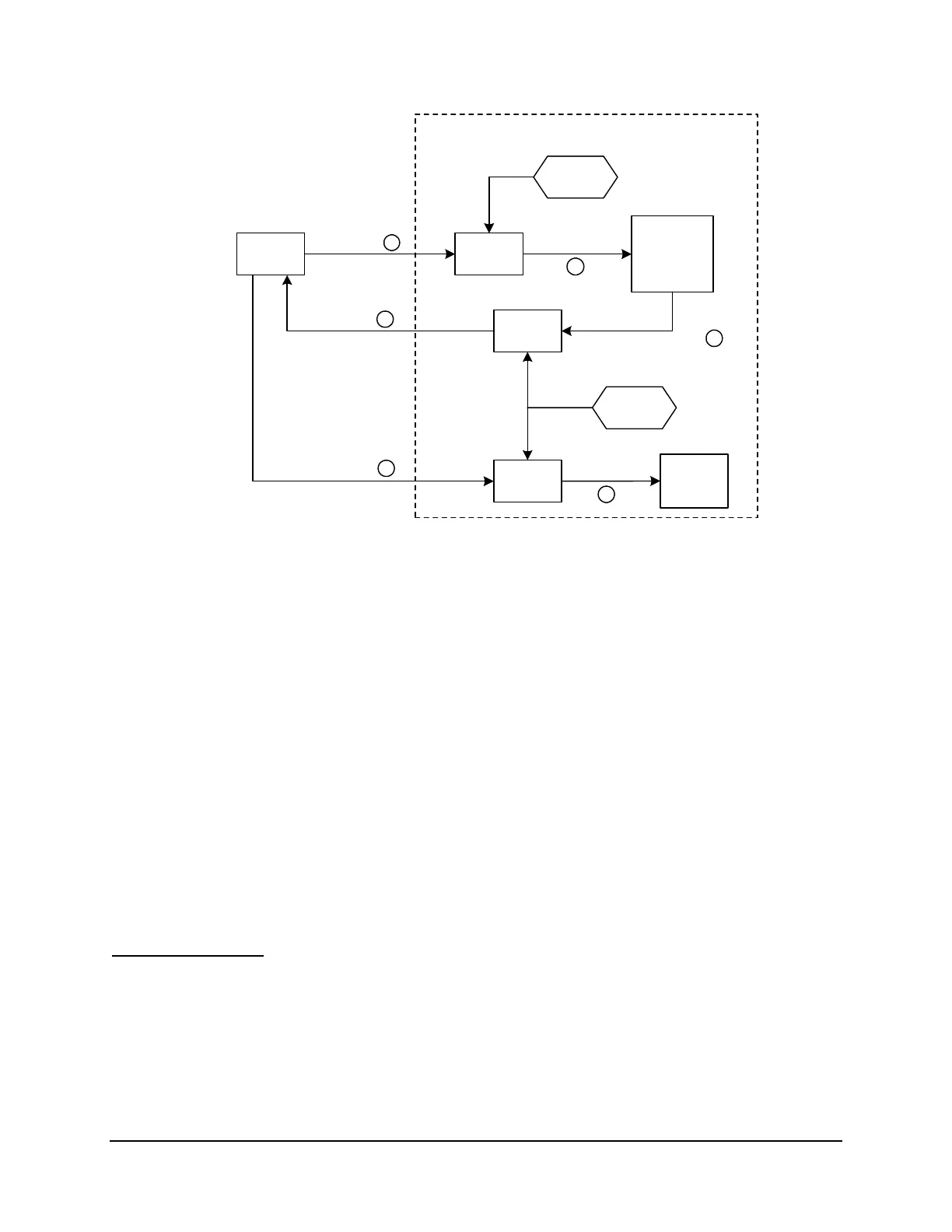
The SEL relay on Port 1 sends a summary event report to the SEL-2020. You must ensure that the
relay port is set to “AUTO” to send summary event reports to the SEL-2020.
R
The SEL-2020 recognizes this event report because you set CMD1=20EVENT using the SET U
command. The Input Handler therefore sets the CMD1 bit in the Port 1 database.
S
The SELOGIC Control Equation Processor reads the 1:CMD1 bit set and sets the 1:A3 bit, which
triggers the message generator to send a pre-set message. You defined the 1:A3 trigger
condition as ISSUE3A=CMD1 using the SET A command.
T
The Message Generator requests an event report from the relay. You defined this message as:
MESG3A=20EVENT using the SET A command. The command the SEL-2020 sends is the EVENT command
appropriate to that relay.
U
The relay responds by sending the long event report to the SEL-2020.
V
Because Port 1 was auto-configured from a previous example, the SEL-2020 is programmed to
parse the response from the relay. The SEL-2020 parses the response and stores the report in
Archive Region 1:A3.
Figure 4.6: Functional Model of Message Archive Function for Port 1
Test the Operation
1. Use the MAP command to see the general database structure including the number of
archive records stored.
2. Force an event on a relay and wait a couple of minutes for it to be retrieved.
3. View the contents of each port archive data region individually using the VIEW command.



 To Next Page