10
Operation
CPC III Manual
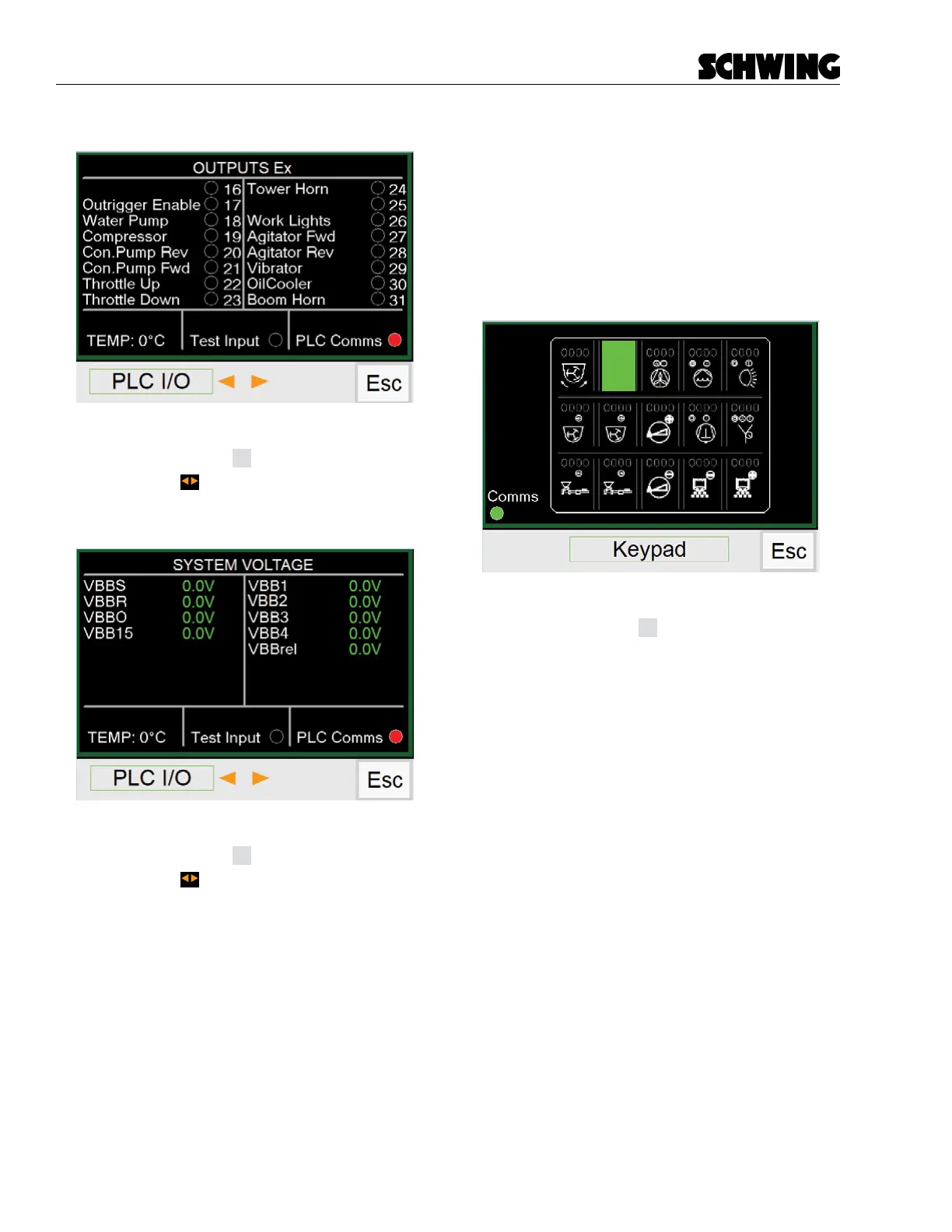
OUTPUTS Ex Screen
Functions:
- Press (F4) button
Esc
to return to Menu Screen.
- Press the to go to next or previous PLC I/O
screen
System Voltage Screen
Functions:
- Press (F4) button
Esc
to return to Menu Screen.
- Press the to go to next or previous PLC I/O
screen
Keypad Screen
Displays active functions on the Operator Keypad.
When a button is pressed on the keypad, the corre-
sponding button on the screen will light up green. Ex-
ample, horn button activated.
This screen also shows your communications link
(Comms), Green dot = connected, Red dot = not con-
nected.
Functions:
- Press (F4) button
Esc
to return to Menu Screen.



 To Next Page