23
Operation
CPC III Manual
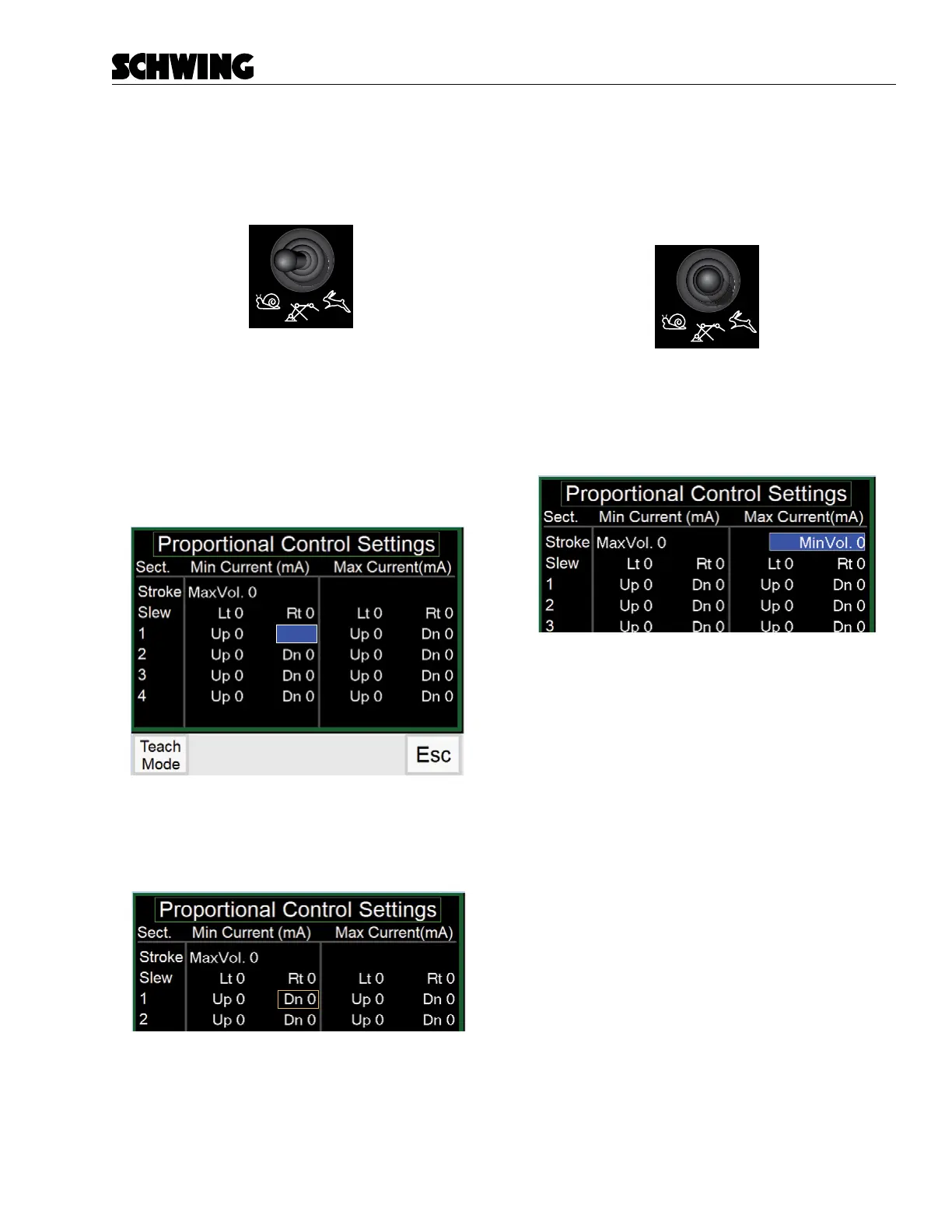
Adjusting Boom Functions
1. Flip the Rabbit/Snail switch to appropriate posi-
tion. Snail mode adjusts the minimum and Rabbit
mode adjusts the maximum values.
2. Hold the joystick in the function you want to ad-
just. IE: To adjust Boom #1 Down move the right-
hand joystick up and hold it in place. The value
will be highlighted in Blue
3. Use the Throttle Up/Down switch to adjust the
value until you get the desired result. You wont
see the adjustment on the display until you hit
save.
4. While still holding the joystick, activate the Horn
button on the Radio Remote to save the setting.
Once a setting is saved, a box will appear around
the saved value on the screen.
MinVol. 0
Dn 0
5. Release the boom function.
Adjusting Stroke Limiter
1. Flip the Rabbit/Snail switch to Neutral. A “S/M”
value will appear on the screen. This gives you
your strokes per minute value if a stroke counter
is installed.
2. Bringing the Stroke Limiter Dial below 5 will ad-
just the max current value.
3. Bringing the Stroke Limiter Dial above 5 will ad-
just the min current value
4. Use the Throttle Up/Down switch to adjust the
value until you get the desired result.
5. Activate the Horn button on the Radio Remote
to save the setting. Once a setting is saved, a
box will appear around the saved value on the
screen.
Factory Settings
To revert to Factory settings. Hold the Factory Reset
button for 3 seconds
MinVol. 0
Dn 0



 To Next Page