OmniHub CMP203– User Manual
Page 24 of 109
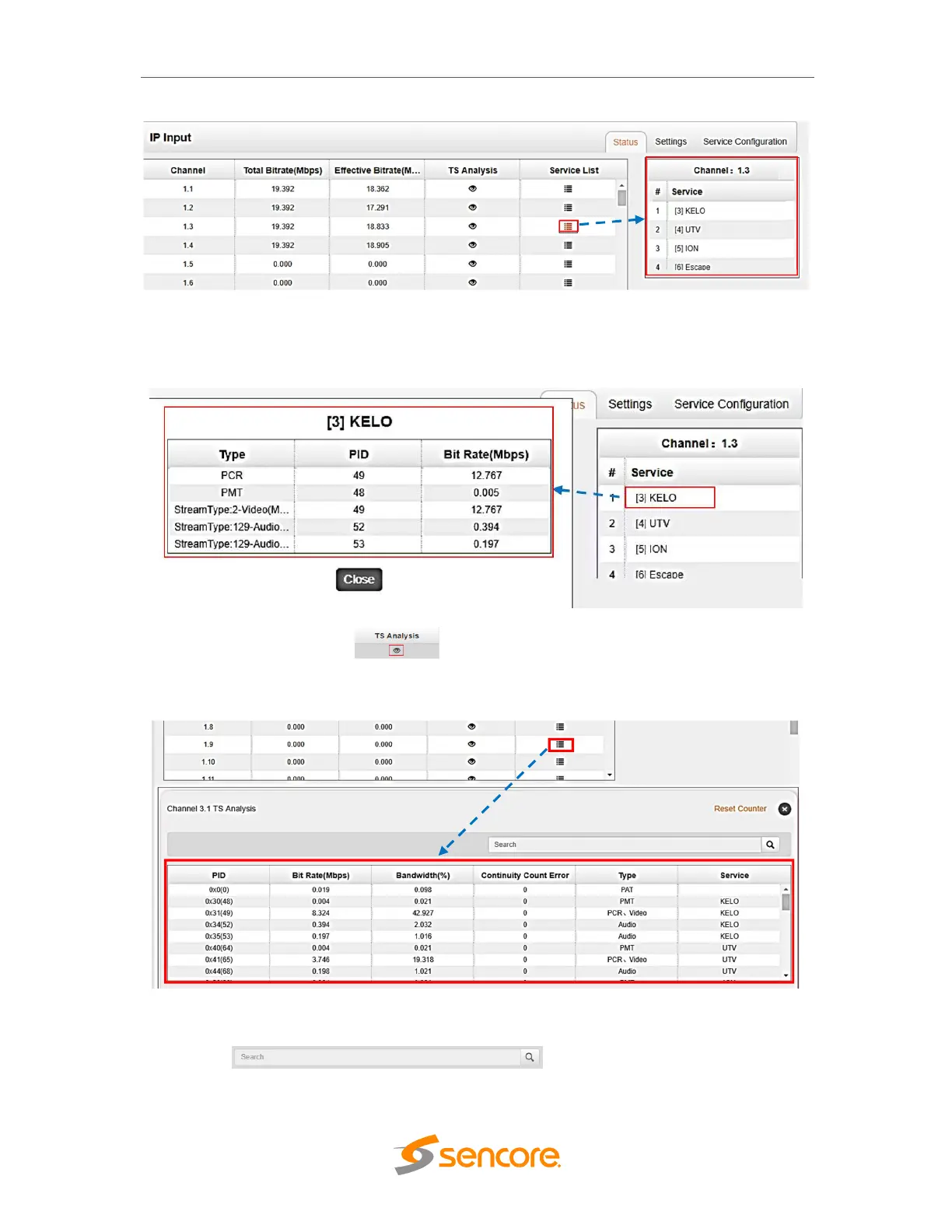
Click the service name to check the detail info of the service.
Clicking on the eye icon under the TS Analysis button to display the
information on the structure of the transport stream.
Fill the key words of PID, Bit rate, bandwidth, table type or service name using the
search box to check the info you want to find.



 To Next Page