OmniHub CMP203– User Manual
Page 26 of 109
stream. Any attempt of routing other stream/service towards this channel will
result “this channel won’t be available at this time”.
2. Multiplex mode is used to create a new SPTS or MPTS. This mode allows the
administrator to perform the following operations:
a. Routing single service towards output channel will results in SPTS creation
b. Routing services towards single output channel will results in MPTS creation
c. Routing service/s AND stream/s from multiple channel towards single output
channel will results in MPTS creation
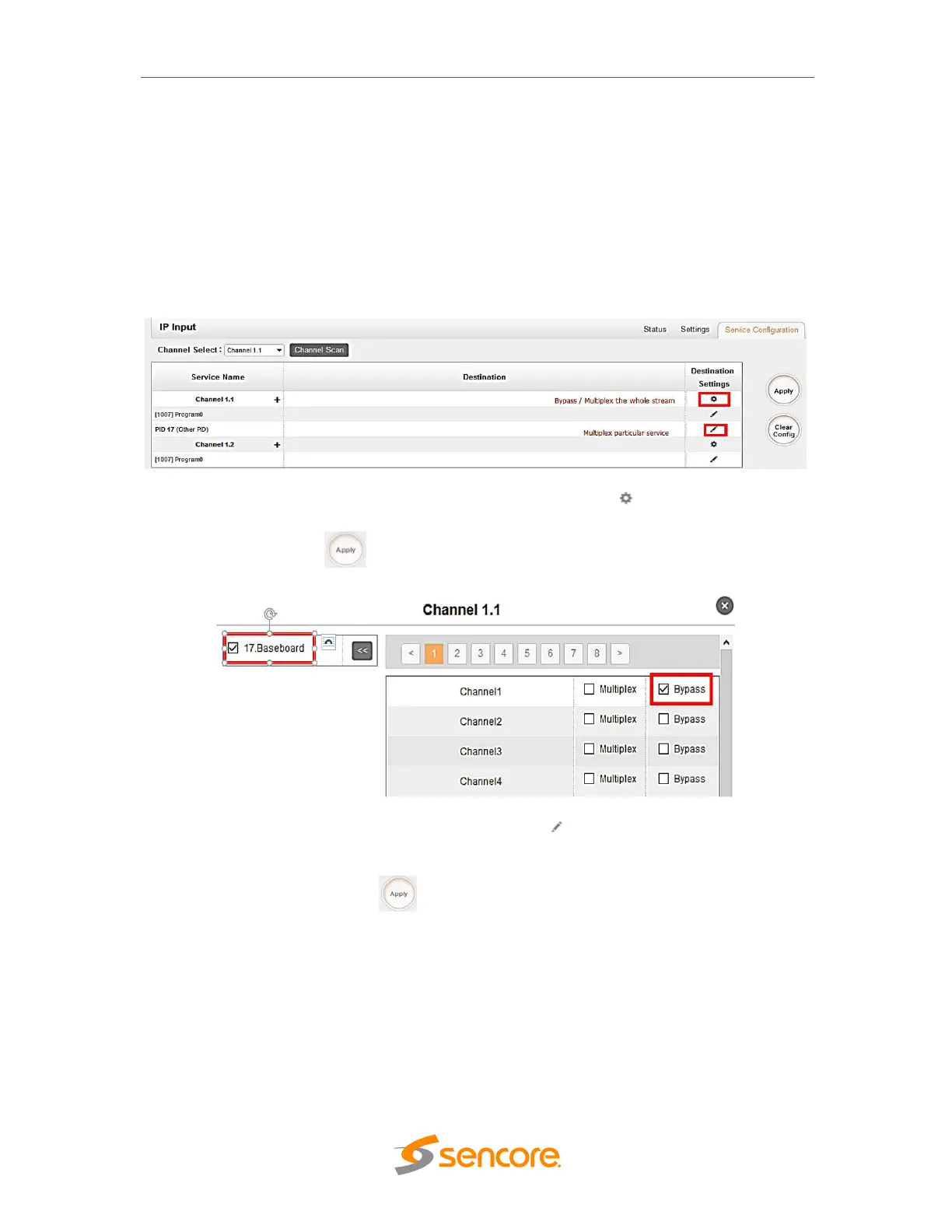
To use Bypass or multiplex mode on stream level, click the icon. A new window
will appear, select the output stream/channel where stream will be bypass or multiplex.
Don’t forget to click the button on the right side to make the change takes effect.
To use Multiplexing mode on service level click on pencil icon on the right side in
the line with the proper servicename. In the next step, select the output stream
(channel) where service will be multiplexed.
Do not forget to click the Apply button on the right side to make the change takes
effect.



 To Next Page