OmniHub CMP203– User Manual
Page 30 of 109
Click the Apply button on the right side to make the change takes effect.
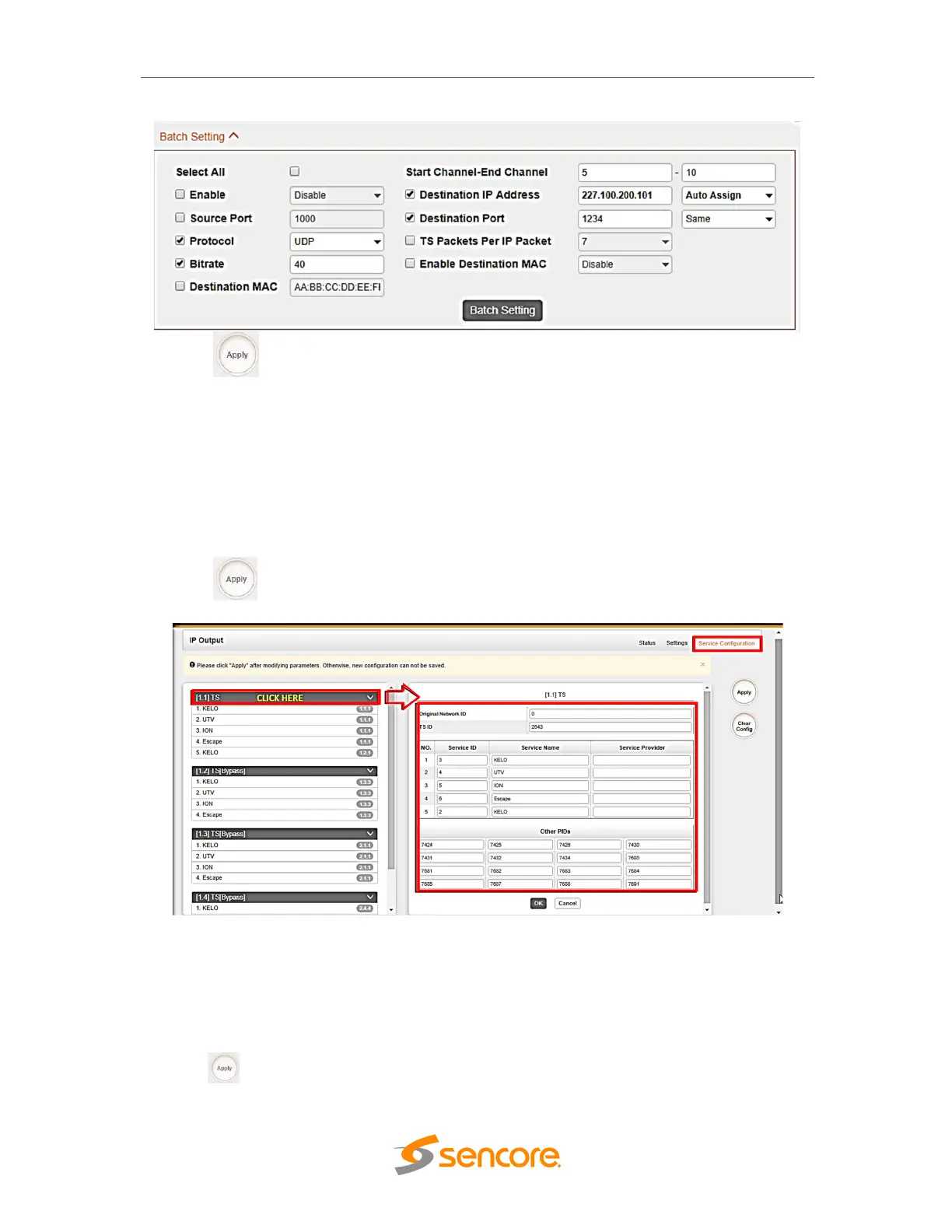
Use Service Configuration tab to check/edit output TS or services that are part of
output IP streams.Streams can originates either from IP input or other receiver modules
like 8VSB. On picture below, clicking the area marked as ‘click here’ the user can make
changes to the transport stream, i.e.:
- edit Original Network ID
- edit TS ID
- edit Service ID, Service Name and Service Provider
- edit PID ID for other PIDs
Click the Apply button on the right side to make the change takes effect.
On picture below, clicking the area marked as ‘click here’ the user can make changes to
particular service, i.e.:
- edit Service ID, service name and service provider
- edit PCR, PMT PIDs
- edit Elementary Stream PIDs (video, audio/s)
- edit Logical Channel Number
Click the button on the right side to make the change takes effect.



 To Next Page