OmniHub CMP203– User Manual
Page 42 of 109
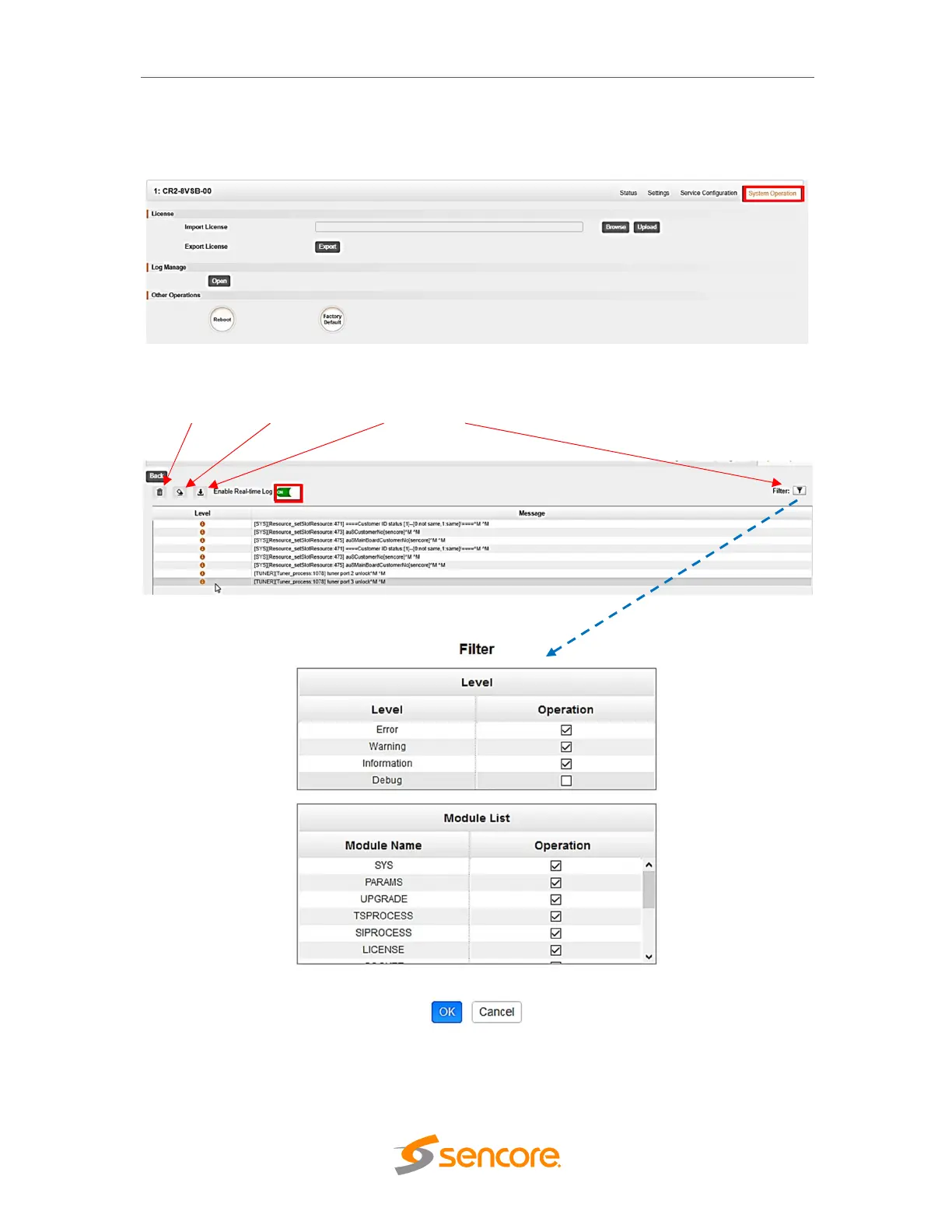
To open the log management menu, click on the Open button. The newly opened menu
allows you to enable / disable logging.
After login is enabled, additional control buttons will be displayed:
- clean log, clean screen, export logs, filter dialog box



 To Next Page