OmniHub CMP203– User Manual
Page 73 of 109
Click the Apply button in the right side to make the change take effect.
ANNEX A/ ANNEX B
0~63
6M, 7M, 8M
48000~858000
4400~6956
QAM16/32/64/128
/256
50~10000
3.3.13.3 Service Configuration
QAM Service configuration will be different from Receiver and Encoder module. Since
the QAM module is an output module like IP output, all service configured in receiver,
encoder and IP input will be seen here.
Every Channel in QAM output have Original Network ID and TS ID. This is important to
identify the TS ID properly. Labeling the TS will help you to monitor your output services.
This is also important when creating NIT for LCN and Cable Descriptors.
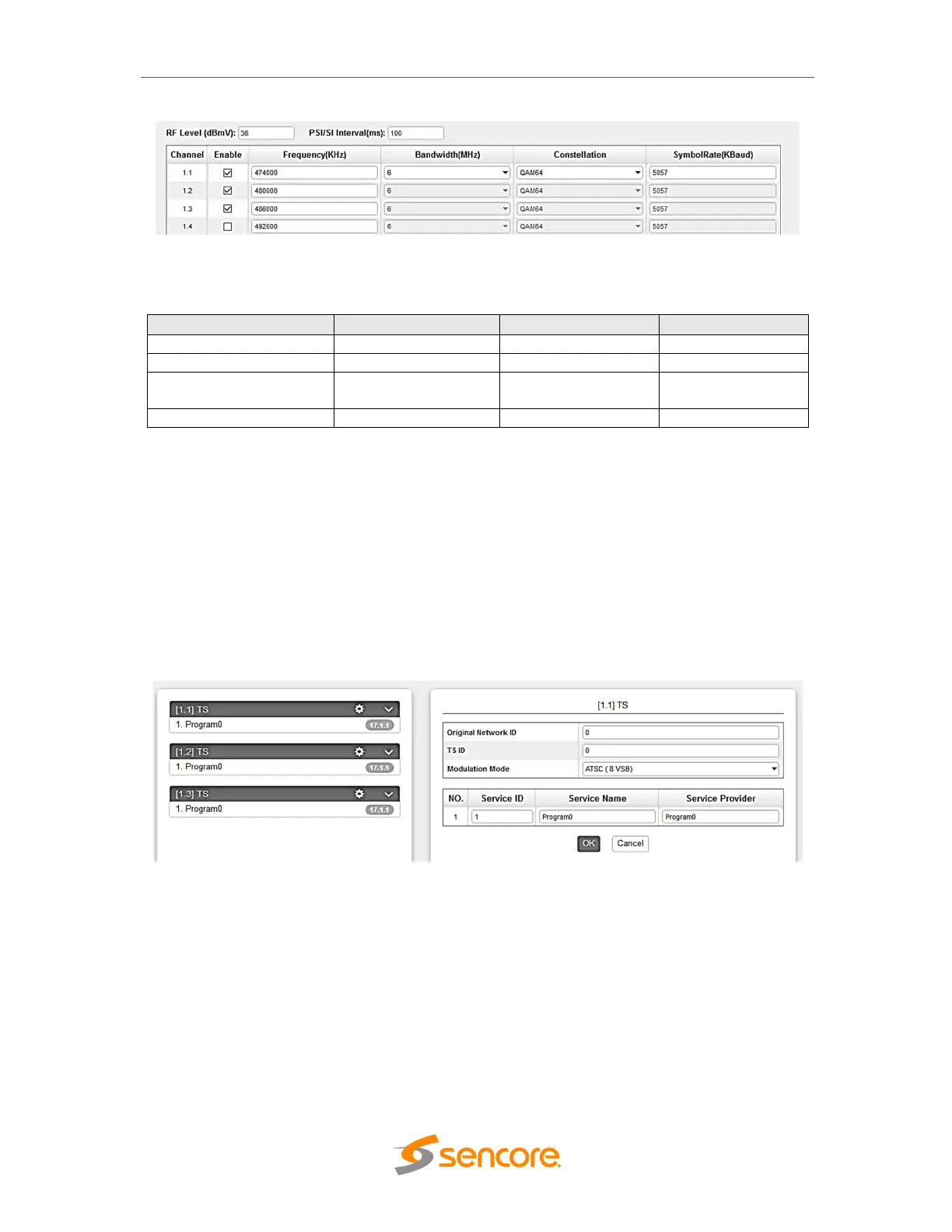
When you click on the Service Settings, this is the screen you will see first
On the Left side, you will see the list of TS where there are output service. If the TS or
Channel are enabled but no Service Output. It will not be listed here.
You will also see the Original Network ID and TS ID where you can modify the details
and below will be the list of the service in the Selected TS. Initially, TS 1 is selected
when you first select the Service Configuration tab.
Clicking on the Program name under the TS will show the Programs Basic Parameter
where you can modify each detailed.



 To Next Page