OmniHub CMP203– User Manual
Page 74 of 109
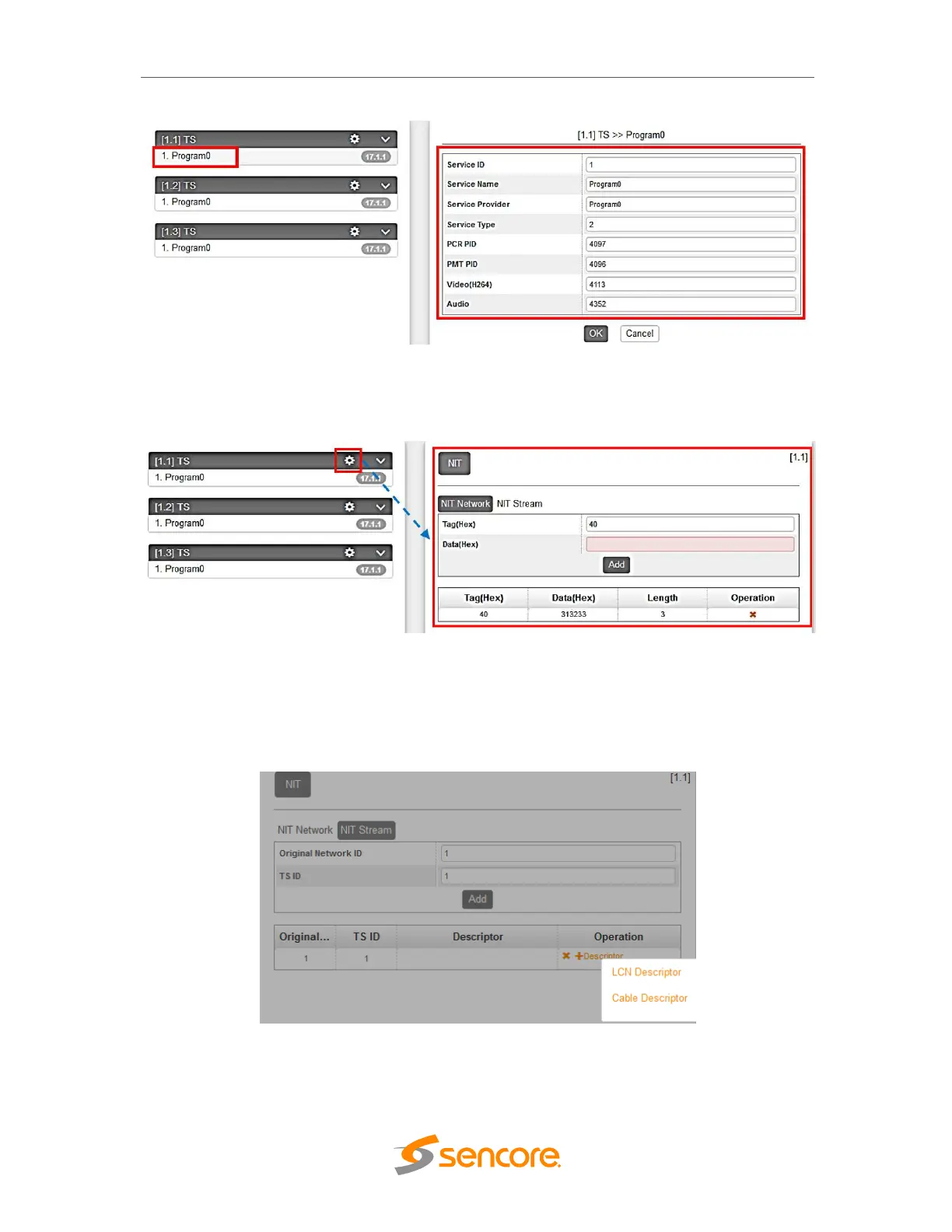
Clicking on the con icon will show you the NIT setting where you can create and add
NIT Network and NIT Stream.
For NIT Stream, there is an option here to create Cable Descriptor and Logical Channel
Number LCN. You need to Add and Input first the correct Original Network ID and TS
ID. Once done, click on the plus icon “+” under Operation and select the Descriptor you
want to add
For Cable Descriptor, this is use for the STB to scan all configured frequency on the
network given that the STB triggering Frequency is set where the NIT frequency is
created. e.g., If the NIT is created in TS ID 10 with frequency 539MHz and 5057Kbaud



 To Next Page