OmniHub CMP203– User Manual
Page 83 of 109
The trigger to switch video content on the Encoders can be sensed using a DC
contact closure or the SCTE-18 EAS standard over ASI/IP.
When the EAS is actively replacing the encoder outputs the output will show
“Paved” status in the web-interface. The CMP will then router the EAS IP, ASI, or
RCA input to replace the other Encoder module output.
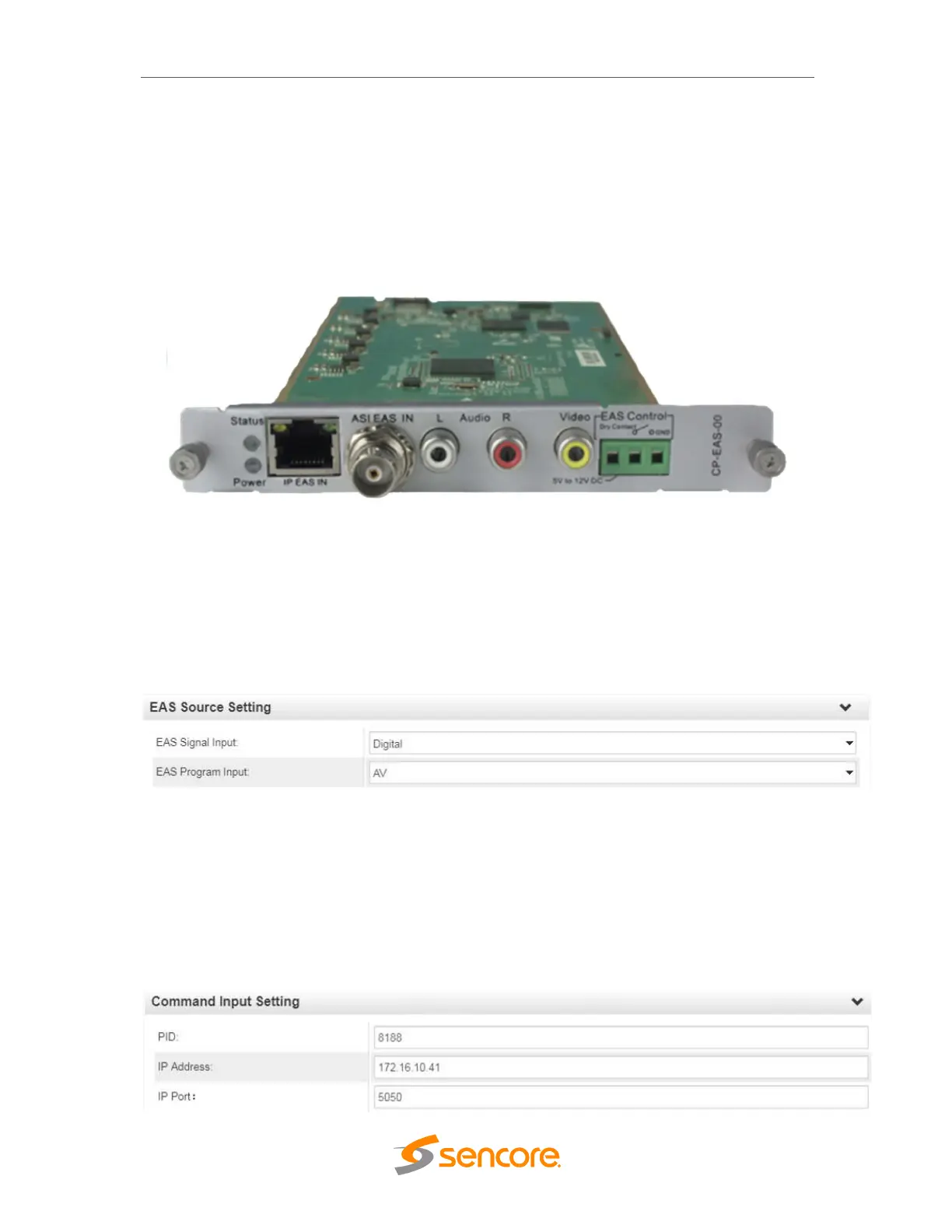
Front View: CP-EAS-00 Module
3.3.20.1 Module Settings
Below is an example of the EAS module configuration settings with some additio
nal descriptions. Click the Apply button in the right side of the EAS settings page to m
ake the change take effect.
EAS Signal Input selects how the module will receive a trigger:
• Digital – Trigger is provided via IP (SCTE-18 Broadcast Standard)
• Analog – Trigger is provided as DC voltage to the EAS Control connector
EAS Program Input selects where the content originates from.
• AV – Content is provided as RCA/Analog AV inputs to EAS built in
encoder
• ASI – Content is provided as ASI with MPEG Transport Stream



 To Next Page