2 Rear Panel Connections
Sequential
Rear Panel Connections
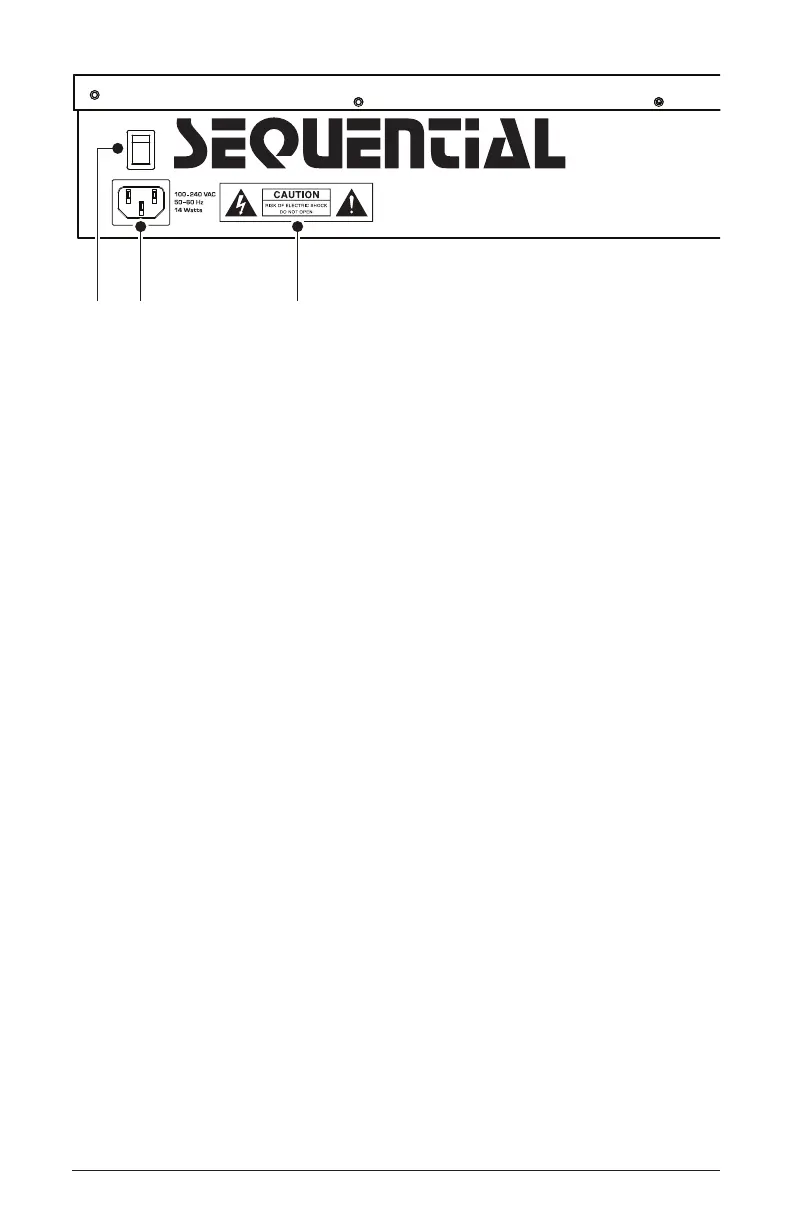
The rear panel of the Take 5 has connectors for power, USB, MIDI,
audio, and pedals.
1. Power On/Off—This rocker switch controls power on and off to the
Take 5.
2. AC Power Connector—Accepts a standard, grounded IEC power
cord. Operates over a range of 100 to 240 volts, 50 to 60 Hz, and 14W.
3. Electric Shock Hazard Warning—These symbols warn that you risk
electrical shock if you open the Take 5 enclosure. Please do not open.
4. USB—For bidirectional MIDI communication with a computer. The
Take 5 is a Class Compliant USB device and does not require additional
drivers when used with Mac OS or Windows.
5. MIDI In, Out, Thru—Standard 5-pin MIDI DIN connectors for
communicating with MIDI-equipped devices.
6. Footswitch—Accepts a momentary, normally open or normally closed
footswitch to control sustain or to latch the Arpeggiator on when keys are
held.
7. Pedal—Accepts a standard expression pedal that has a variable resis-
tor on a TRS (tip-ring-sleeve) ¼ inch phone plug. Once connected, you
can use the modulation matrix to route the pedal to control a variety of
things such as volume or lter cutoff frequency to add expressiveness to
live performance.
1 2 3















 To Next Page