10 Chapter 2: Take 5 Controls
Sequential
Chapter 2: Take 5 Controls
This chapter explains all of the front-panel controls of the Take 5,
section by section and the role each plays in synthesizing sounds. If
you’re just getting started with synthesis, take a look at Chapter 4,
Creating Sounds, for step-by-step tutorials on how to program some
classic sounds such as synth bass, brass, strings, and more.
Global Settings
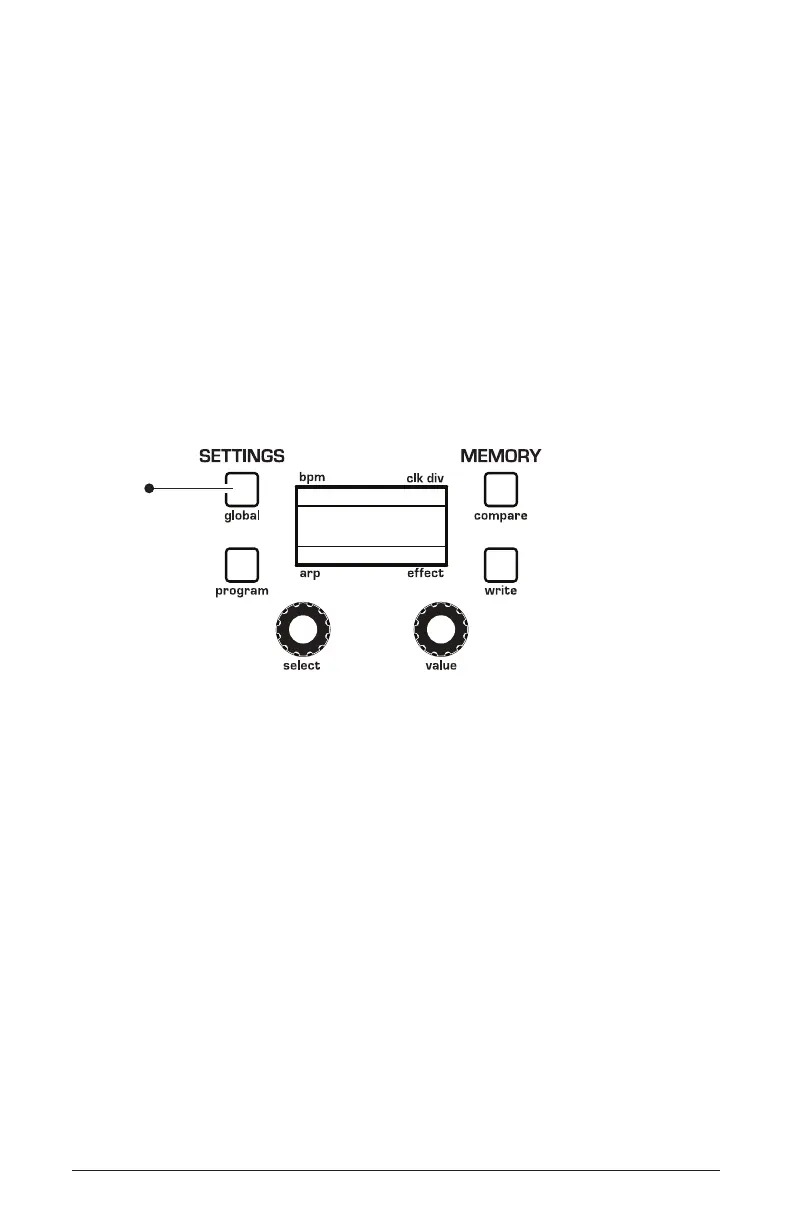
Global settings are parameters that affect all programs. These include
settings such as MIDI Channel, Velocity and Aftertouch curves, and
others. Press the global button to access them.
120
Basic Program
1/16
BBDUp+Down
press to
access
Global
menu
Accessing Global settings
To set a Global parameter:
1. Press the globals button.
2. Use the select knob to scroll through the list of parameters.
3. Use the
value knob to set a selected parameter.
Here are descriptions of all of the global menu parameters:
1. Master Coarse: -12…+12—Master Transpose control; a setting of
0 is the equivalent of concert pitch. This control steps in semitones one
octave up (+12) or down (-12).
2. Master Fine: -50…+50—Master Fine Tune control; 0 centered. Steps
in cents as much as a quarter-tone up (+50) or down (-50).















 To Next Page