25
Take 5 User’s Guide
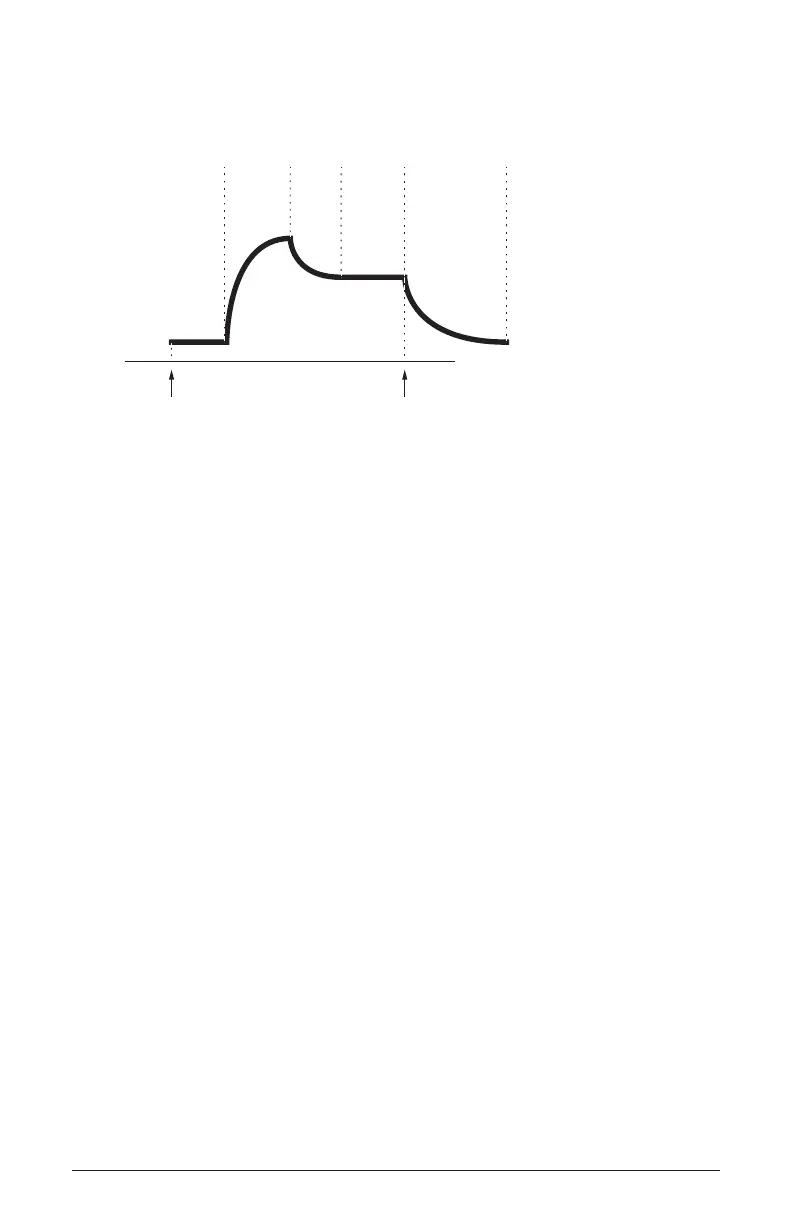
About the Filter Envelope
attack
decay
sustain
release
amplitude
time
note offnote on
delay
A typical 5-stage DADSR envelope
To hear the effect of the Filter Envelope:
1. Recall the Basic Program by pressing the global button and using the
select knob to navigate to the basic program command, then press
write.
2. Hold down a note and rotate the lter’s cutoff knob to set it to an
8 o’clock position.
3. Play a note. At this point you may not hear anything because you’ve
closed the lter signicantly.
4. In the Envelopes section, turn the amount knob of Env 1 (which is
routed to the Filter by default) to a 3 o’clock position.
5. Play a note. Notice how the sound has changed. The Filter Envelope is
controlling lter cutoff by the amount you set with the amount knob.
6. Repeatedly strike a note on the keyboard as you turn the Filter Enve-
lope’s decay knob clockwise and counterclockwise. Notice how it
changes the sound as the note decays faster or slower after its initial
attack stage.
7. Now experiment with the Filter Envelope’s attack knob. Notice how
the attack becomes faster or slower.
8. Now hold down a note and experiment with the Filter Envelope’s
sustain knob. This controls how wide the lter stays open while you
hold down a key on the keyboard.















 To Next Page