57
Take 5 User’s Guide
Adding Aftertouch
To choose aftertouch (pressure) as a source for modulation:
1. Press the mod button. The Mod Matrix appears in the display.
2. Use the knob to scroll through the various mod sources and
choose
pressure. (As a shortcut, hold down the button and
press a key repeatedly to toggle through the available key-related mod
sources.)
3. Use the knob to scroll through the various mod destinations and
choose a parameter (such as
cutoff).
4. Hold down a note on the keyboard. Then, press harder.
5. Hold a note and move the Pitch wheel to hear the effect.
6. Use the knob to set the amount to your preference. Higher
amount settings add greater modulation the harder you press a key. A
negative amount setting will apply modulation in the negative direction.
The Take 5 provides eight different aftertouch/pressure response settings. The
default setting provides a linear response. To choose a different response curve, use
the
aftertouch curve parameter in the global menu.
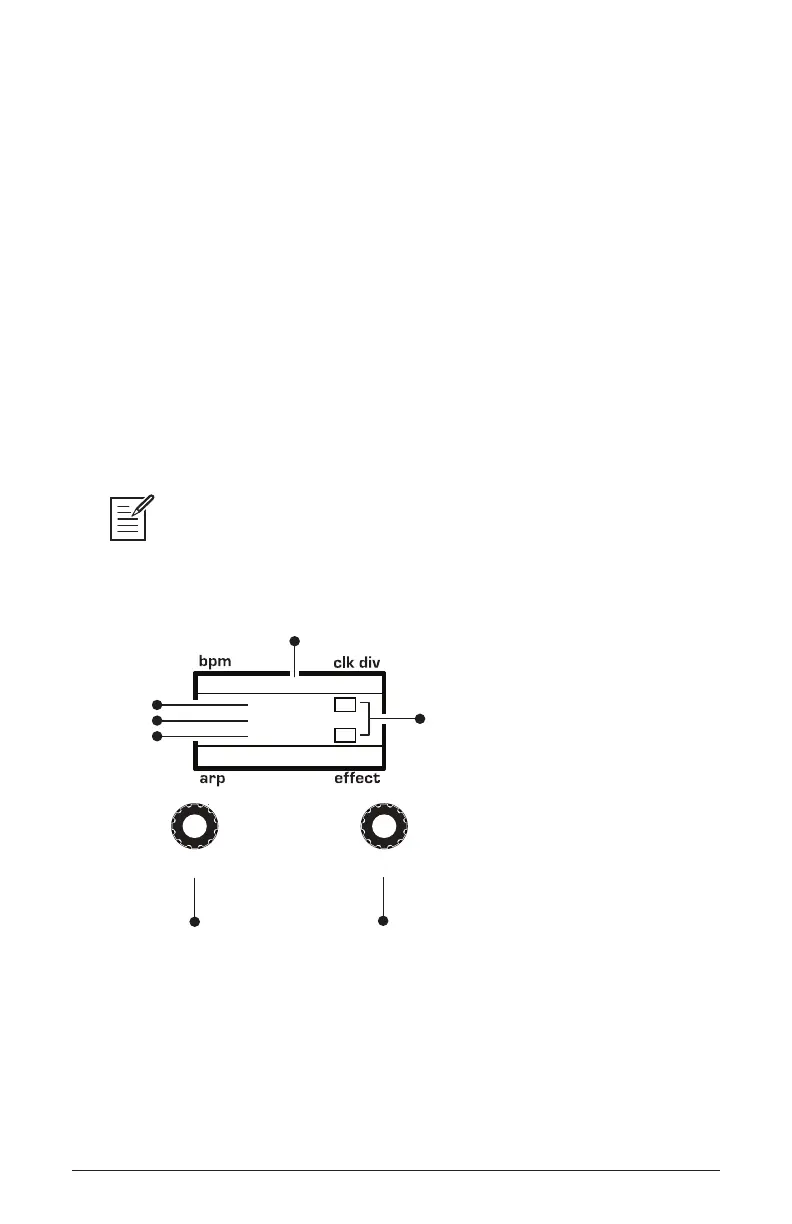
120 MOD 1
Pressure
45
Cutoff
1/16
M
BBDUp+Down
M
Indicates whether
a mod source/destination
is mono (M) or poly (P)
Indicates mod slot number
amount
source
destination
Use this knob to
scroll through
mod slots and
source/amount/destination
Use this knob to
set the mod source
mod amount
mod destination
select
value
Using the Mod Matrix to assign the pressure (aftertouch)















 To Next Page