5-3
CHAPTER5
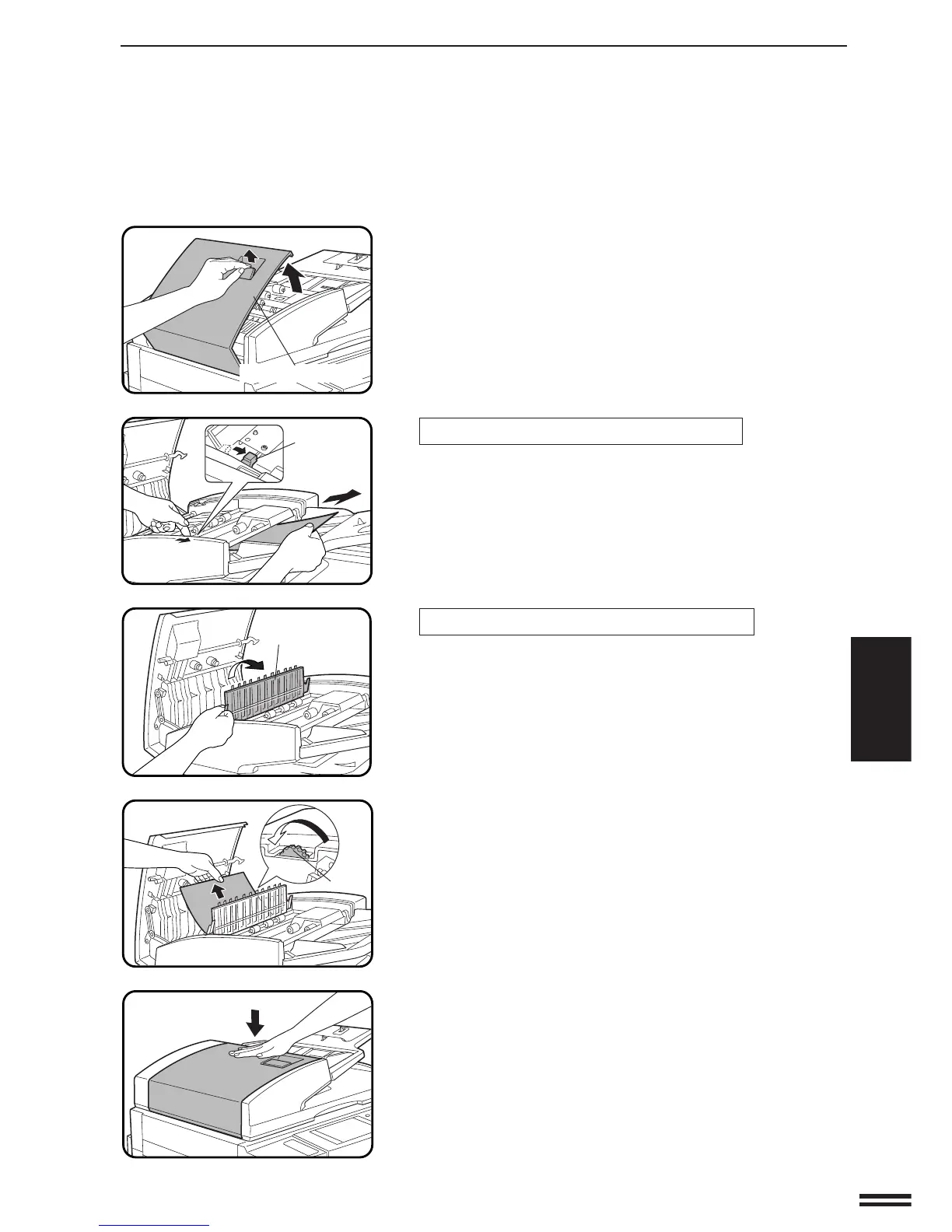
(A) Open the feeding roller cover.
If a misfed original is in the feeding section:
Move the release lever in the direction of the arrow and
remove the misfed original.
If a misfed original is in the transport section:
Open the paper guide.
Rotate the roller in the direction of the arrow and gently
remove the misfed original. Close the paper guide after
removing the misfed original.
Close the feeding roller cover firmly by pressing in the
middle of the cover.
●
Be sure to open and close the document feeder to cancel the
misfeed display.
MISFEED REMOVAL
COPIER TROUBLE? Misfeed removal
Feeding roller cover
Release lever
Paper guide
Roller



 To Next Page