5-4
CHAPTER5
COPIER TROUBLE? Misfeed removal
MISFEED REMOVAL
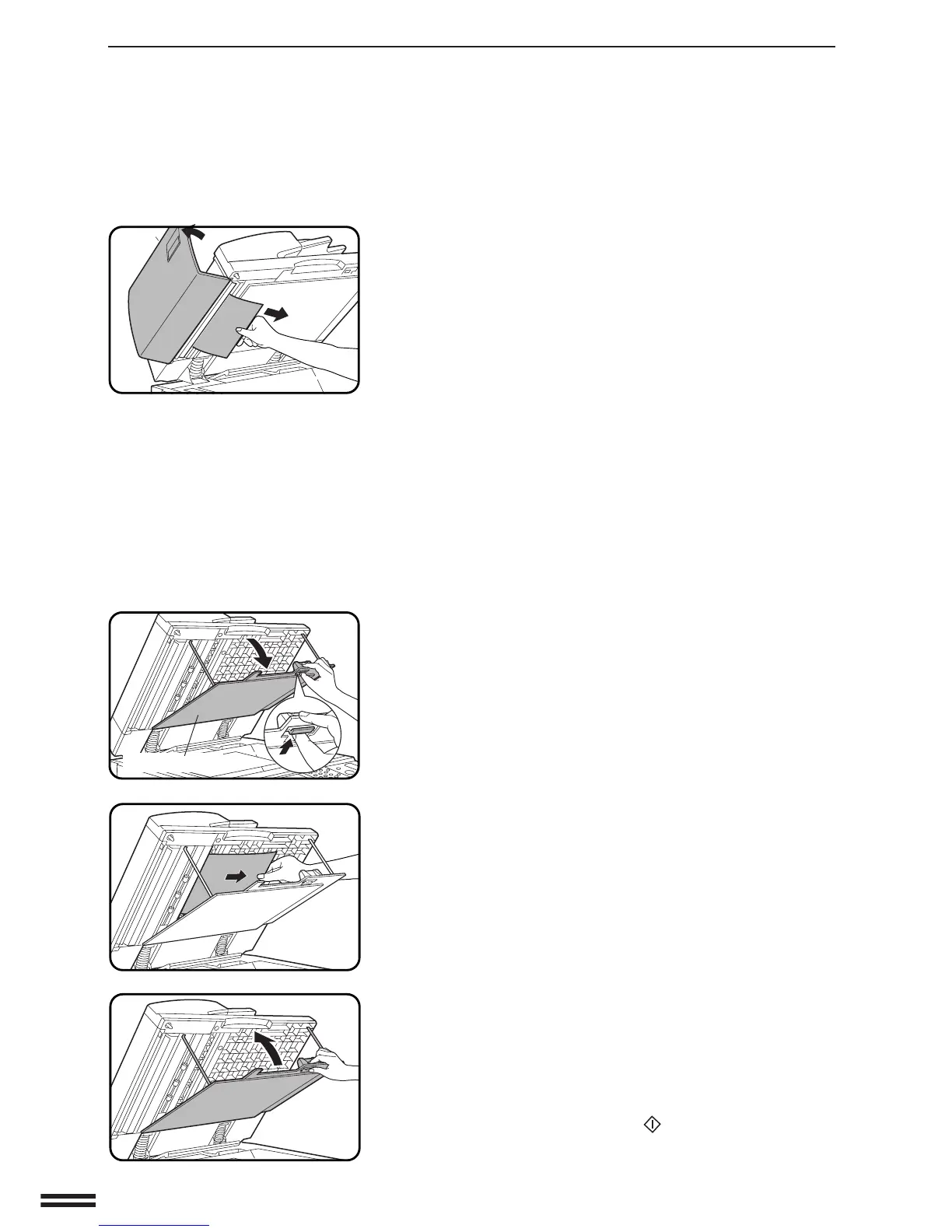
Open the document feeder and gently remove the misfed
original.
●
If the misfed original cannot be easily removed, open the feeding
roller cover. Close the feeding roller cover firmly by pressing in
the middle of the cover after removing the misfed original.
(B) Unlock the lever and open the transport cover.
Gently remove the misfed original.
Close the transport cover and close the document feeder.
NOTE:
After misfed originals are removed from locations A and/or B, a
message may appear indicating the number of originals which
must be returned to the document feeder tray. Return the
originals and press the START ( ) key to resume copying.
Transport cover



 To Next Page