5-5
CHAPTER5
COPIER TROUBLE? Misfeed removal
MISFEED REMOVAL
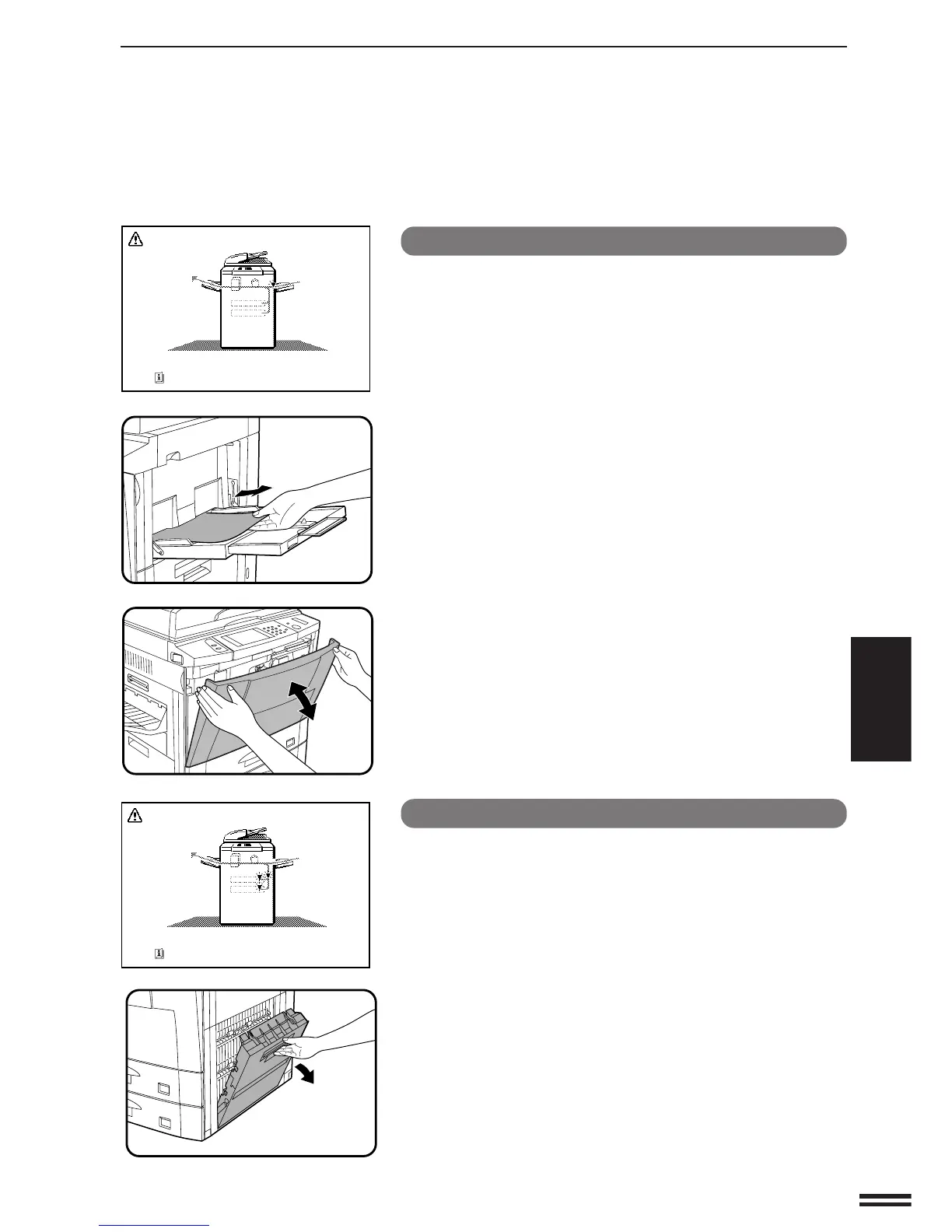
Misfeed in the bypass tray
1
Gently pull the misfed paper out.
2
Open and close the front cover to cancel the misfeed
display.
Misfeed in paper trays 1 and 2
1
Open the right side cover.
●
Hold the handle and gently open the cover.
●
If any paper is set in the bypass tray, remove the paper and close
the bypass tray before opening the right side cover.
A MISFEED HAS OCCURRED.
CLEAR INDICATED AREA.
PRESS FOR RECOVERY INSTRUCTIONS.
A MISFEED HAS OCCURRED.
CLEAR INDICATED AREA.
PRESS FOR RECOVERY INSTRUCTIONS.



 To Next Page