98
OPTIONAL
EQUIPMENT
20-BIN STAPLE SORTER (SF-S55N)
SF-S55N 20-bin staple sorter
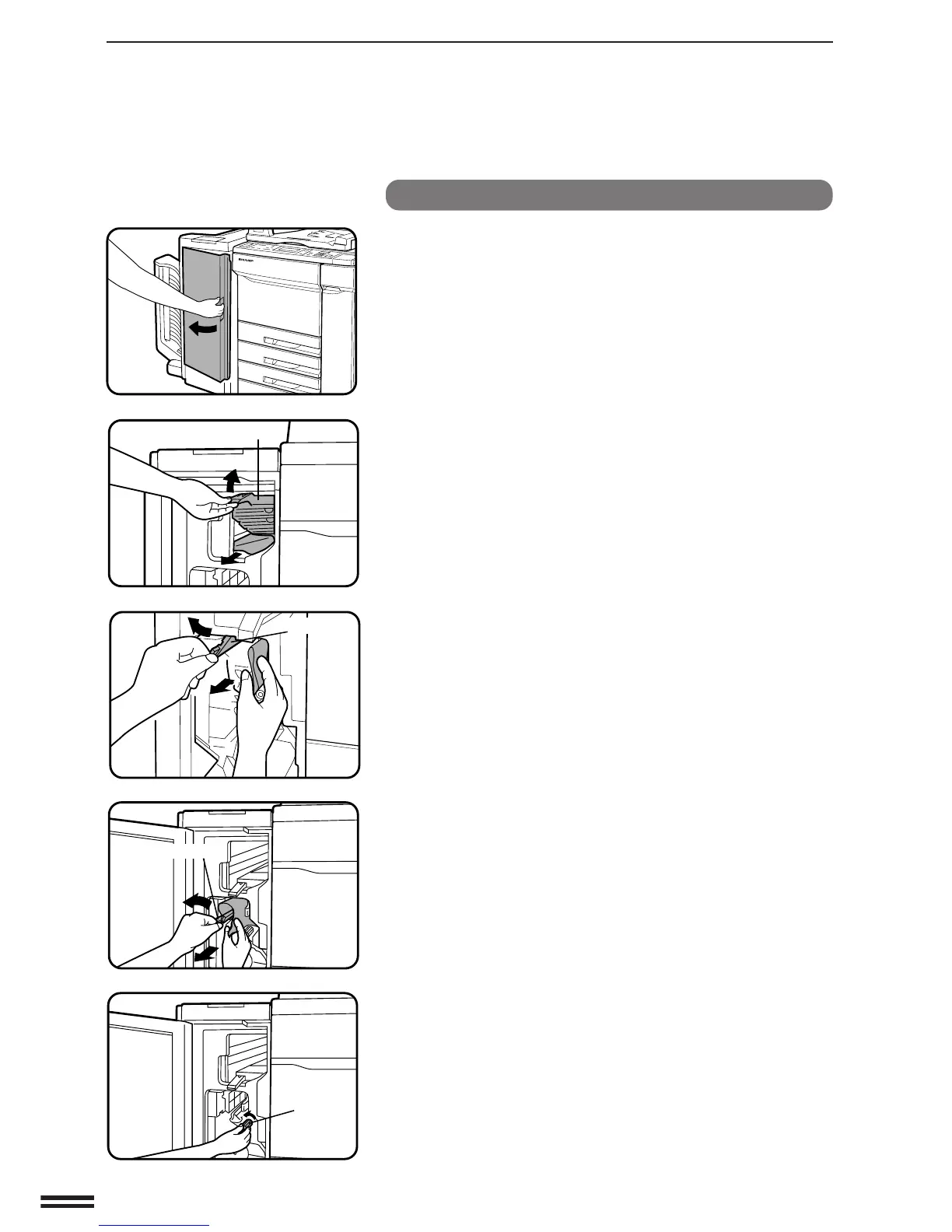
1
Open the front cover of the staple sorter.
2
Lift the top paper guide and remove the misfed paper.
3
Open the paper guides above the staple unit to remove
the misfed paper.
●
If the misfed paper is not visible, or is difficult to remove, rotate
the green knob as shown to remove the misfed paper.
NOTE:
It may not be possible to open the paper guides shown in the
figures if paper misfeed occurs when the stapling portion has
moved. If so, remove the paper via the bins in accordance with
steps 5 and 6 on the next page.
Paper guide
Paper guide
Paper guide
Green knob
20-bin staple sorter (SF-S55N)



 To Next Page