36
INSERTS
MAKING COPIES
Inserts
9
10
7
8
5
6
4
3
9
10
1
2
3
4
5
6
8
7
4
5
6
1
2
3
7
8
1
2
9
10
INSERTS WITHOUT
PRINTING
To place insert sheets without printing in
the 2-sided copy mode
1
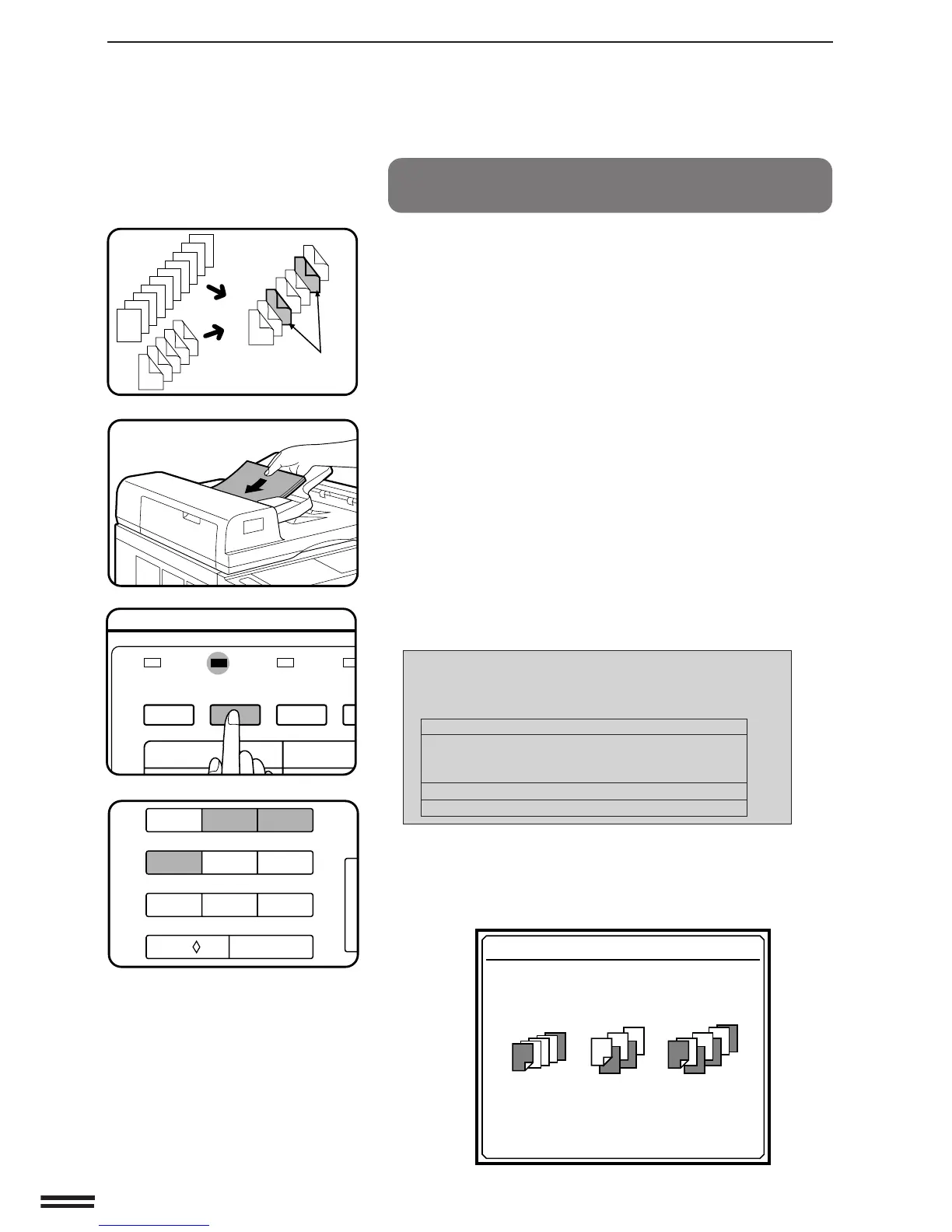
Separate the document into chapters and count the
number of pages in each chapter. If a chapter of 1-
sided originals contains an odd number of pages,
make it even by adding a blank sheet at the end.
2
Make note of the numerical positions of the pages
which are to follow blank insert sheets. In the example
to the left, these are positions 5 and 9.
3
Place the originals face up in the document feeder tray.
4
Press the COVERS/INSERTS key.
●
If the 1
//
//
/ 1 mode was previously selected, the following
message will appear. If the 1
//
//
/2 or 2
//
//
/2 mode has been
selected with the ORIGINAL TO COPY key, the message in
step 5 will appear.
USE 10-KEY PAD TO SELECT ORIGINAL TO
COPY MODE. IT IS NOT POSSIBLE TO
CHANGE MODE AFTER THIS FUNCTION IS SET
1
//
//
/
1: 1
1
//
//
/
2
EVEN NUMBER ORIGINALS : 2
ODD NUMBER ORIGINALS : 3
2
//
//
/
2: 4
2
//
//
/
1: 5
5
Press key 2, key 3 or key 4 on the 10-key pad to select a
2-sided copy mode.
●
The selected item will be highlighted and then the following
message will appear.
COVERS AND INSERTS
USE 10-KEY PAD TO SELECT COVERS /
INSERTS MODE.
COVERS
: PRESS 1
INSERTS
: PRESS 2
COVERS+INSERTS
: PRESS 3
SORTER
COVERS/
INSERTS
MARGIN
SHIFT
ER
TRANSPARENCY
INSERTS
ORIGIN
123
456
7
8
9
C
0/
AUDIT CLEAR



 To Next Page