35
INSERTS
MAKING COPIES
Inserts
9
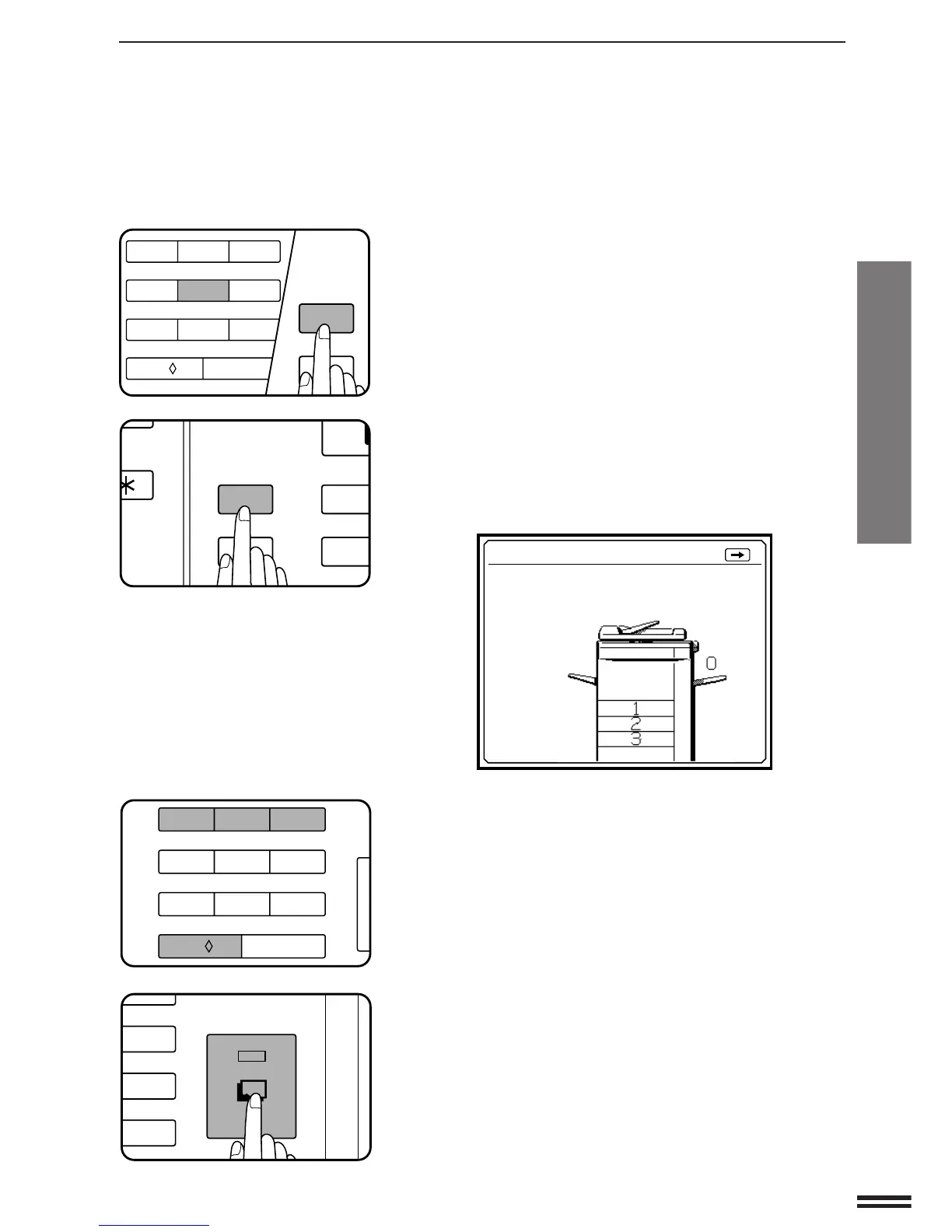
Use the 10-key pad to designate the first original
position to be copied onto an insert sheet and then
press the PROGRAM key. In this example, press key 5
and then the PROGRAM key.
●
The entered number will be displayed on the bottom line of the
message display.
10
Enter the remaining positions as in step 9 and then
press the PROGRAM key again to end the sequence.
●
Enter page numbers in ascending order.
●
To correct an entry error, press the SCROLL DISPLAY key.
●
The following message will appear.
11
Use the 10-key pad to select a tray for insert sheets,
and load the insert stock into that tray.
●
The insert stock must be the same size as the copy paper.
12
Make all other copier selections and press the START
key.
INSERTS TO RETURN :PRESS
USE 10-KEY PAD TO INDICATE TRAY FOR
INSERT PAPER.
4/4
1:TRAY 1
2:TRAY 2
3:TRAY 3
0:MANUAL
FEED TRAY
123
456
7
8
9
C
0/
AUDIT CLEAR
P
CA
PROGRAM
CLEAR ALL
3
6
9
C
START
123
456
7
8
9
C
0/
AUDIT CLEAR
1
4
P
CA
PROGRAM
CLEAR ALL
MATION



 To Next Page