57
MISFEED REMOVAL
COPIER
TROUBLE?
Misfeed removal
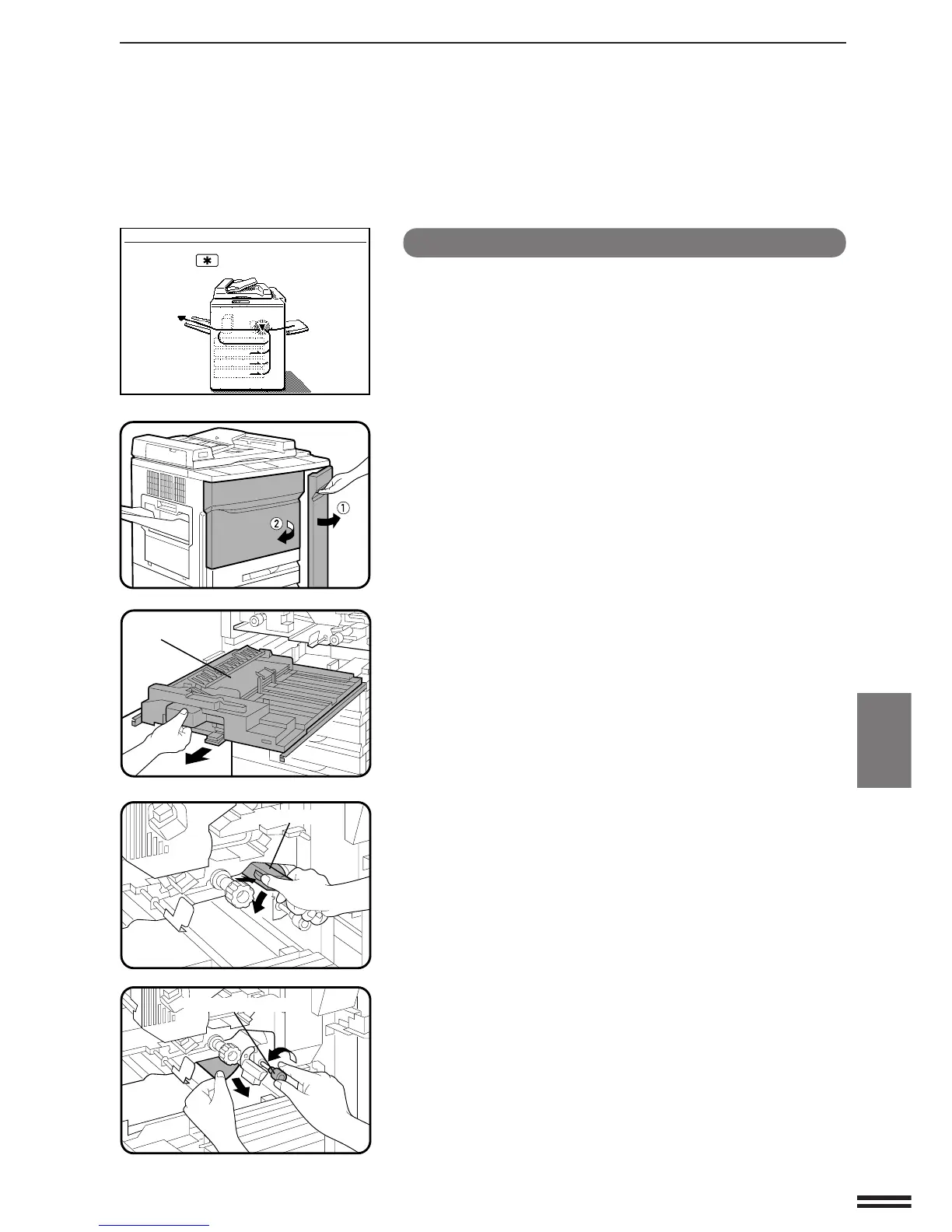
Misfeed in the paper feed area
1
Open the front doors.
2
Pull out the duplex section.
3
Push the paper guide release button to open the paper
guide.
4
Turn the roller rotating knob in the direction of the
arrow and remove the misfed paper.
●
Be careful not to tear the misfed paper during removal.
Roller rotating knob
Duplex section
Paper guide
A MISFEED HAS OCCURRED.
CLEAR INDICATED AREA.
PRESS THE KEY FOR RECOVERY
INSTRUCTIONS.



 To Next Page