59
MISFEED REMOVAL
COPIER
TROUBLE?
Misfeed removal
2
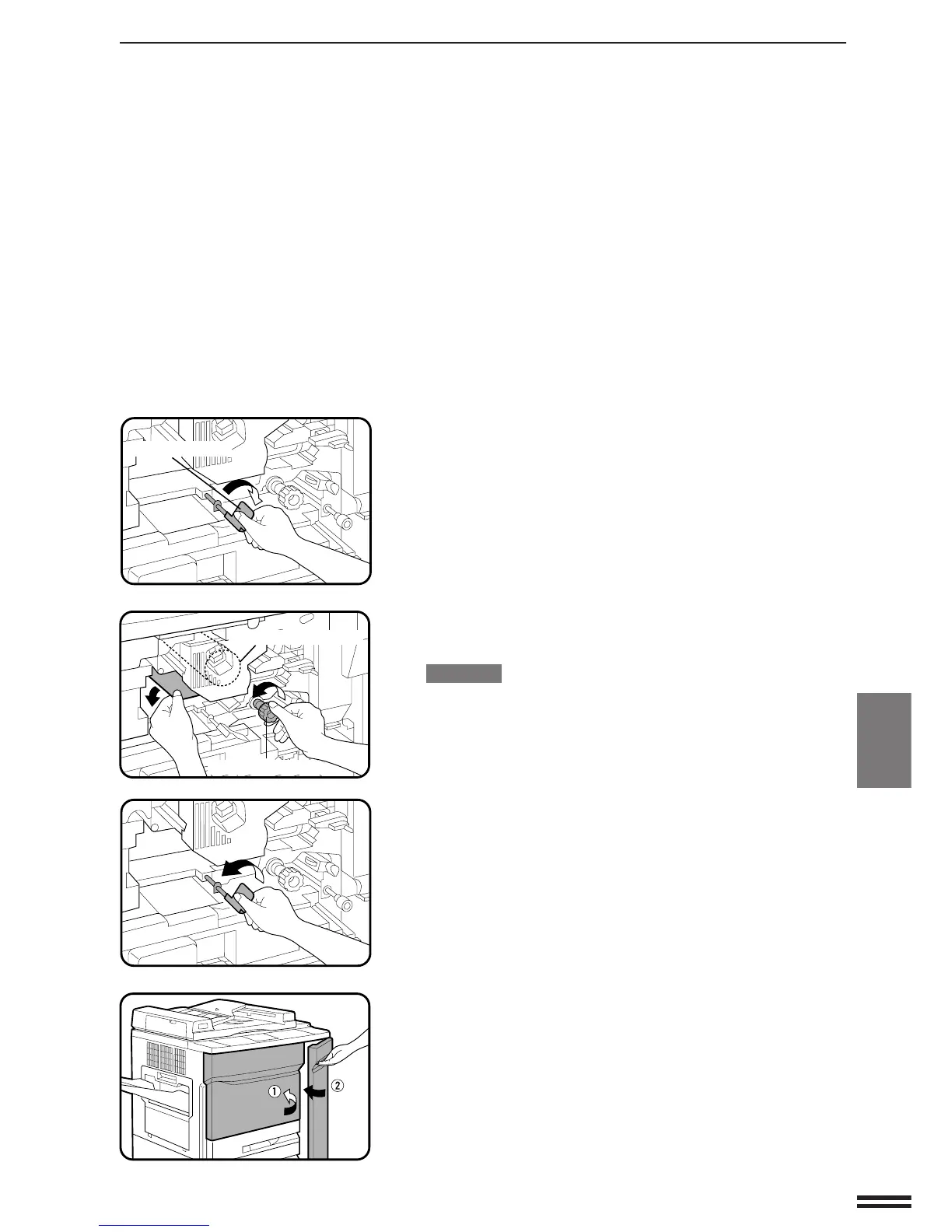
Turn the transport lever to the right.
3
Turn the roller rotating knob in the direction of the
arrow to remove the misfed paper.
CAUTION
●
Be careful not to damage the photoconductive drum or the
corona wires.
4
Turn the transport lever back in the direction of the
arrow.
5
Close the front doors.
●
Confirm that the misfeed display is cleared.
Photoconductive drum
Roller rotating knob
Transport lever



 To Next Page