60
MISFEED REMOVAL
COPIER
TROUBLE?
Misfeed removal
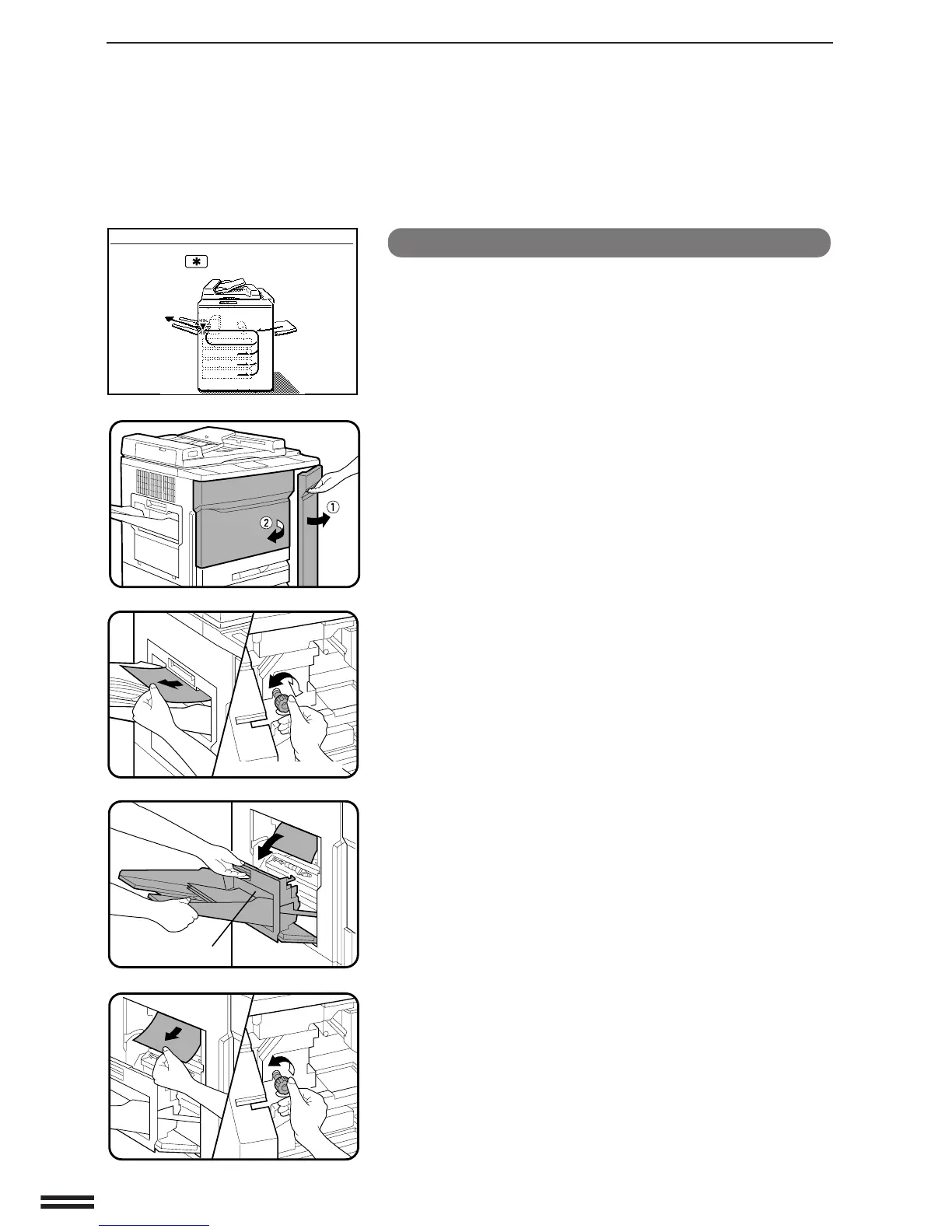
Misfeed in the fusing and exit area
1
Open the front doors of the copier.
2
Turn the roller rotating knob and remove the paper
from the fusing area.
●
Turn the knob in both directions to remove the misfed paper.
3
If the misfed paper is in the exit area, open the exit area
cover carefully.
●
Open the cover while pulling the lever up and supporting it until
fully open.
●
If an optional sorter is installed, slide it away from the copier
and then open the cover.
4
Turn the roller rotating knob in the direction of the
arrow and remove the paper.
A MISFEED HAS OCCURRED.
CLEAR INDICATED AREA.
PRESS THE KEY FOR RECOVERY
INSTRUCTIONS.
Roller rotating knob
Exit area cover



 To Next Page