61
MISFEED REMOVAL
COPIER
TROUBLE?
Misfeed removal
●
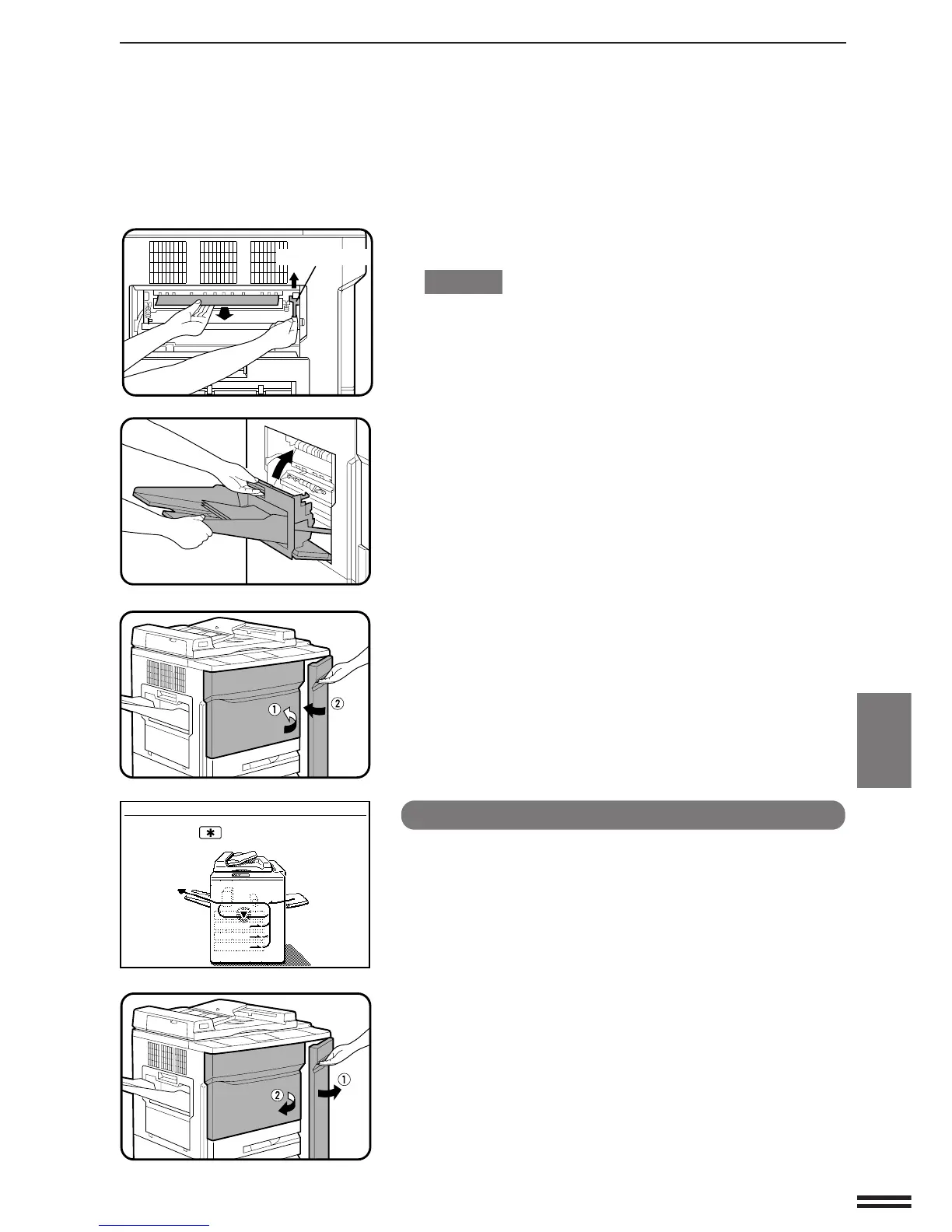
If the misfed paper is deep in the fusing unit, lift the fusing unit
tab and remove any misfed paper.
CAUTION
The fusing unit is hot. Be sure to touch only the green tab or the
green roller rotating knob.
5
Close the exit area cover.
6
Close the front doors.
●
Confirm that the misfeed display is cleared.
Misfeed in the duplex section
NOTE:
If any other misfeed locations are indicated, be sure to remove
any misfed paper from these locations and then perform the
procedure described below.
1
Open the front doors.
A MISFEED HAS OCCURRED.
CLEAR INDICATED AREA.
PRESS THE KEY FOR RECOVERY
INSTRUCTIONS.
Fusing unit tab



 To Next Page