94
OPTIONAL
EQUIPMENT
5
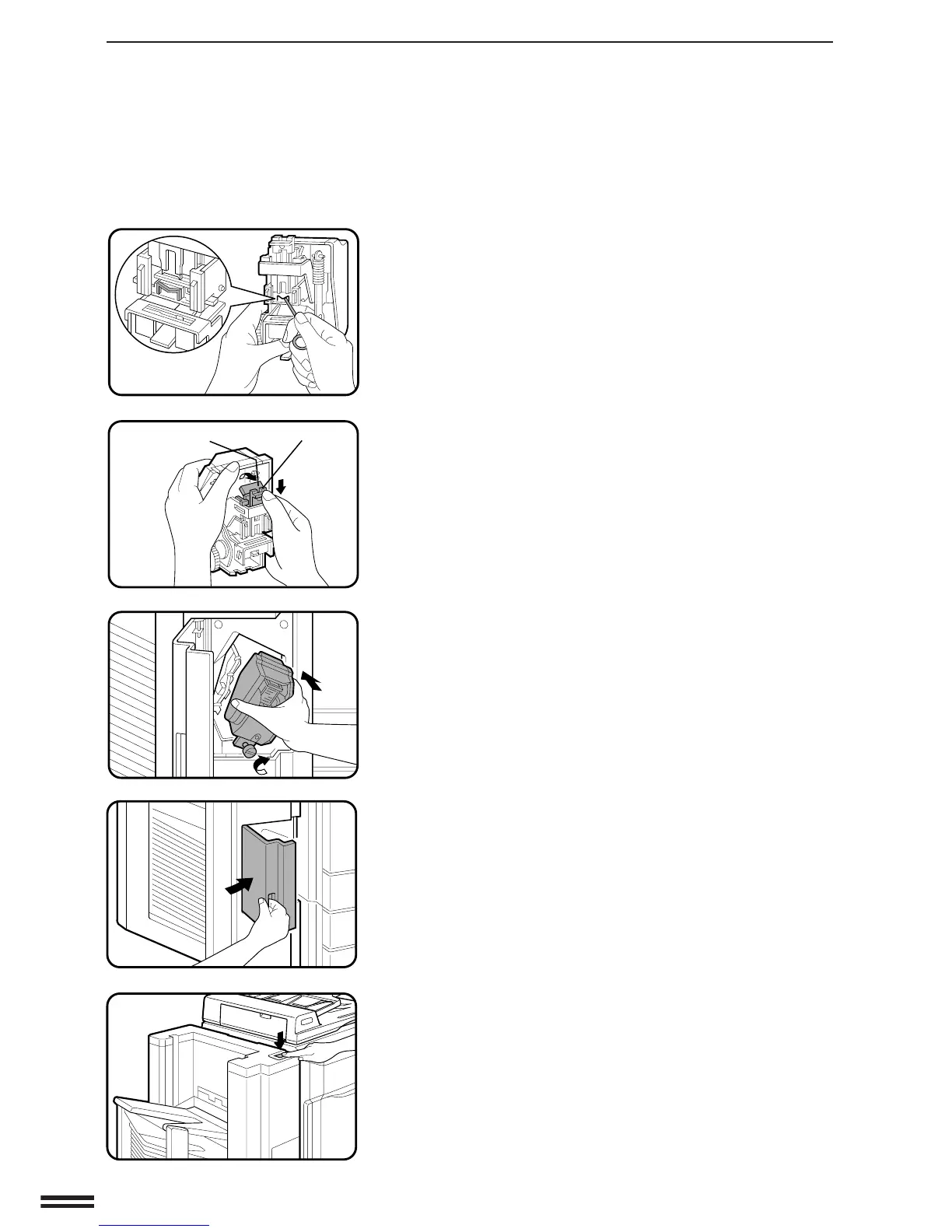
Use the tool attached to the inside of the stapler cover
to remove jammed staples as shown.
6
Return the green lever on the face of the stapler back
down into place.
Return the green release lever on top of the stapler unit
to its upright position.
●
If the levers are not returned to their original positions before
the stapler unit is reinstalled, the stapler will jam again and
may be damaged.
7
Place the stapler unit back into position.
Tighten the stapler unit securing screw.
8
Close the stapler cover and turn on the copier.
9
Following the stapling procedure on page 88, staple a
copy to check that the stapler works properly.
●
If it does not, repeat this procedure until the stapler works
properly.
20-BIN STAPLE SORTER (SF-S53N)
Green release lever Green lever
20-bin staple sorter (SF-S53N)



 To Next Page