95
OPTIONAL
EQUIPMENT
SF-S55N 20-bin staple sorter
1
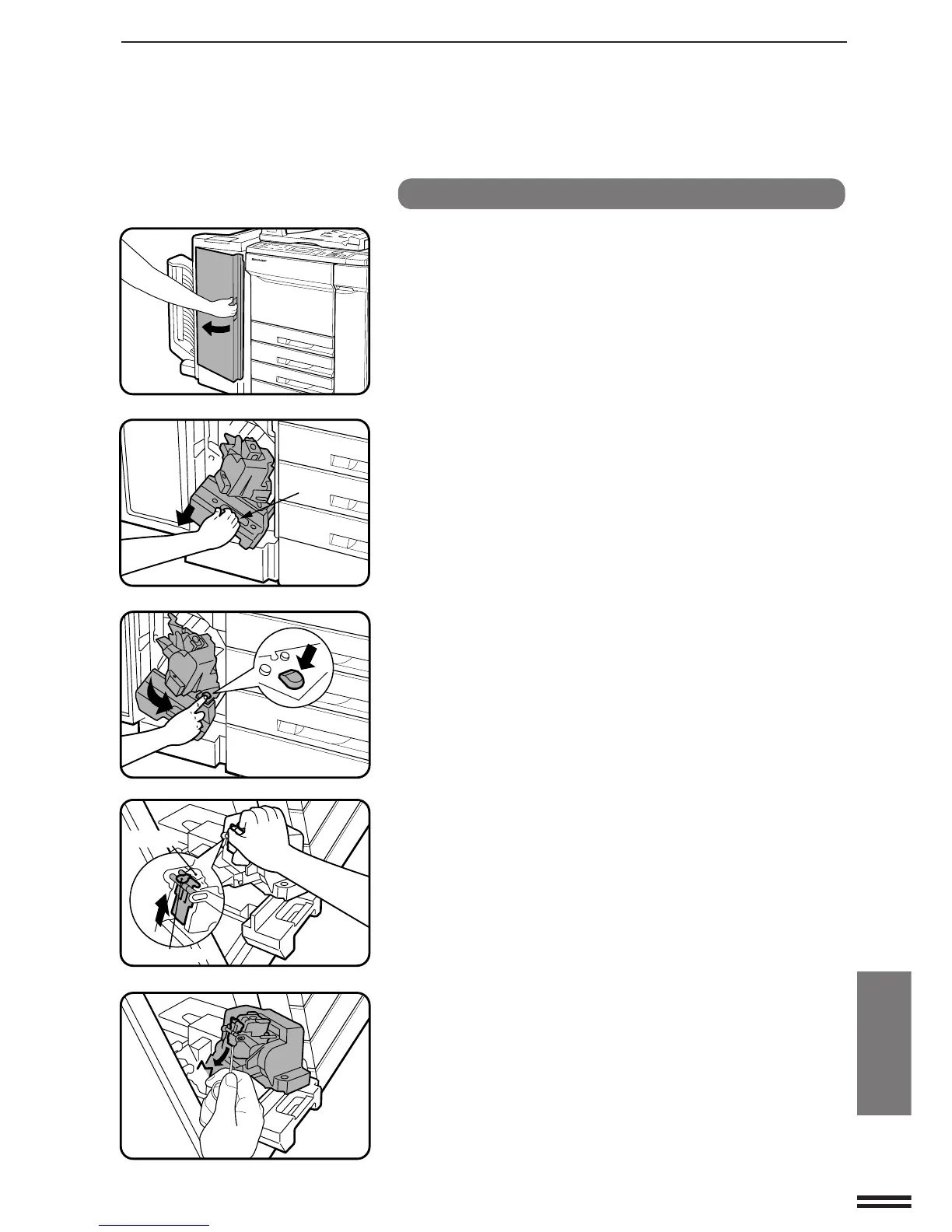
Open the front cover of the staple sorter.
2
Squeeze the green lever of the grip and hold the grip to
pull out the staple unit.
3
Press the green button to unlock the stapler.
4
Unlock the stopper to open the staple cover.
●
Use one finger to unlock the stopper, and at the same time,
gently push up the metal tab with another finger.
5
Use the tool attached to the inside of the front cover of
the staple sorter to remove jammed staples.
20-BIN STAPLE SORTER (SF-S55N)
Green lever
Staple cover
Stopper
20-bin staple sorter (SF-S55N)



 To Next Page