96
OPTIONAL
EQUIPMENT
6
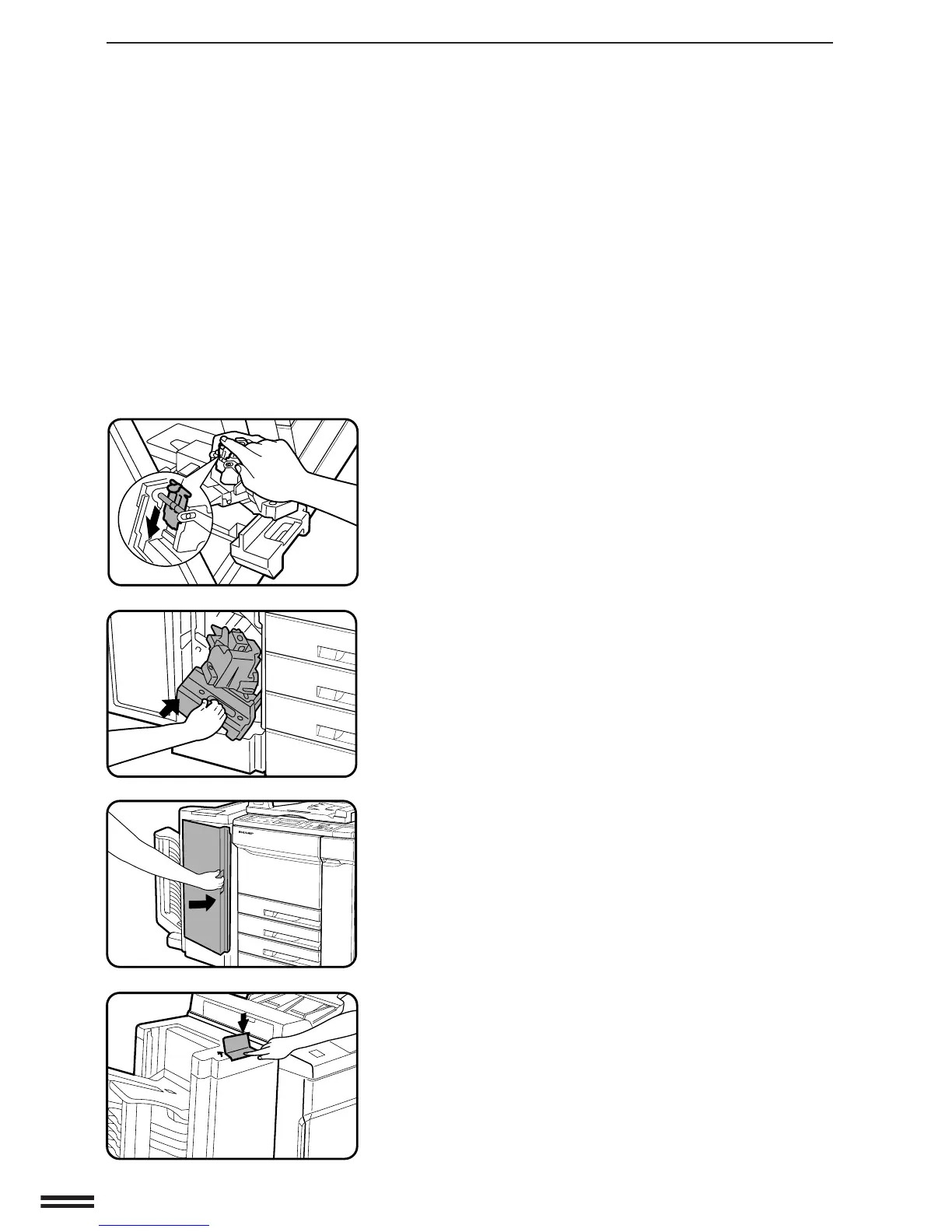
Push down the metal tab to close the staple cover.
●
Check that the staple cover is locked with the stopper.
7
Gently push back the staple unit until it clicks.
8
Close the front cover of the staple sorter.
9
Following the stapling procedure on page 89, staple a
copy to check that the stapler works properly.
●
If it does not, repeat this procedure until it does.
20-BIN STAPLE SORTER (SF-S55N)
20-bin staple sorter (SF-S55N)



 To Next Page