12
Rackmounting the CCU
Install the central control unit in a standard 19” rack using the supplied 19” brackets. Remove the screws holding the top
and bottom covers, then attach the brackets to the front of the unit using the same screws.
Important: Use the two 10 mm length self-threading screws closest to the front and the 8 mm length threaded
screw furthest from the front.
The built-in fan draws air in on the left side and exhausts air on the right, and so does not require extra space above or
below for cooling.
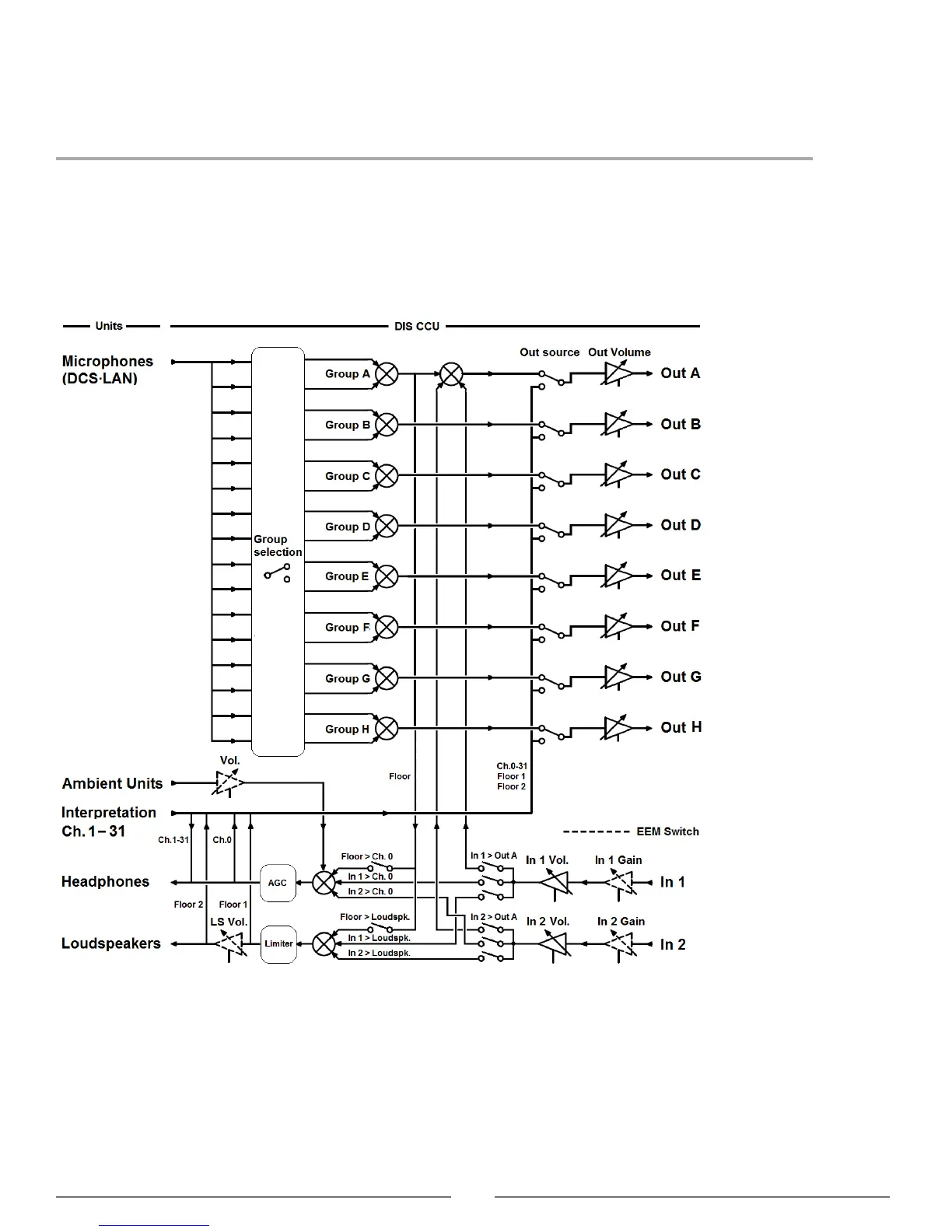
Simplified Audio Diagram
DIS-CCU Audio Diagram



 To Next Page