20
Wireless Language Distribution
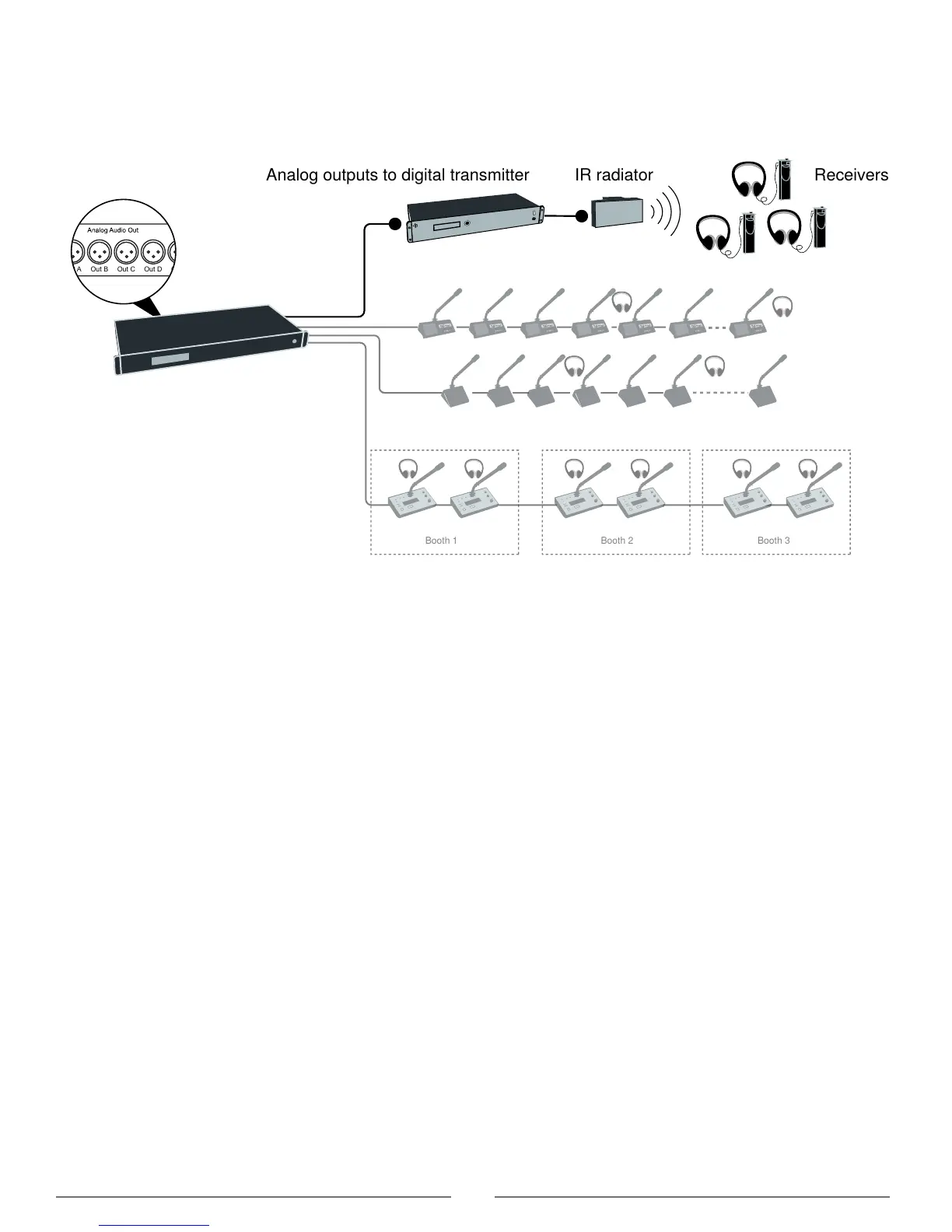
For additional monitoring, connect a wireless language distribution system to one of the CCU audio outputs. Use the
browser interface to select the desired microphones (seat) for that group output (A-H). The DCS 6000 Digital Infrared
Language System transmits this audio signal to a number of listening stations.
Out A Out B Out C Out D Out E Out F Out G Out H
Analog outputs to digital transmitter
Wireless Language Distribution
Emergency Signal
Input 2 is designed to broadcast an Emergency Evacuation Message (EEM), overriding the meeting in the event of an
emergency. A switch (normally-open) must be connected to the emergency switch connector. When the switch is closed
an "Emergency Evacuation Message (EEM)" audio signal present on the 'In 2' input is distributed to all output channels,
overriding all other audio inputs.



 To Next Page