39
Audio Settings
The Floor Mix
When a microphone is turned on, the audio is routed to the main mix (Group A) by default. This mix is often referred to as
the floor mix because it transmits the audio from the talker to the rest of the participants in the meeting. Interpreters also
listen to the floor to provide language interpretation for multilingual meetings.
By default, the floor mix is routed to the loudspeaker and headphone output (Channel 0) of each connected microphone
unit.
Route Microphones to Groups
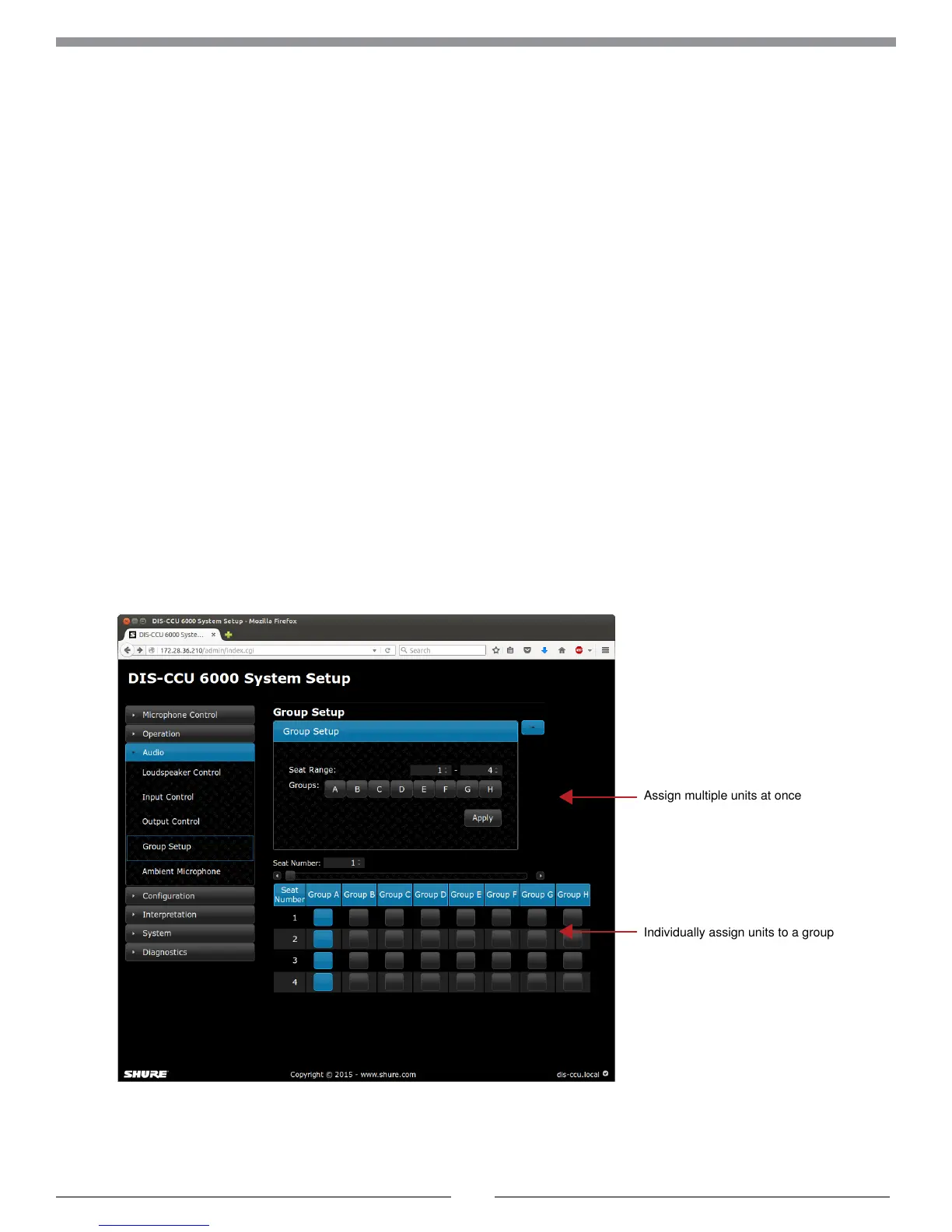
Go to the Group Setup page Audio > Group Setup to view or modify the microphone routing.
For each microphone, select one of the following options:
• Group A only (default)
• Group A + another group
• Group B, C, D, E, F, G, or H
• None
Assign multiple units at once
Individually assign units to a group



 To Next Page