OPERATING INSTRUCTIONS | LFP INOX 8019921/15H0 / 2019-09-30 | SICK AG
Irrtümer und Änderungen vorbehalten
30
8 OPERATION
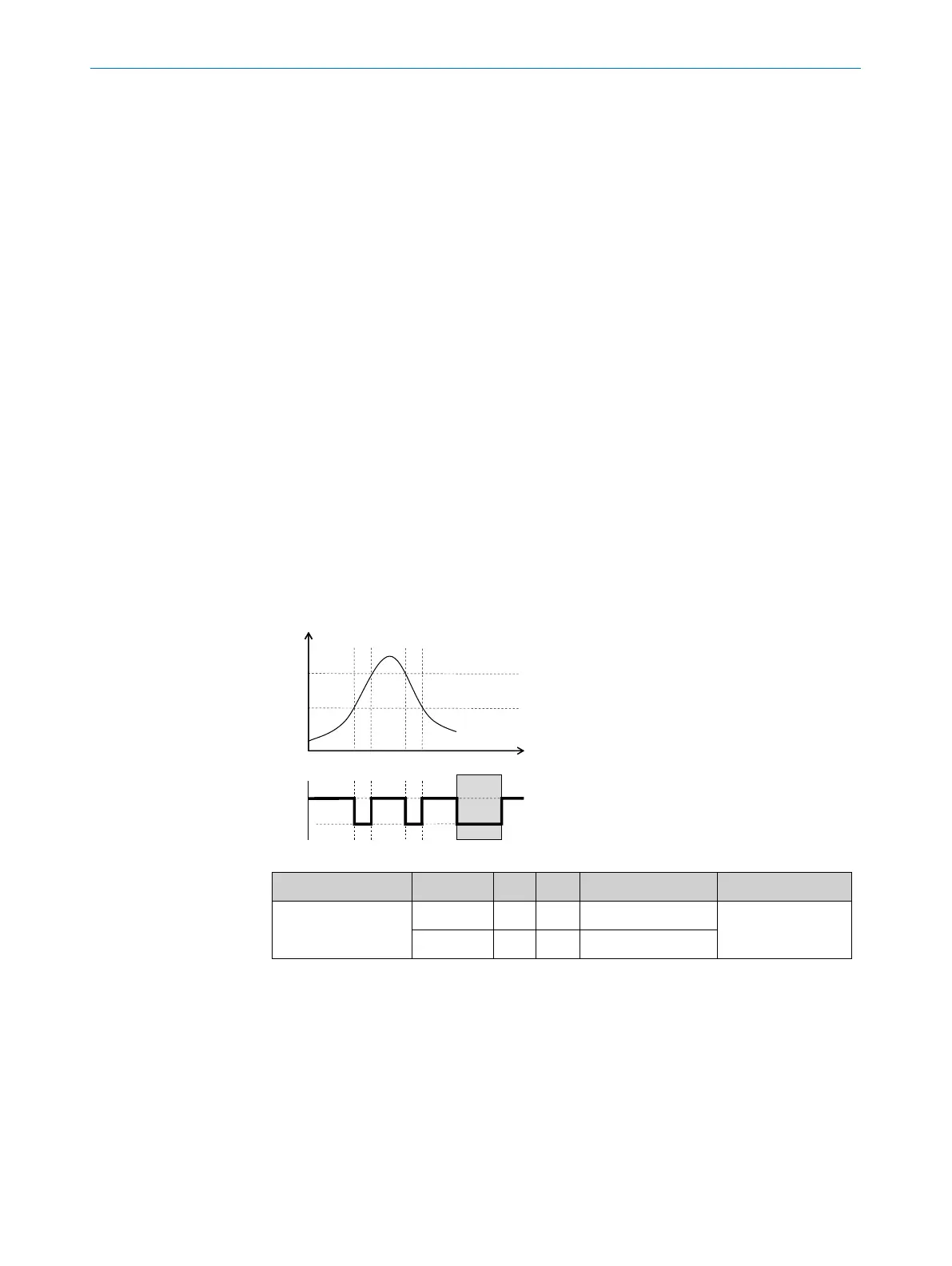
8.2.5 Normally closed with window function
Application
The critical ll level for the application is outside the FHx and FLx window thresholds.
Conguration
1. Congure the Qx switching output as normally closed.
• Set the parameter in the QxMENU-OUx menu to Qx_Fnc
2. Set the switching point.
• Set the value in the QxMENU-FHx menu to level in mm (e.g., 500 mm).
3. Set the reset point.
• Set the value in the QxMENU-FLx menu to level in mm (e.g., 400 mm).
4. Select the electrical property [NPN/PNP/DRV (push/pull)]
Select the parameter in the QxMENU-TYPx menu.
Where the following applies:
• Qx-PNP = Switching output in PNP circuit
• Qx-NPN = Switching output in NPN circuit
• Qx-Drv = Switching output in push/pull function
Switching output behavior
Level
t
FH
FL
active
inactive
Error signal
Switching output PNP NPN DRV Error status
Normally closed /
FNC
active U
v
0 V U
v
(PNP switched)
inactive
inactive 0 V
1)
U
v
2)
0 V (NPN switched)
1)
Pulldown only.
2)
Pullup only.



 To Next Page