OPERATING INSTRUCTIONS | LFP INOX 8019921/15H0 / 2019-09-30| SICK AG
Irrtümer und Änderungen vorbehalten
25
8OPERATION
8 Operation
8.1 Display and pushbuttons
All lengths specied in the menu refer to the end of the probe and/or with a congured
oset (see “8.4.13 Setting the oset”) to the tank bottom. You can access the menu by
pressing the SET pushbutton for at least three seconds.
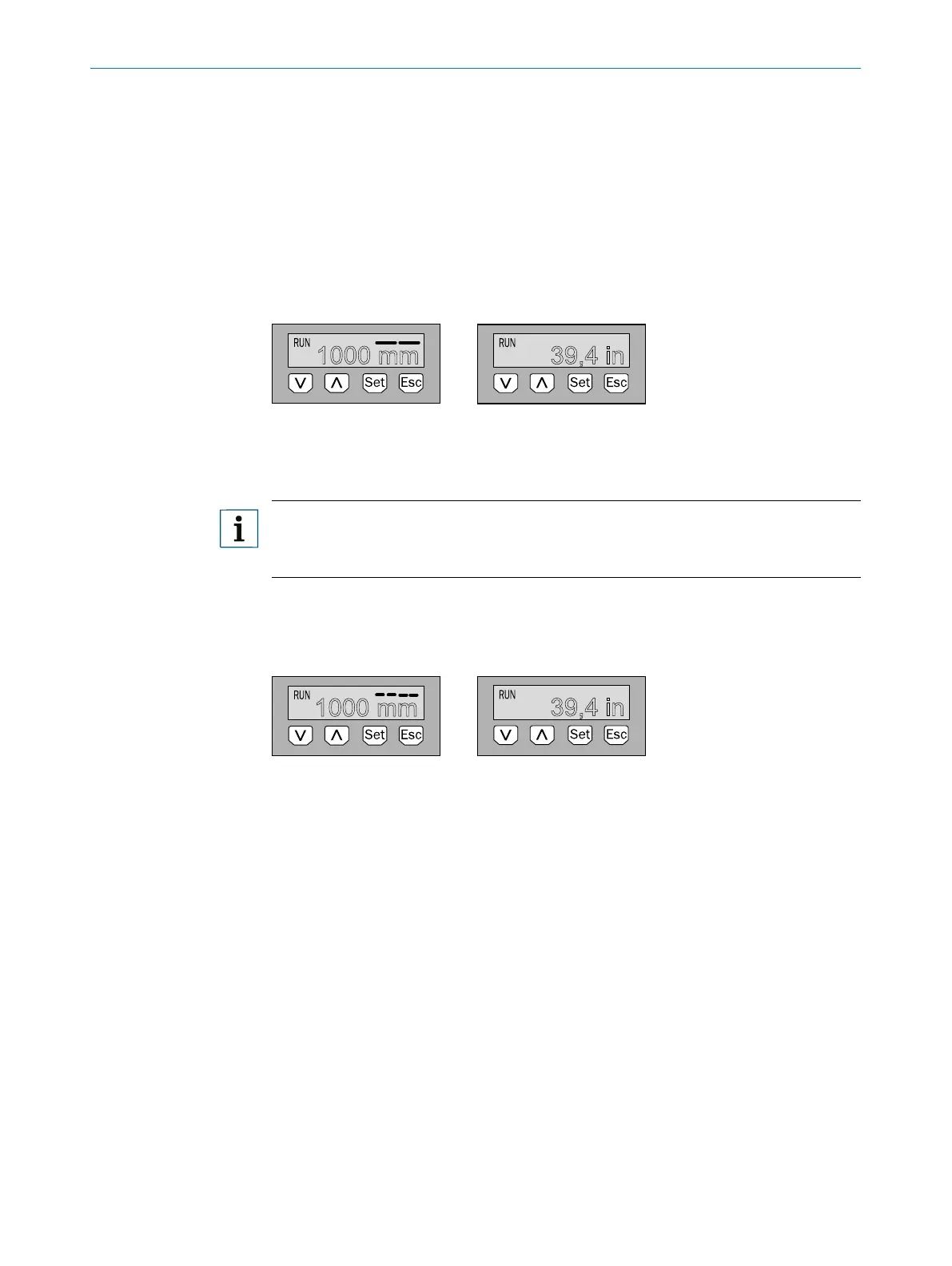
8.1.1 Variants with two switching outputs
1000 mm
39,4 in
Q1 Q2
Arrow pushbuttons: For navigating in the menu and changing values
Set pushbutton: For saving and conrming
Esc pushbutton: To exit the operating menu one step at a time
Note:
The status of the switching outputs is indicated in millimeters by the bars above the
unit symbol. This display is not available when inches are selected as the unit.
8.1.2 Variants with four switching outputs
1000 mm
39,4 in
Q1/2/3/4
Arrow pushbuttons: For navigating in the menu and changing values
Set pushbutton: For saving and conrming
Esc pushbutton: To exit the operating menu one step at a time
8.1.3 IO-Link
For operation via IO-Link, an IODD le and a description of the available telegram
parameters can be downloaded from www.sick.com.



 To Next Page