EasyManua.ls Logo

SICK LMS5 Series - User Manual

SICK LMS5 Series
122 pages
Print Icon
To Next Page IconTo Next Page
Loading...
OPERATING INSTRUCTIONS
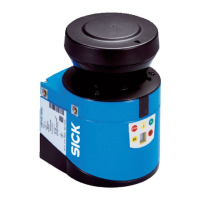
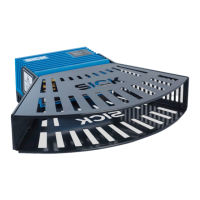
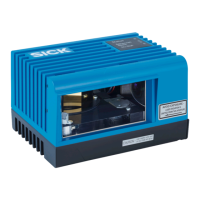
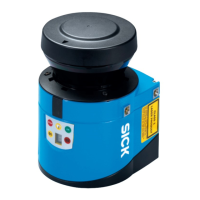
LMS5xx
LASER MEASUREMENT SENSORS

Table of Contents

Questions and Answers

  • M
    Michael NunezSep 12, 2025
    What to do if SICK Accessories shows a system error?
    • S
      Sherry NguyenSep 12, 2025
      If your SICK Accessories is showing a system error, pay attention to the error display of the 7-segment display or carry out a diagnostics with the aid of SOPAS ET. You can also try switching the device off and back on again.
  • J
    joshuabellSep 14, 2025
    How to fix no or low operating voltage in SICK LMS5 Accessories?
    • K
      Kiara MaySep 14, 2025
      To address a situation where your SICK Accessories has no operating voltage, or the voltage is too low, check the voltage supply and activate it if necessary.

Summary

For your safety

General safety notes and protective measures

Essential safety guidelines to avoid hazards.

Hazard warnings and operational safety

Information on potential dangers and safety precautions.

Laser radiation

Specific safety information related to laser radiation hazards and compliance.

Electrical installation work

Procedures and precautions for safe electrical installation.

Mounting

Electrical installation

Commissioning and configuration

SOPAS ET configuration software

Introduction to the software used for configuration and diagnostics.

Establish communication with the LMS5 xx

Steps to connect the PC to the LMS5xx via SOPAS ET.

Initial commissioning

Procedures for setting up the sensor for the first time.

Connection and test measurement

Steps for connecting and verifying the sensor's functionality.

Maintenance

Troubleshooting

In the event of faults or errors

General advice on how to handle malfunctions.

Error displays of the indicator lights

Explains LED status codes indicating errors.

Indications of the 7-segment display

Interprets error codes shown on the 7-segment display.

SICK Support

Information on how to contact customer support for troubleshooting assistance.

Technical specifications

SICK LMS5 Series Specifications

General IconGeneral
BrandSICK
ModelLMS5 Series
CategoryAccessories
LanguageEnglish

Related product manuals