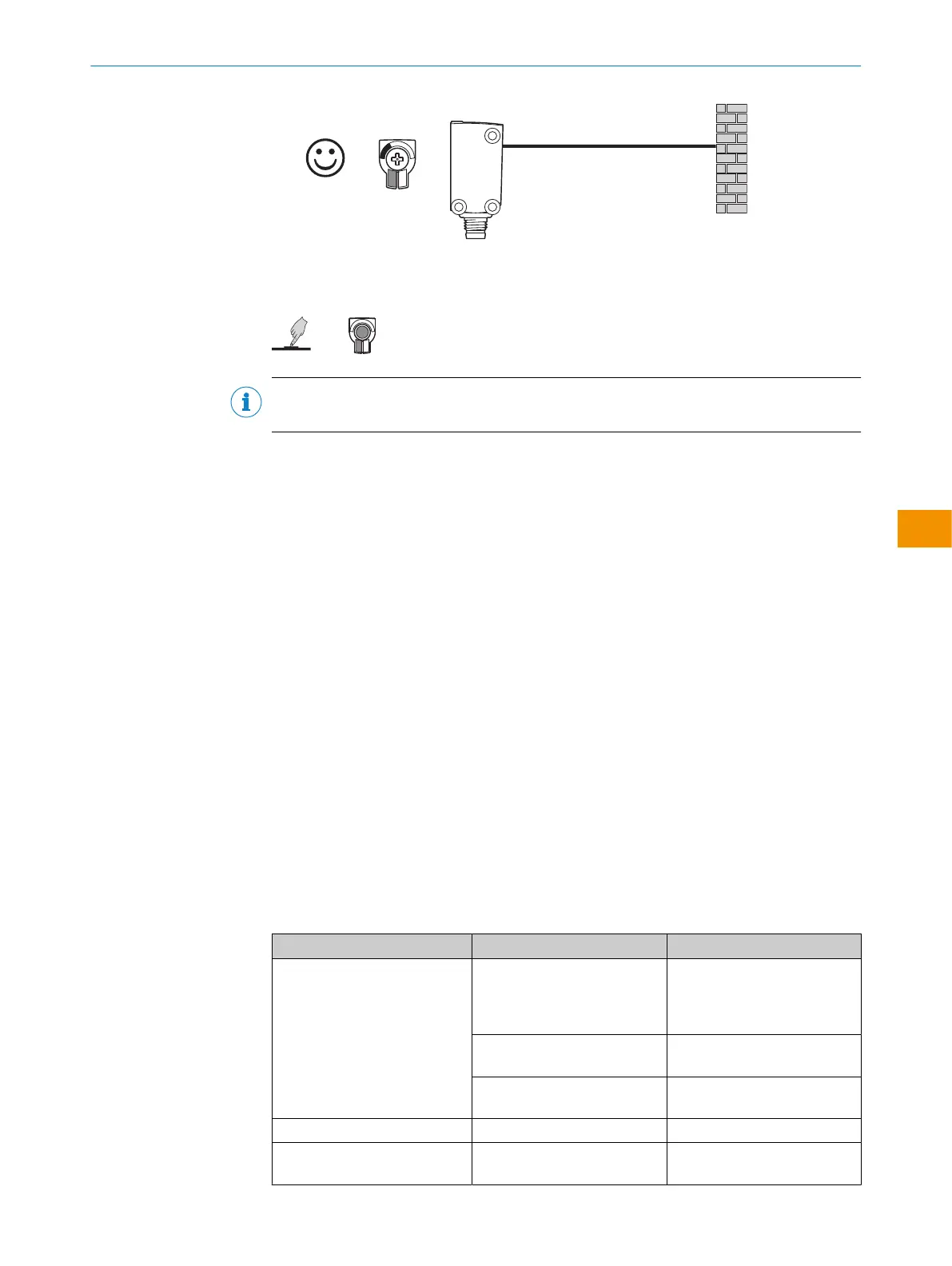
WTB4S-xxxxxx3x / WTB4S-xxxxxx3xAxx with teach-in button
The sensing range is adjusted by pressing the teach-in button (approx. 1-3sec.).
NOTE
Do not operate the teach-in button using sharp objects.
WTB4S-xxxxxxAx
Sensor with fixed sensing range and no adjustment.
6.5 Configuration via IO-Link
In addition to manual setting the parameters on the device, the sensor can also be
configured via IO-Link.
Configuration via IO-Link can be performed in two ways:
•
Configuration via the SiLink box (required software: SOPAS ET from SICK)
To do this, connect the sensor to a computer via USB using the SiLink box.
•
Configuration via an IO-Link Master (PLC), e.g. SIG350
You can quickly and easily test and parameterize the connected products using the
SOPASET program (SICK Engineering Tool with graphic user navigation and convenient
visualization).
Details on configuration can be found in the detailed IO-Link description: Technical
Information: Photoelectric sensors, SICK Smart Sensors / IO-Link.
7 Troubleshooting
The Troubleshooting table indicates measures to be taken if the sensor stops working.
Table 8: Troubleshooting
LED/fault pattern Cause Measures
Yellow LED does not light up
even though the light beam is
aligned to the object and the
object is within the set sensing
range
No voltage or voltage below
the limit values
Check the power supply,
check all electrical connec‐
tions (cables and plug connec‐
tions)
Voltage interruptions Ensure there is a stable power
supply without interruptions
Sensor is faulty If the power supply is OK,
replace the sensor
Green LED flashes IO-Link communication -
Digital outputs not according to
graphic
IO-Link communication -
OPERATING INSTRUCTIONS
8028211/2023/10/20 | SICK O P E R A T I N G I N S T R U C T I O N S | WTB4S
43
Subject to change without notice
en











 To Next Page