GENIUS 2.2, Electromechanical mul-point lock
02.202038/44 H39.ELEKS013EN-00
If an oponal access control system (e.g. a ngerprint
scanner) is to be installed in combinaon with the GE-
NIUS 2.2, refer to the relevant instrucons for informa-
on about commissioning and tesng.
If the lever handle does not return to its original posi-
on by itself, there is a malfuncon.
f
Check the routed pocket for dimensional accuracy.
f
Check that the lever handle is correctly seated.
f
Check that the door hardware is correctly seated.
If the lever handle does not return to its original posi-
on by itself, the mul-point lock must be checked by
KFV.
f
If you cannot remove the key, dismount the prole
cylinder and check it for malfuncons.
f
If the prole cylinder does not funcon faultlessly,
replace the cylinder and repeat the test step.
If the prole cylinder funcons faultlessly, there is a
mechanical disorder in the mul-point lock.
f
Check whether the locking elements run smoothly
into the frame parts. If this is not the case, adjust
the frame parts.
If the GENIUS 2.2 does not move to the locking posi-
on, check the funcon of the magnec sensor. To do
this, open the door and hold a magnet to the magnec
sensor (see chapter 4.1 and 4.2).
f
The magnec sensor is working correctly if the
GENIUS 2.2 moves to the locking posion. Check the
posion of the magnet and the airgap and adjust
them according to the specicaons (3.5 mm± 1.5
mm).
f
Then carry out a manual adjustment of the magnet-
ic sensors (see chapter 7.6).
If due to a block movement, the GENIUS 2.2 does not
move completely to the locking posion, an acousc
error signal will sound and the status LED will ash red.
f
Check whether the locking elements run smoothly
into the frame parts. If this is not the case, adjust
the frame parts.
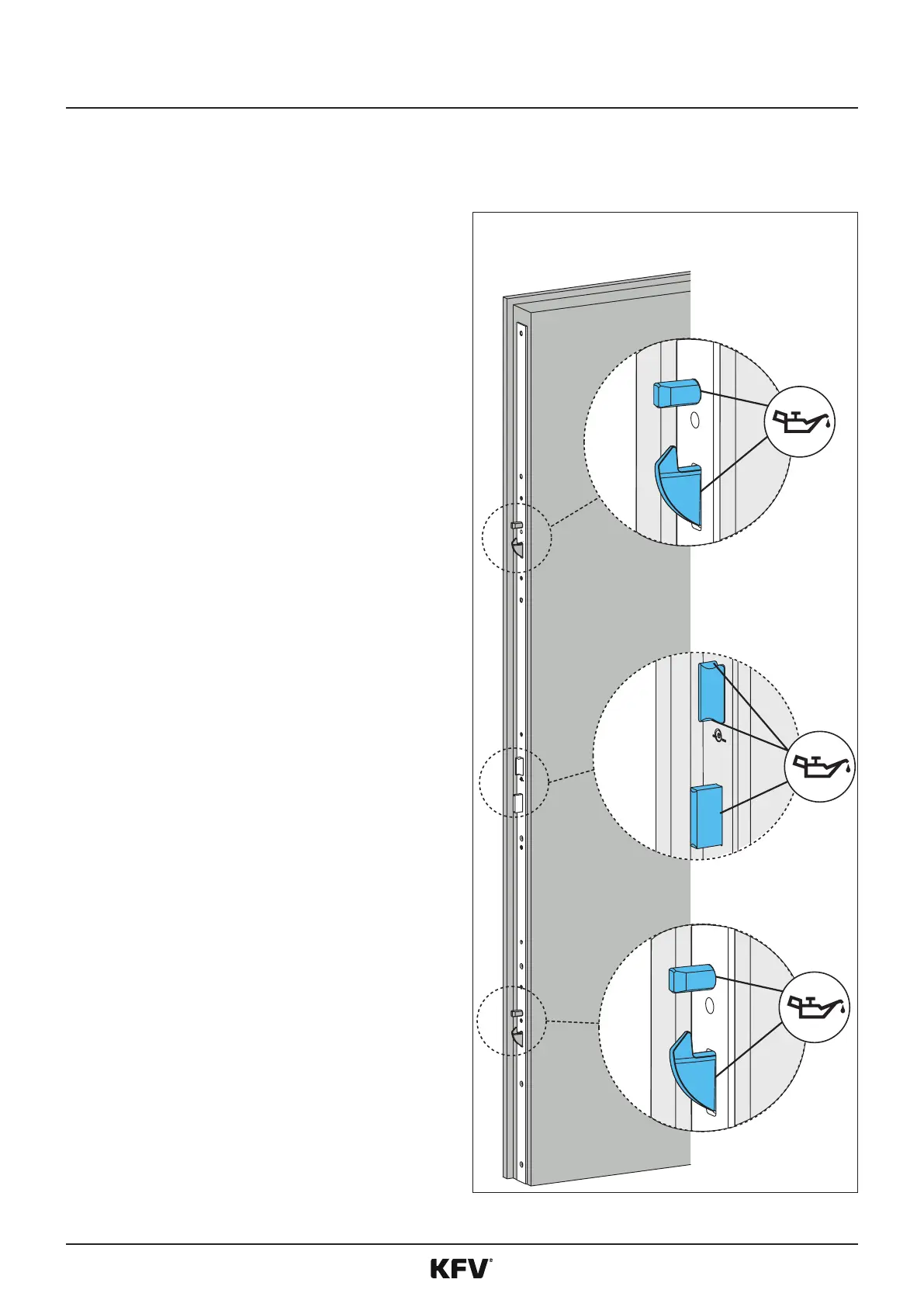
All the lubricaon points dened below must be lubri-
cated if necessary, and at least once annually.



 To Next Page