23/44
GENIUS 2.2, Electromechanical mul-point lock
23/4402.2020H39.ELEKS013EN-00
Various cable types are available for establishing the cable connecons. Obtain prior informaon about what
types of cable come into queson for your installaon.
Only use shielded cables in order to prevent interferences, which have an eect on the KFV mul-point lock with GENIUS 2.2, or originate from the
KFV mul-point lock with GENIUS 2.2.
Only use the shielded original KFV cable. See: product catalogue KFV GENIUS and A-opener.
Deburr all holes for the cable roung.
Do not route cables over sharp edges. File or line any sharp edges.
Route cables without kinking.
A
SI-Bus
Siemensstr. 10
D-42551 Velbert
GEN 2.2 B
SN:
R1:
R2:
R3:
24V DC
24V DC
Input
Output
B C D 0 1 2 3
4 7
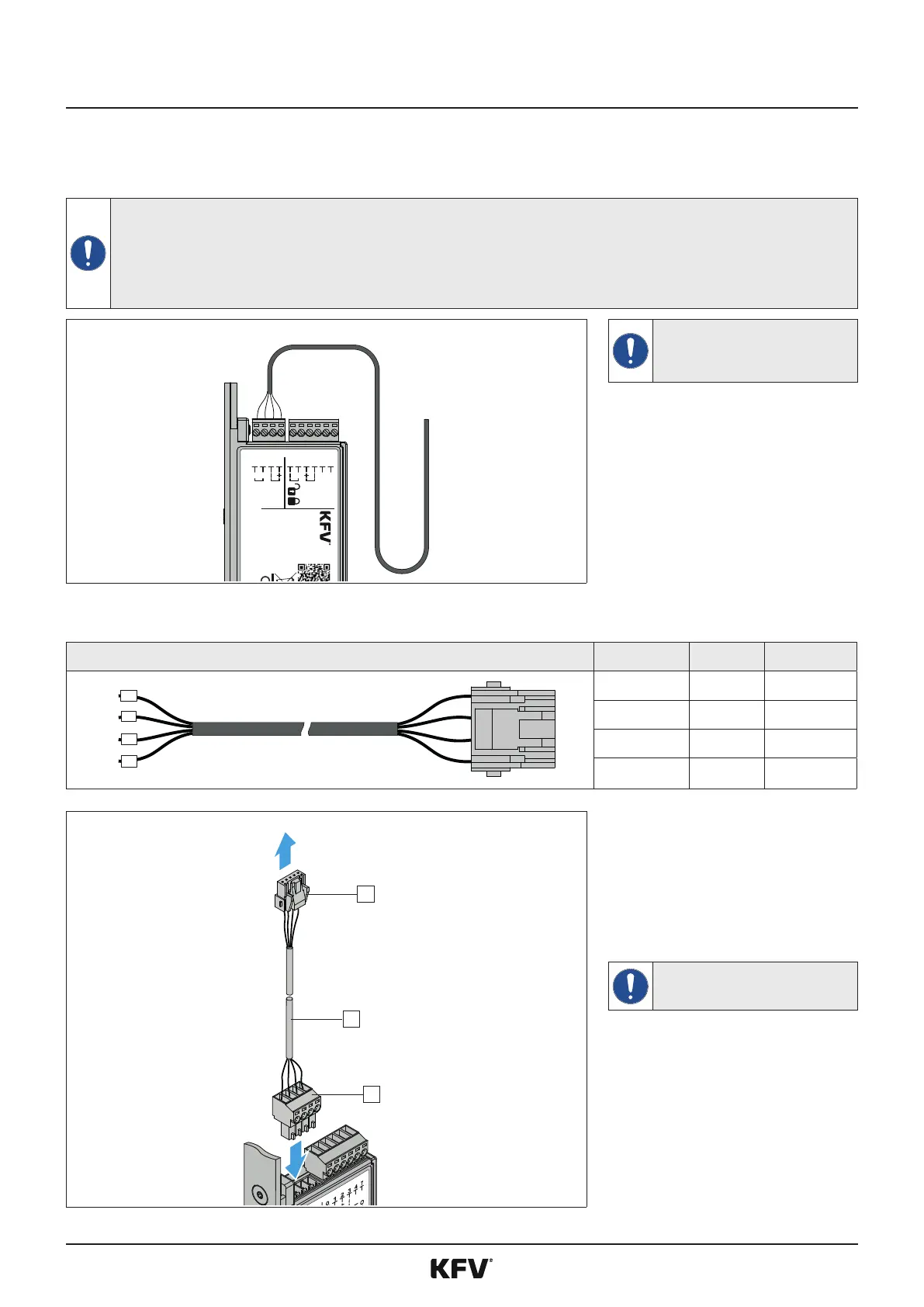
Always route the cable to the GENIUS
2.2 in a loop to prevent any ingress
water from running into the connec-
ons of the GENIUS.
Use only the SI-BUS cable from KFV intended for this purpose to establish a connecon via the SI-BUS.
+
0
1
-
0 Yellow Data
1 Green Data
- Brown - 24V DC
+ White + 24V DC
1
2
3
SI-BUS system
f
Insert the green PTR plug [1] of
the SI-BUS adapter cable [2] into
the connecon with the desig-
naon A to D of the GENIUS 2.2.
f
Connect the plug [3] of the SI-
BUS adapter cable to the SI-BUS
system and route the cable.
Select the holes for the cable bushings
accordingly so that the plugs can be
passed through.



 To Next Page